

 Dansk
 Svenska
 Deutsch
 Norsk bokmål
Segment rules explained, with examples
A segment is a group of customers defined by rules rather than by a list. Nobody is
added or removed by hand: a customer belongs whenever they match, and stops belonging
when they do not. For the step-by-step setup, see Build a customer segment.
Name it and save it before you can add rules
Open Analyze → Segments → Create new segment. Enter a Segment name, then click
Save. Until you do, the screen says Save the segment first to start adding rules.
A rule is an attribute, an operator and a value
Click + Add OR group (or + Add rule to this group once a group exists) and the
Select attribute dialog opens, with everything you can build on and a search box.
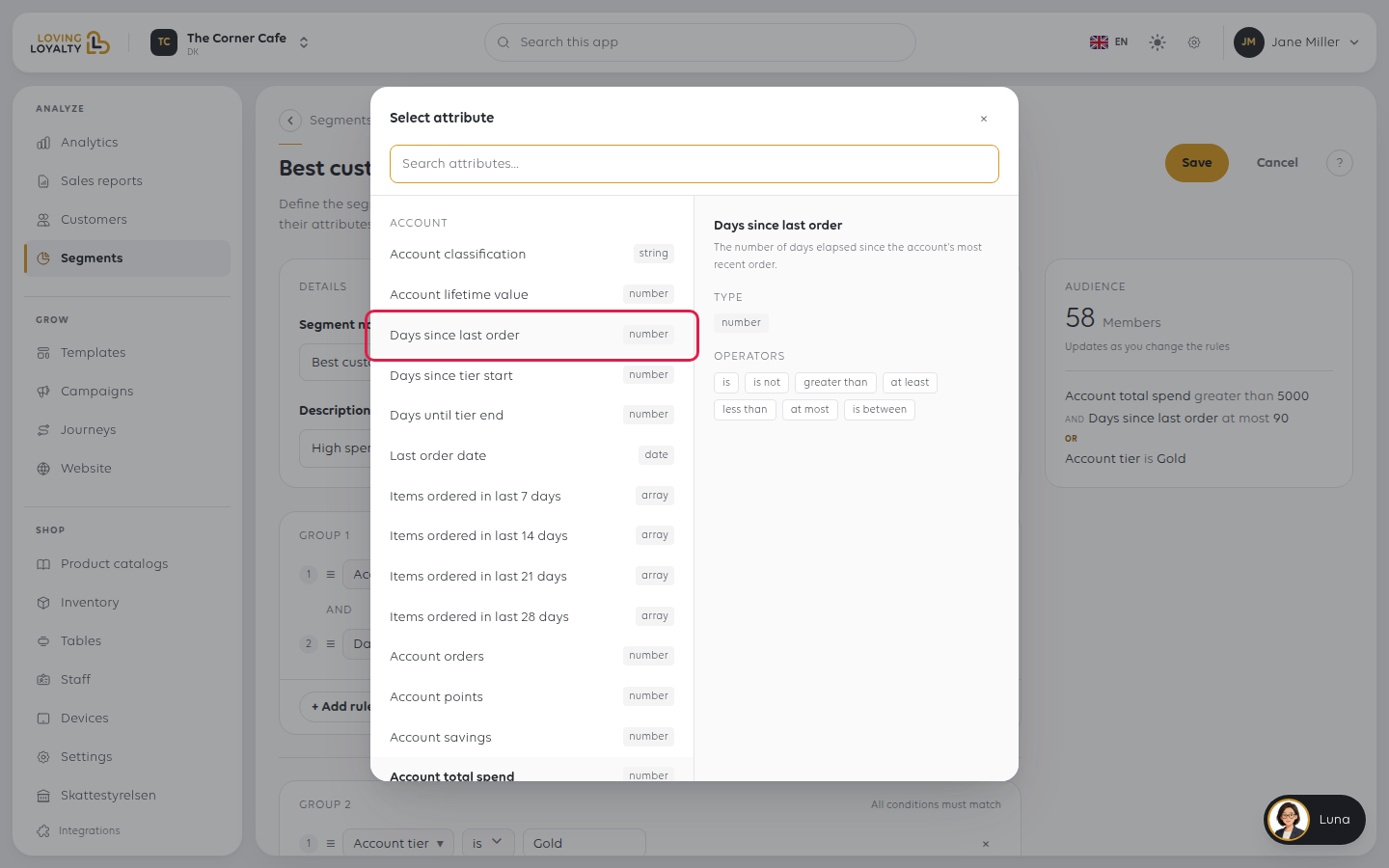
Each attribute has a type, and the type decides which operators you get.
| Type | Operators |
|---|---|
| number | is, is not, greater than, at least, less than, at most, is between |
| date | dates and ranges |
| string | matching on the value |
| array | what the list contains |
What you can build on
| Attribute | Type |
|---|---|
| Days since last order | number |
| Last order date | date |
| Account orders | number |
| Account total spend | number |
| Account lifetime value | number |
| Account points / Account savings | number |
| Account tier / Account classification | string |
| Days since tier start / Days until tier end / Tier end date | number, date |
| Items ordered in last 7 / 14 / 21 / 28 days | array |
Selecting one shows what it means before you use it. Days since last order, for
instance, is the number of days elapsed since the account's most recent order.
AND within a group, OR between groups
Rules in the same group must all match. + Add OR group starts another group,
and a customer belongs if they match any group.
That is the whole logic, and it is enough for most things:
- One group with two rules: spent over 1,000 and at least 5 orders.
- Two groups: tier is Gold or spent over 5,000 — either qualifies.
Watch the matching count
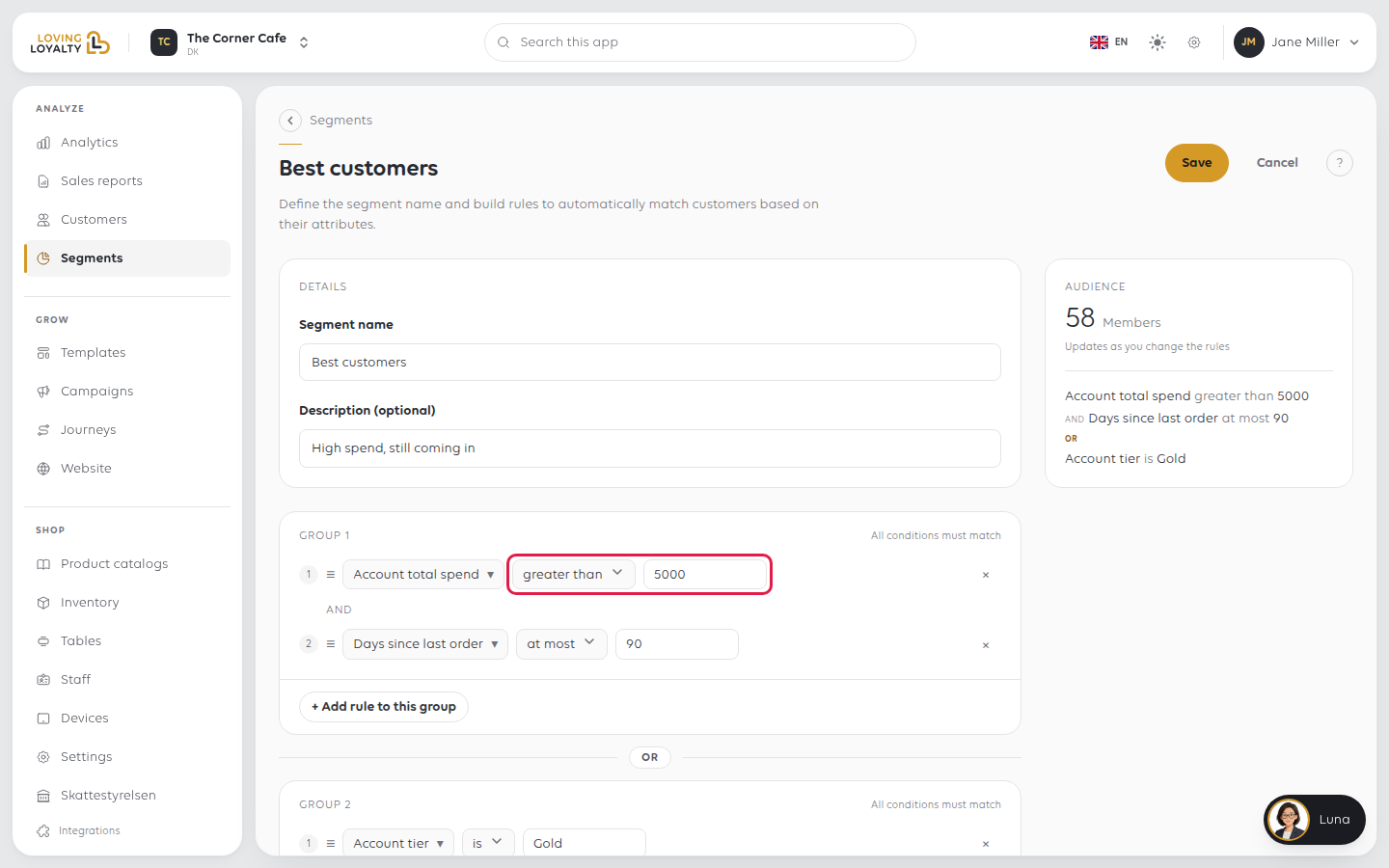
The Audience card on the right shows the Members count and updates as rules
change. Use it as the check:
- Zero: the rules contradict each other, or the value is too strict.
- Everybody: the rules are not narrowing anything.
- A number you did not expect: one rule is not what you thought. Remove rules one
at a time until the count makes sense.
Worked examples
Lapsed regulars: people who used to come and have stopped.
Days since last order at least 60 and Account orders at least 5
The second rule is what makes it useful. Without it the segment is full of people who
came once, a year ago, and were never regulars at all.
Your best customers
Account total spend greater than 5,000 and Days since last order at
most 90
Spend alone finds people who were valuable once. The second rule keeps it to people
who are still here.
Nearly lapsed: worth a nudge before they are gone.
Days since last order is between 30 and 45
A window, not a threshold. A threshold of "over 30 days" includes everyone who left
two years ago, every time it runs.
About to lose their tier
Days until tier end at most 14
If something goes wrong
| What you see | What it means | What to do |
|---|---|---|
| No rules can be added | The segment has not been saved yet | Name it and Save first |
| Zero members | Rules contradict, or the value is too strict | Remove rules one at a time and watch the count |
| Everyone matches | No rule narrows anything | Check the operators; at least 0 matches all |
| The number keeps changing | Segments are live | Expected; it follows your customers |
Was this article helpful?
Thanks for your feedback!
