

 Dansk
 Svenska
 Deutsch
 Norsk bokmål
Journey history — who received what
A journey runs by itself, so the only way to know what it actually did is to look.
History is that record.
Open it
Open Grow → Journeys and select History beside the journey.
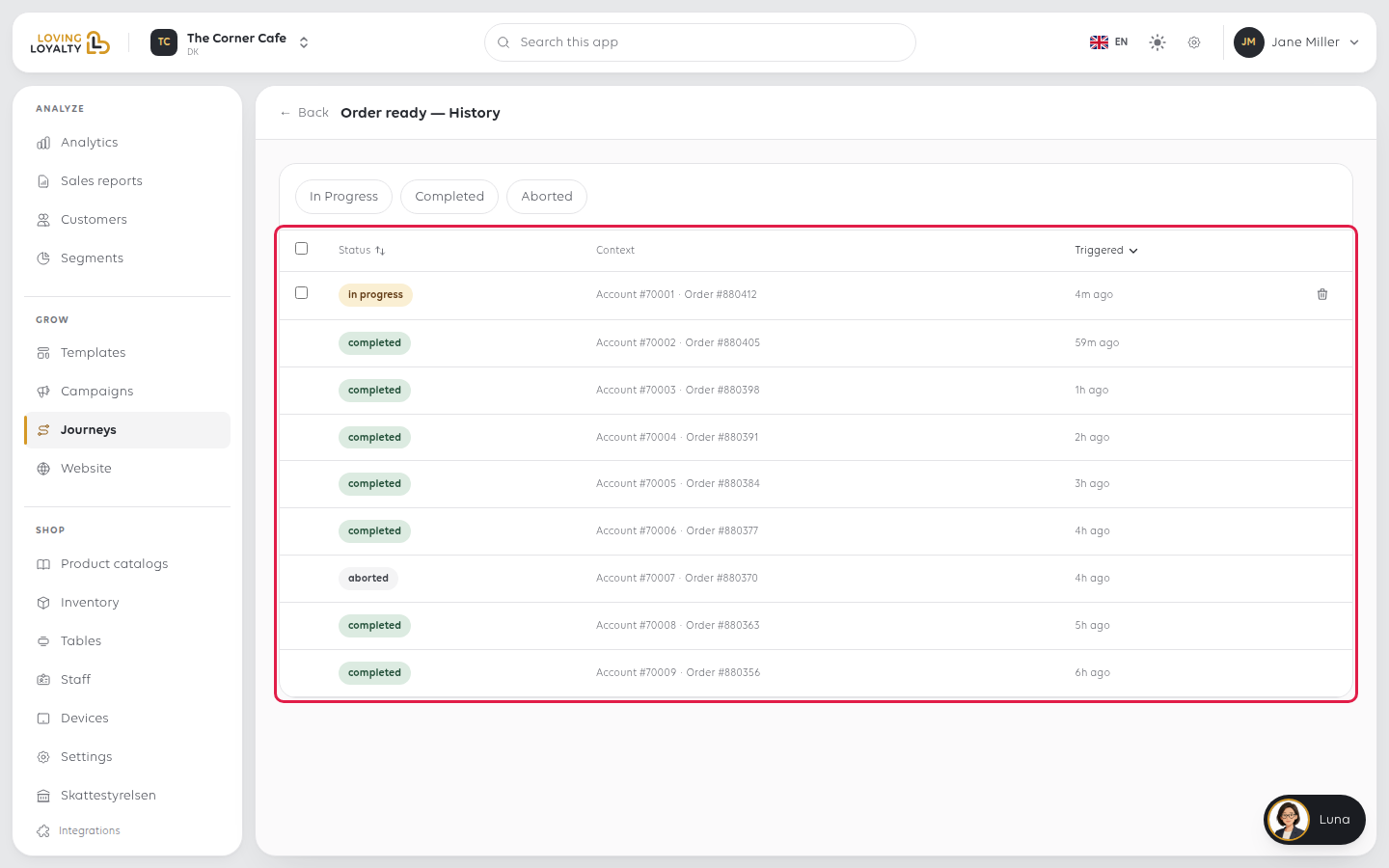
Every run of that journey is listed, newest first, with columns for Status,
Context (the customer account or order that started it) and Triggered (when).
Filter by In Progress, Completed or Aborted.
Click a run to open its Execution Detail: the context, and every step it passed
with the time each one finished. A step still waiting shows waiting….
A run still in progress has a checkbox and a delete icon. Deleting it stops that run
for that customer before it finishes.
What the three states mean
| State | Means |
|---|---|
| In Progress | The journey is part way through, usually sitting on a Wait step |
| Completed | It reached the end |
| Aborted | It stopped before the end |
In Progress is normal. A journey with a two-day wait has everyone who triggered
it in the last two days sitting in that state. It is not a stuck job.
What to use it for
"Did the customer get it?" Find the run by its Context or by when it was
triggered, and click it. The steps list shows whether it reached the message step.
"Why did nobody get anything?" An empty history means the journey never
triggered: nobody did the thing that starts it. That is a different problem from
messages failing. Check the trigger before you check the messages.
"Why did some get it and not others?" A Condition in the journey splits the
path. Open a few runs and compare the steps each one passed.
"It sent something it should not have." Click Stop on the journeys list first,
then read the history to see how far it got and who was affected. Stopping is
immediate; reading takes as long as it takes.
If something goes wrong
| What you see | What it means | What to do |
|---|---|---|
| No executions found | The journey has never triggered | Check the trigger is something that actually happens |
| Everything is In Progress | They are waiting on a Wait step | Check the wait length — see Edit a journey's steps and timing |
| Runs are Aborted | They stopped before the end | Open a run to see the last step it reached, then check that step in the editor |
| A customer got two messages | Two journeys share a trigger | Stop one |
Was this article helpful?
Thanks for your feedback!
