

 Dansk
 Svenska
 Deutsch
 Norsk bokmål
Build a customer segment
A segment is a group of customers defined by rules rather than by a list: everyone
who has not ordered for three months, everyone over a certain lifetime value.
Campaigns and journeys are aimed at segments, so this is usually the first thing to
build.
Segments are part of the Customer marketing plan. Without it, the page shows
Add customer marketing and a See subscriptions button instead.
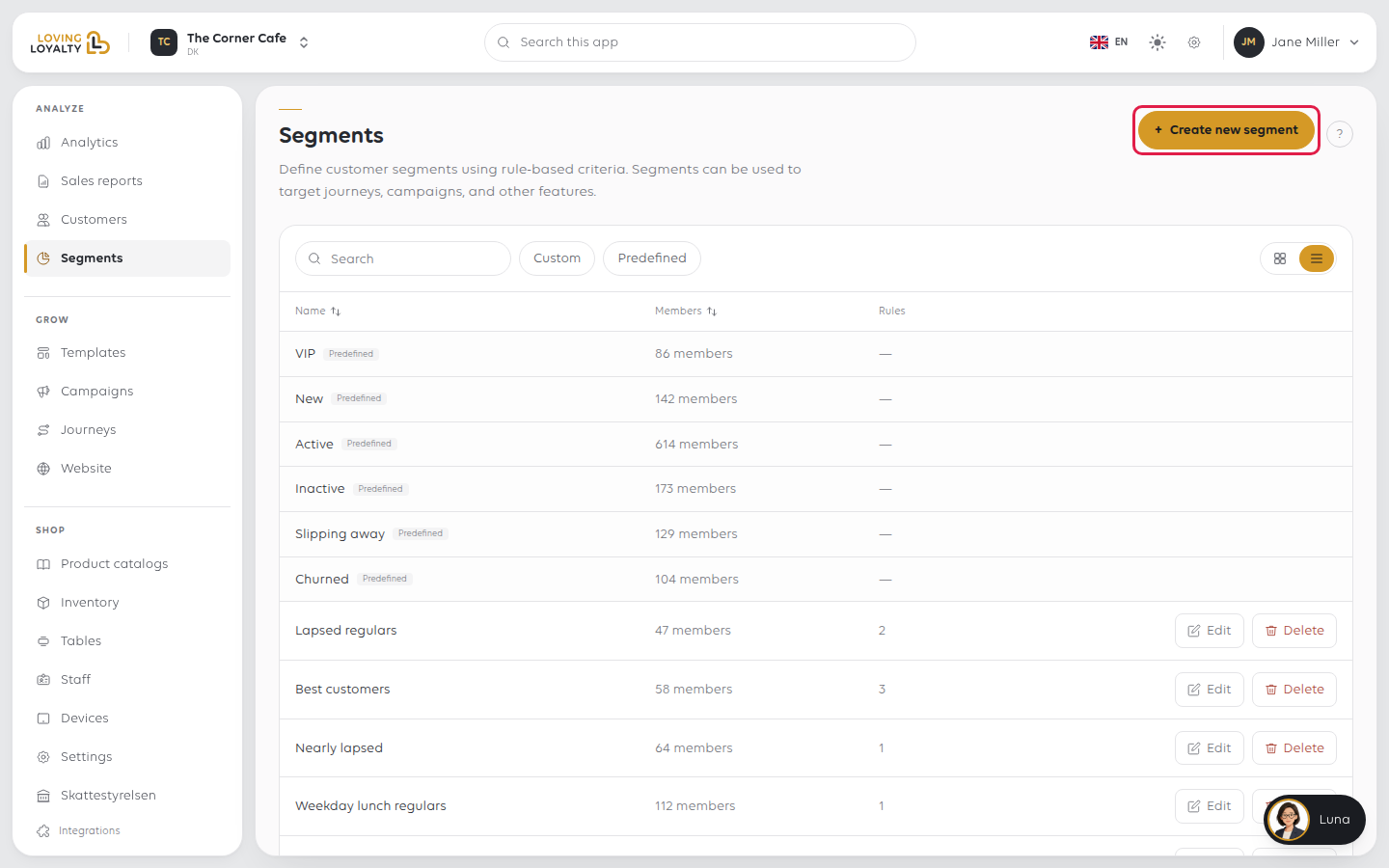
1. Open Segments
In the sidebar, open Analyze and then Segments.
2. Name the segment and save it
Click Create new segment. Enter a Segment name that says who is in it -
Not seen in 90 days beats Segment 3. The Description is optional. Click
Save. A Segment created message confirms it.
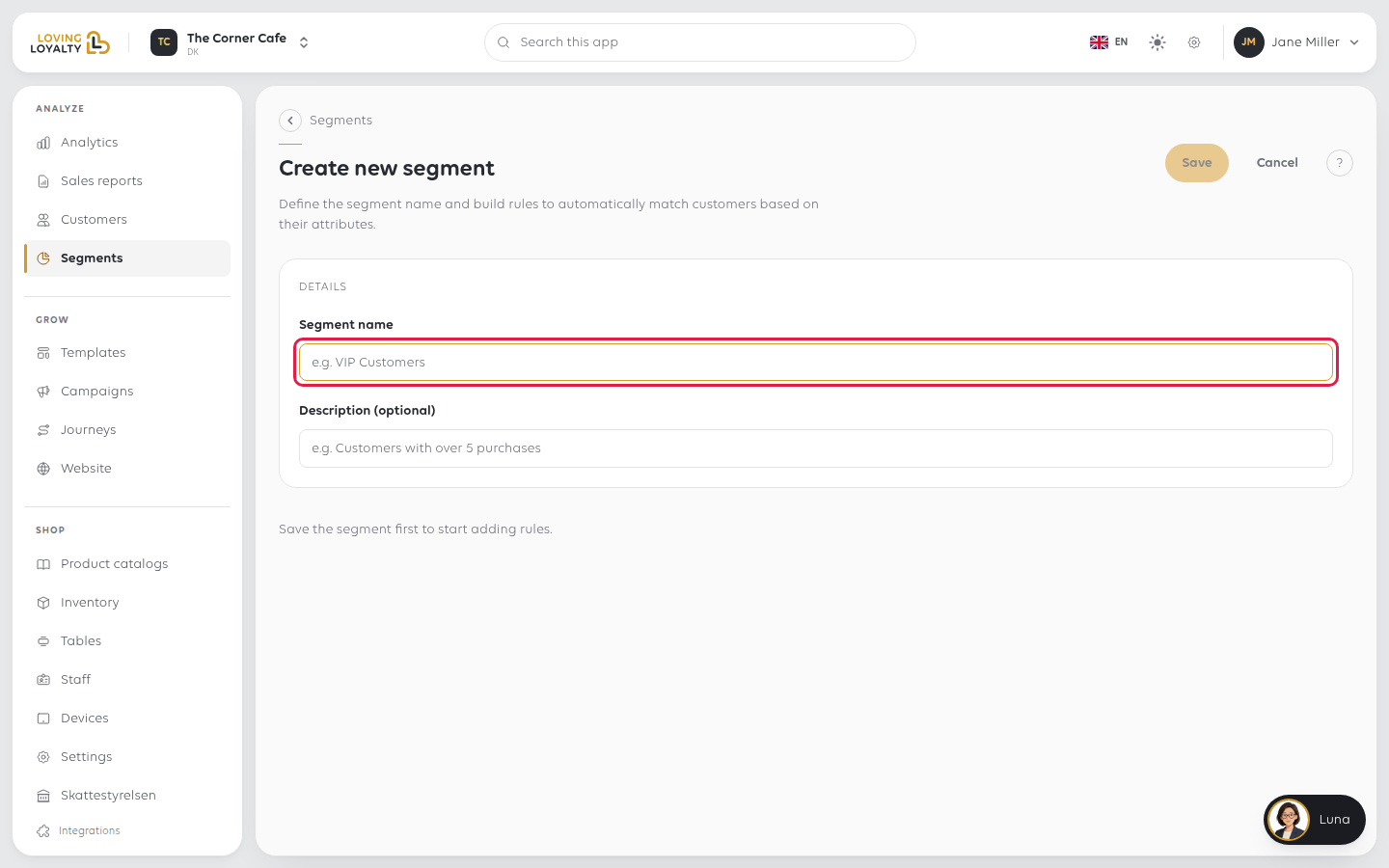
You stay on the same screen, and the rules area and the Audience card appear.
Until you save, the screen shows Save the segment first to start adding rules.
3. Add the rules
A saved segment with no rules shows No rules yet. Click + Add OR group to add
the first rule. The Select attribute dialog opens: pick what to compare, then
choose the operator and enter the value. Each rule saves as you change it.
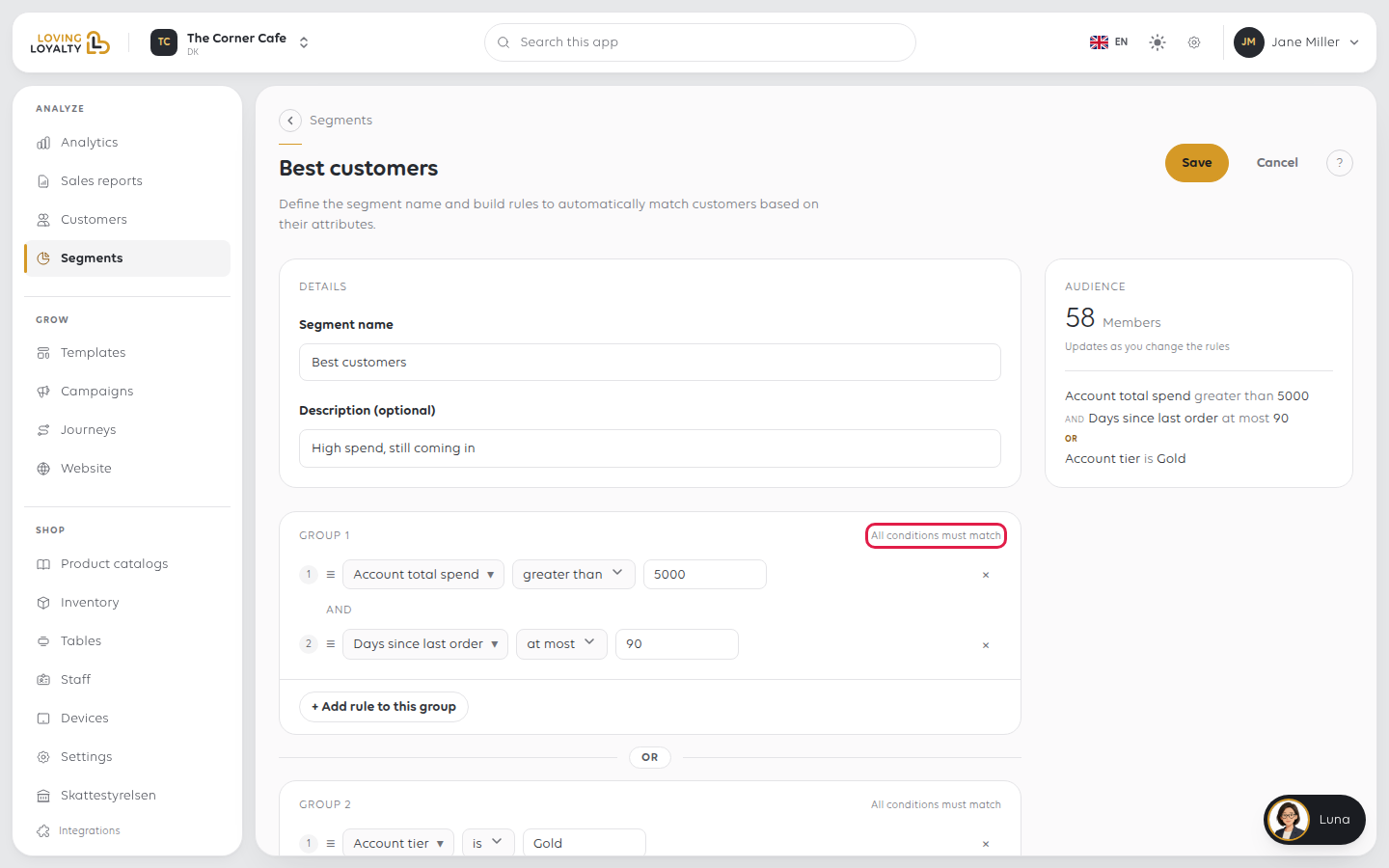
Rules sit in a group headed All conditions must match, with AND between
them, so a customer must match every rule in the group.
- + Add rule to this group adds another condition to the same group.
- + Add OR group starts a new group. A customer matching either group is in
the segment. - The × on a rule removes it.
4. Check how many customers match
The Audience card on the right shows the number of Members and lists your
rules. It updates as you change them. A count of zero usually means the rules
contradict each other.
If something goes wrong
| What you see | What it means | What to do |
|---|---|---|
| Save the segment first to start adding rules | The segment has not been created yet | Enter a name and click Save |
| Add customer marketing instead of the page | Your plan does not include customer marketing | Click See subscriptions |
| The segment matches nobody | It has no rules, or the rules are too narrow | Check the rules and watch the Members count |
| A campaign cannot find your segment | It was never saved | Save the segment, then go back to the campaign |
Was this article helpful?
Thanks for your feedback!
