

 Dansk
 Svenska
 Deutsch
 Norsk bokmål
Find a customer
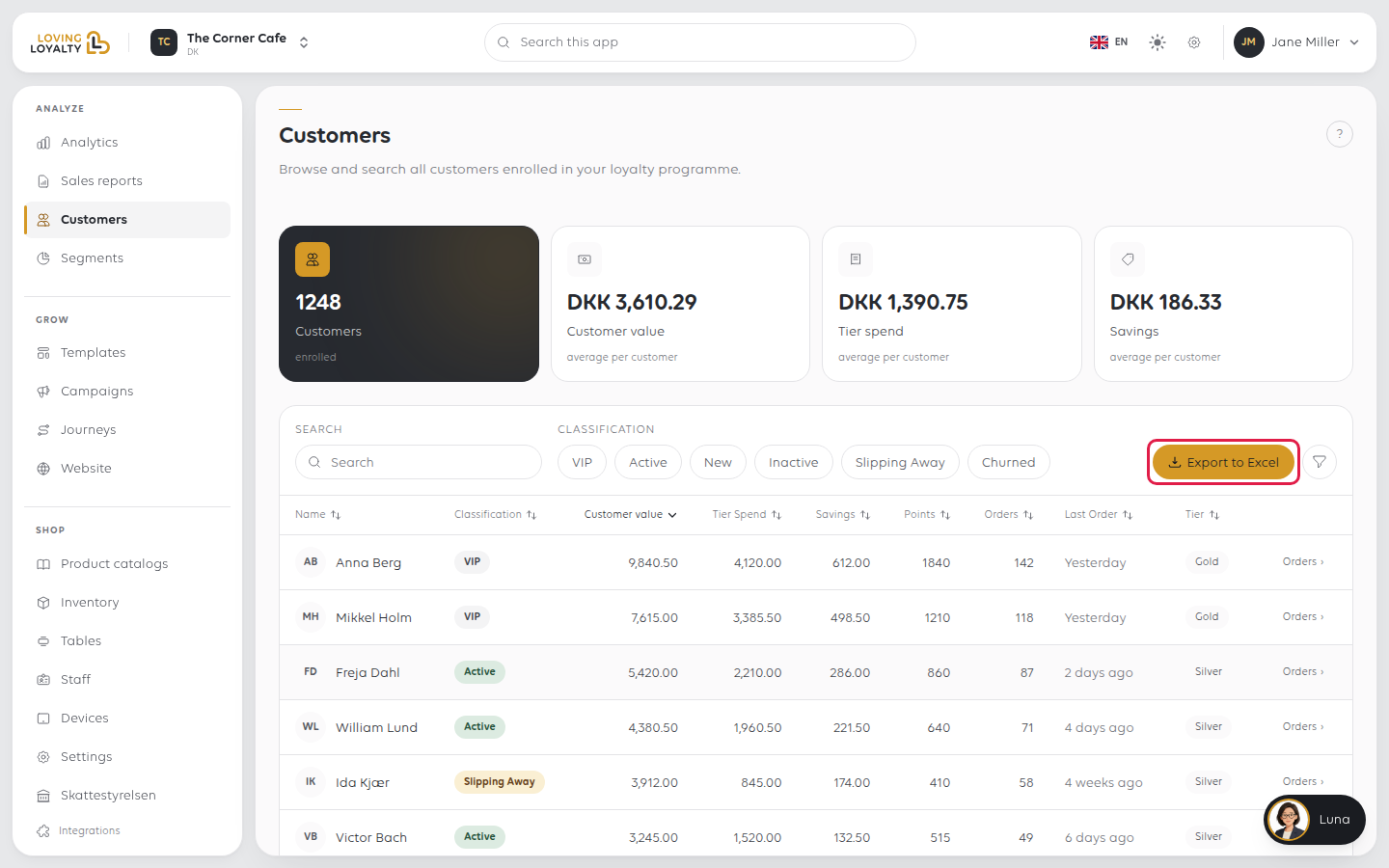
The Customers page lists everyone enrolled in your loyalty programme, with what
each is worth and how recently they visited. It is where you look someone up, and
where you see the shape of your customer base. It shows the customers of the location
you are signed in to.
1. Open Customers
In the sidebar, open Analyze and then Customers.
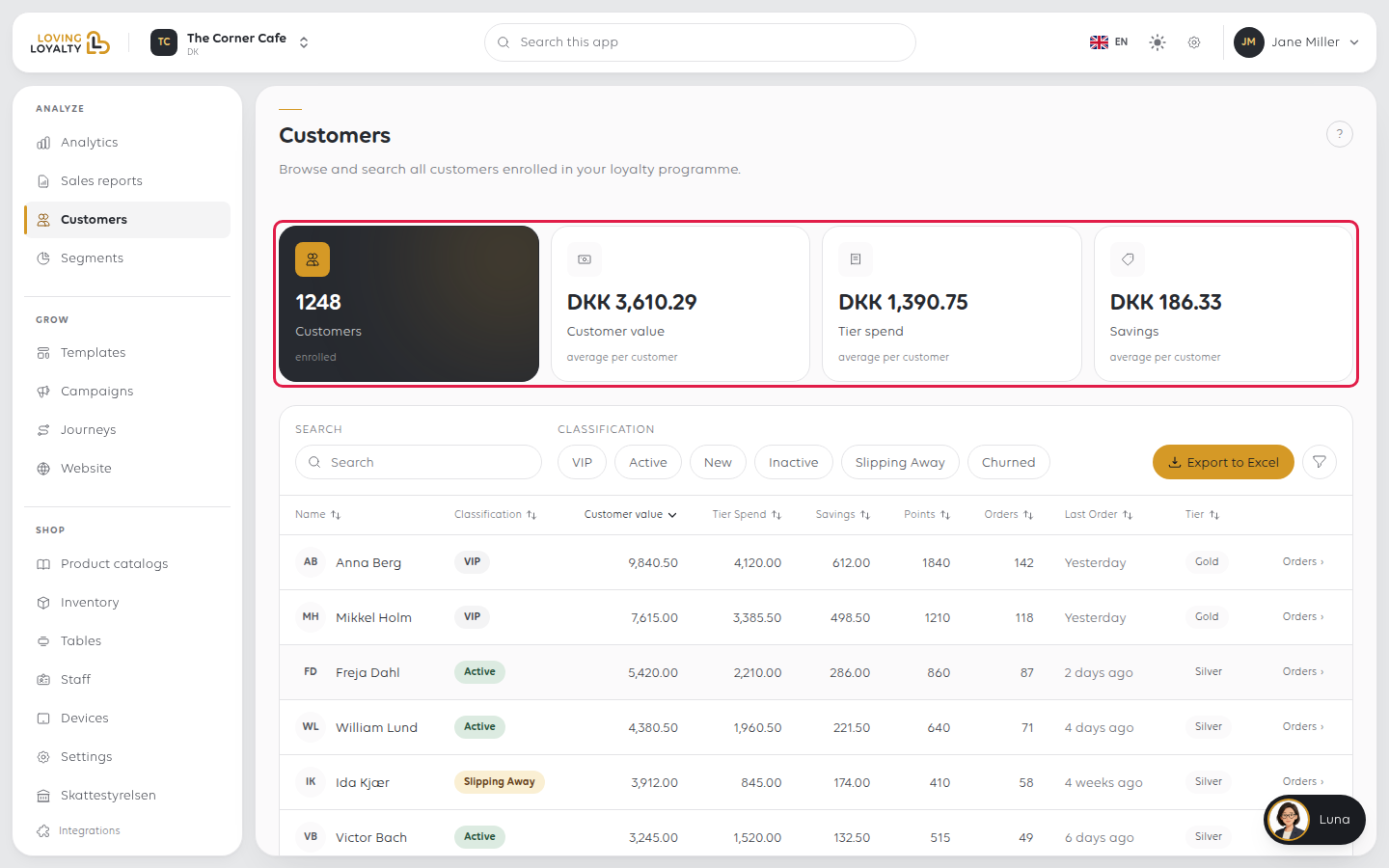
Four figures sit across the top: how many Customers you have, and the average
Customer value, Tier spend and Savings per customer.
2. Look someone up
Type in the Search box above the table. The list narrows as you type.
3. Narrow the list
The Classification chips split customers by state: VIP, Active, New,
Inactive, Slipping Away and Churned. Each row also carries its state as a
label, so a customer worth chasing is visible at a glance.
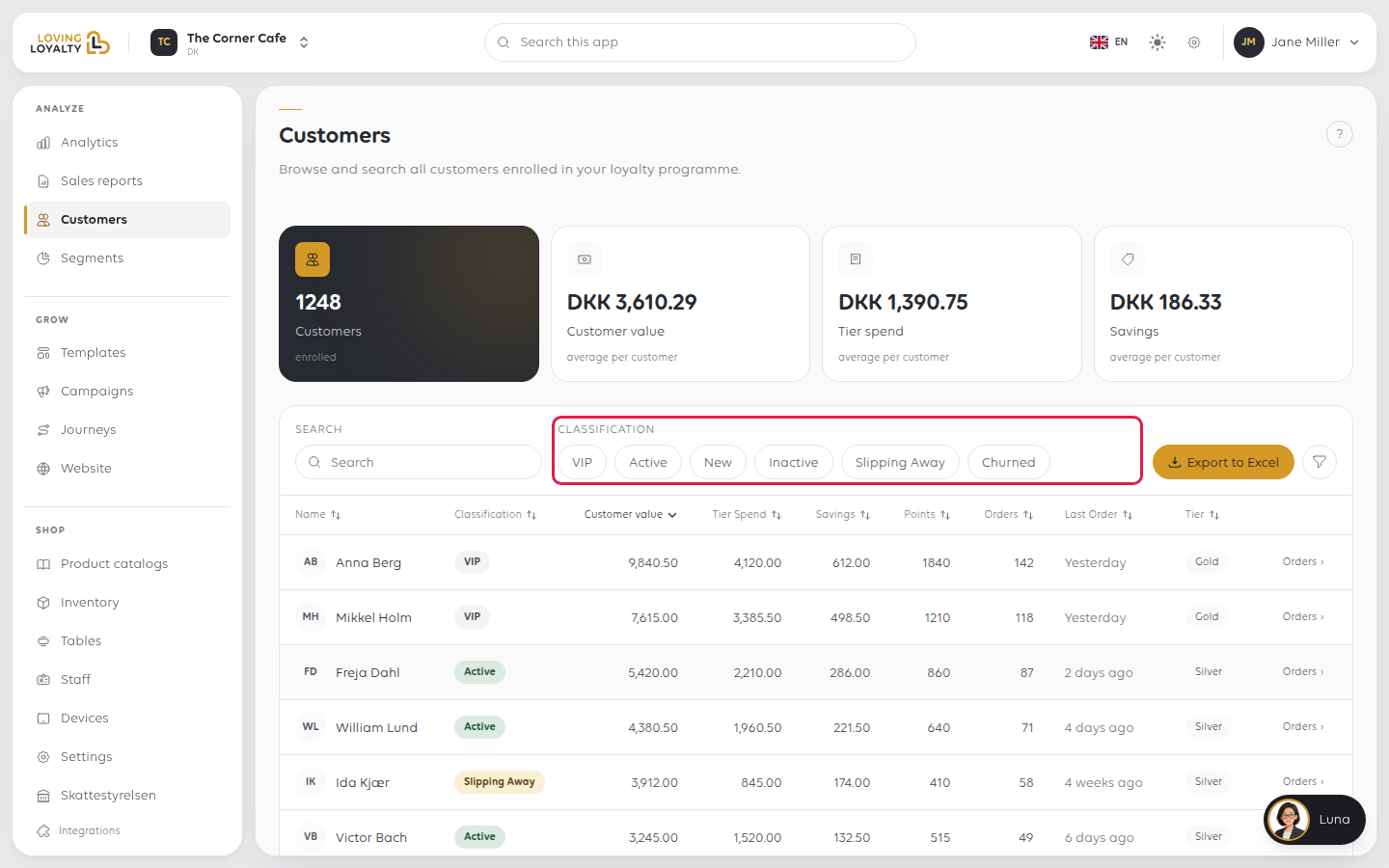
Slipping Away is the one to watch. Those customers still come, but less than
they did. A campaign aimed at them is the cheapest one you will run.
The Filters button adds a Min and Max for Customer value, Tier
Spend, Savings, Points and Orders, and a Tier choice. Each active
filter shows as a chip you can remove.
4. Read the columns
Each row shows the customer's classification, Customer value (what they have been
worth in total), Tier Spend, Savings, Points, how many orders they have
placed, when they last ordered, and their Tier. Click a column heading to sort by
it. On a phone or tablet, choose the column from Sort by instead.
5. See what someone has ordered
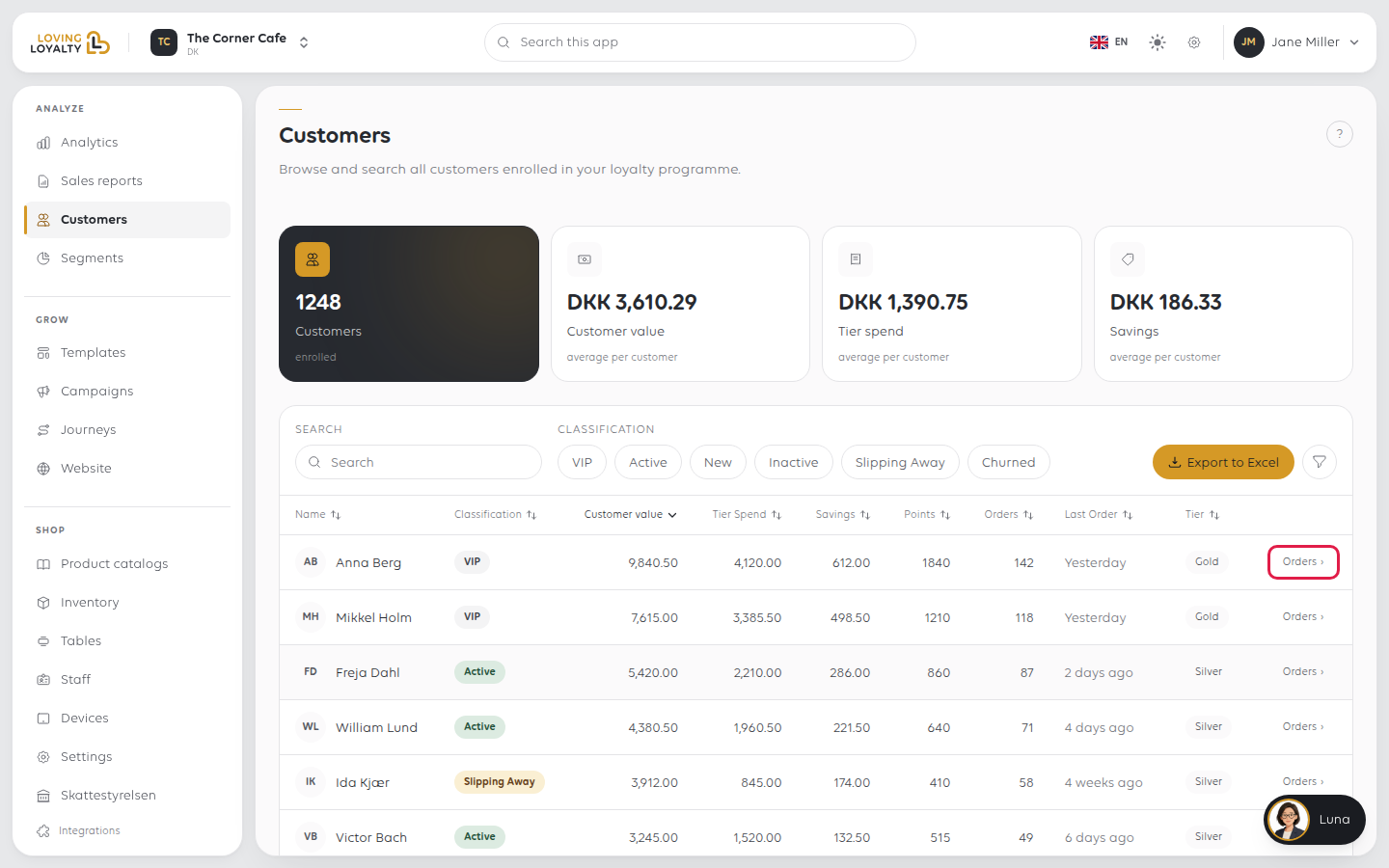
Click Orders at the end of a customer's row.
The page that opens shows their orders, value, points and last order at the top, then
every order they have placed, newest first.
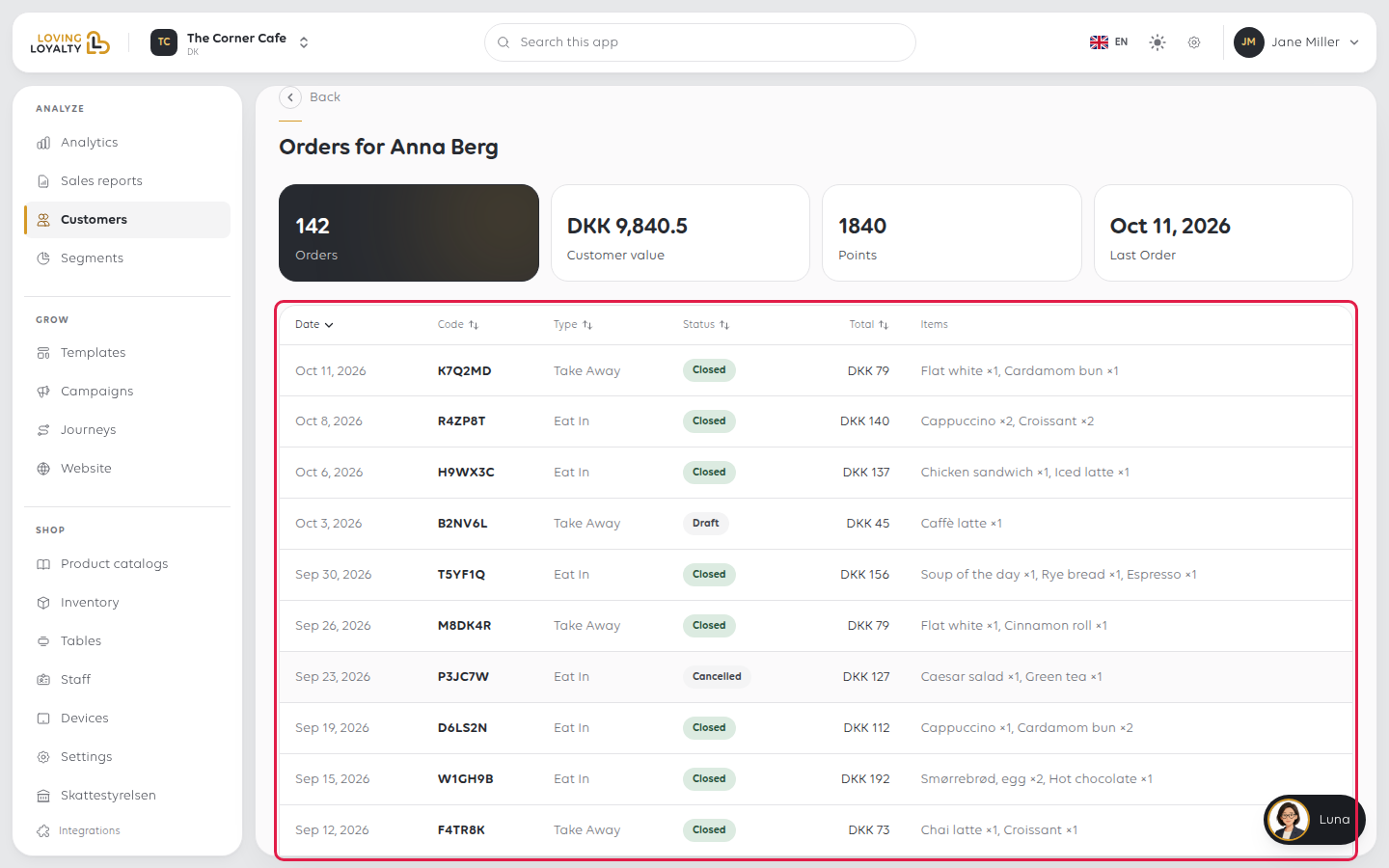
Each row shows the Date, the order's Code, its Type, its Status and the
Total. The codes are the same ones that appear at the till, so a customer quoting
one can be matched to their order here.
Statuses include Closed for a finished order, Cancelled, and Draft for one
that was started and never placed. A draft is not a sale and is not counted as one.
Export the list
Export to Excel downloads your whole customer list as a spreadsheet. It does not
follow the search or filters on screen.
If something goes wrong
| What you see | What it means | What to do |
|---|---|---|
| A customer is missing | They may not be enrolled, or they ordered anonymously | Anonymous orders are not attached to a customer record |
| The figures look low | They cover this location only | Switch location to see another shop's customers |
| Everyone shows as Bronze | Tiers are not set up yet | Tiers are configured in the loyalty programme settings |
| Export failed. Please try again. | The download did not complete | Try again in a moment |
Was this article helpful?
Thanks for your feedback!
