

 Dansk
 Svenska
 Deutsch
 Norsk bokmål
Let customers book online
For any shop that takes bookings: a restaurant booking tables, or a service
booking appointments with a member of staff.
Everything here is in Shop → Settings → Booking configuration. A switch saves the
moment you flip it; a text or number field saves when you press Enter or click its
Save.
1. Choose what customers book
Type decides what they book: a Table or a member of Staff. The rest of
that group sets what is offered: slot length and interval, how many bookings run at
once, lead time, buffers and the cancellation window. See Booking configuration.
Then make sure there is something to book:
| Type | Set on |
|---|---|
| Table | Each table. See Set up tables and the floor plan |
| Staff | Each person. See Make a staff member bookable |
2. Decide whether bookings confirm themselves
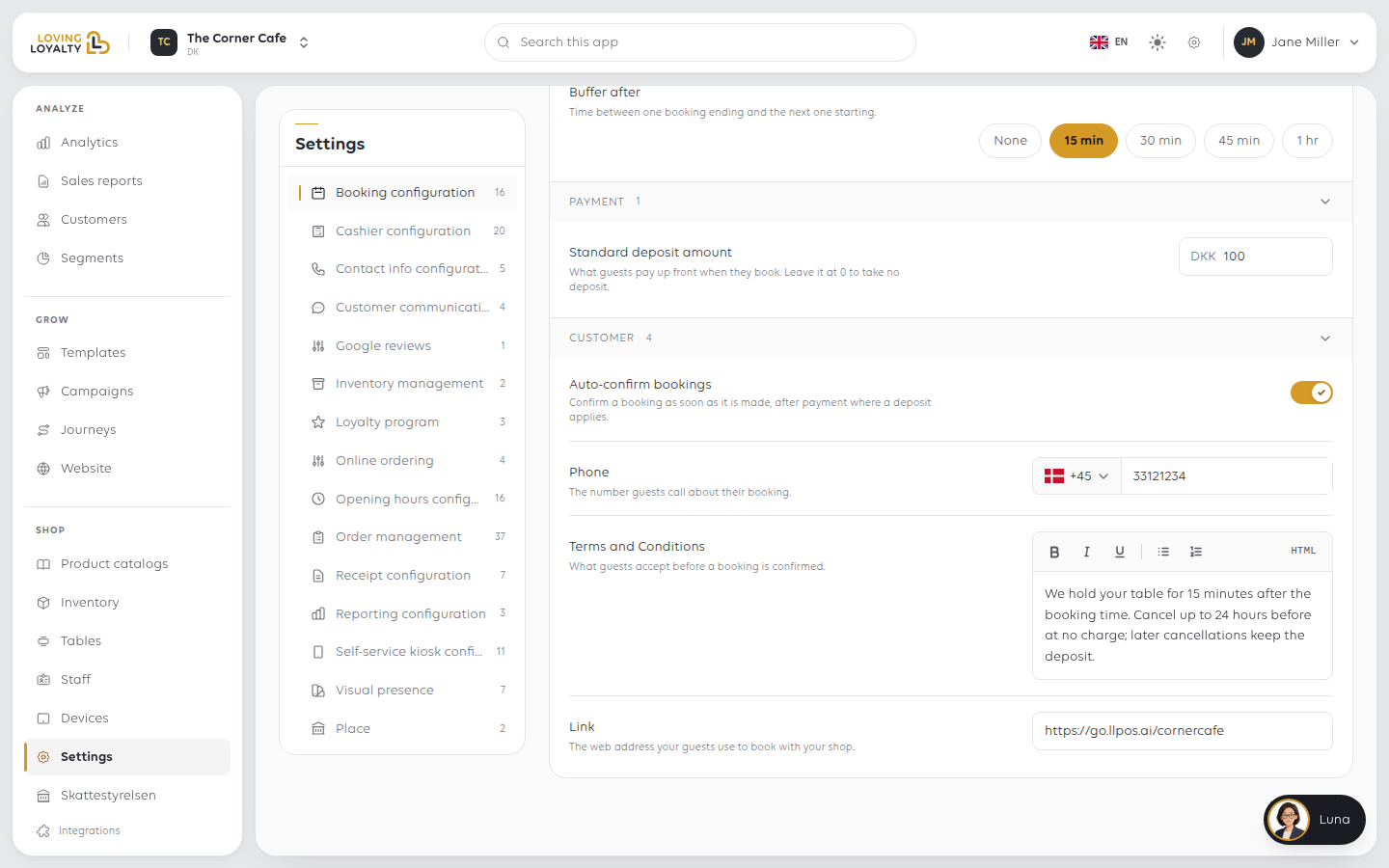
Auto-confirm bookings confirms a booking automatically, after payment where a
deposit applies. Leave it off and each booking waits for someone to confirm it.
3. Take a deposit, if you want one
Open the PAYMENT group. Standard deposit amount is what guests pay up front
when they book. Leave it at 0 to take no deposit.
4. Set the terms and the phone number
| Setting | What it is |
|---|---|
| Terms and Conditions | What guests accept before a booking is confirmed |
| Phone | The number guests call about their booking |
5. Share the booking link
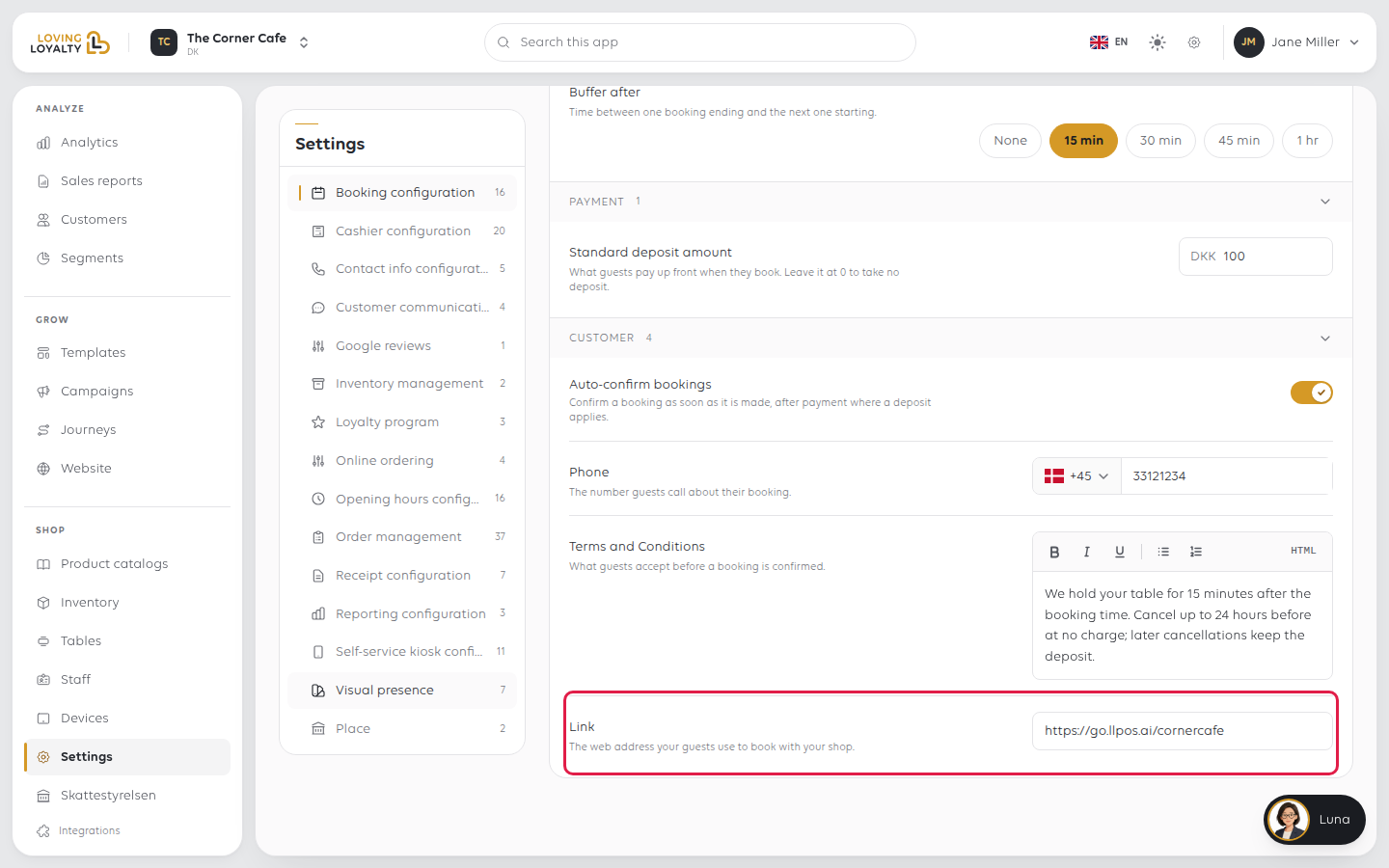
Open the CUSTOMER group. Link is the web address your guests use to book
with your shop.
Put it wherever customers look for you: your website, your social profiles, your
Google listing, your email signature. Open it yourself once to check that times are
offered.
If something goes wrong
| What you see | What to do |
|---|---|
| Guests cannot find how to book | Share the Link; it is not published for you |
| Bookings arrive unconfirmed | Turn on Auto-confirm bookings, or confirm them yourself |
| No times are offered online | Check there are bookable tables or staff, then slot interval, parallel bookings and minimum lead time |
| Guests book too close to the time | Raise Minimum lead time |
| Guests cancel too late | Shorten the cancellation window |
| No deposit is taken | Standard deposit amount is 0 |
Was this article helpful?
Thanks for your feedback!
