

 Dansk
 Svenska
 Deutsch
 Norsk bokmål
Where each setting lives
People lose more time hunting for a setting than changing it. There is one rule that
puts almost everything in the right place.
Settings that describe a device are on that device. Settings that describe your
shop are in the manager app.
The till says so itself
Open Settings on the till and the first thing it tells you is where the rest are.
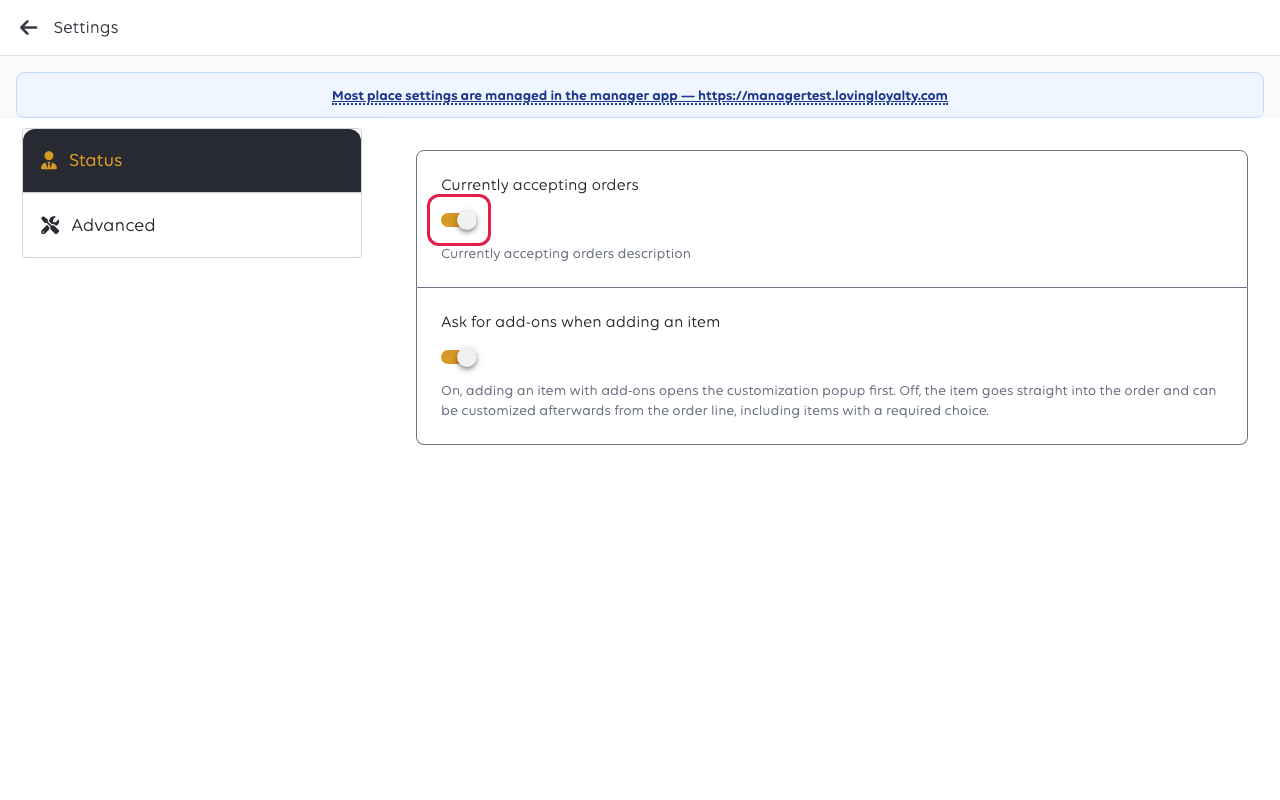
The till keeps two: whether it is currently accepting orders, and whether adding
an item asks for add-ons first or lets the cashier add them afterwards.
What else lives on the till
Not everything on the device is under Settings — the rest is in the same menu:
| On the till | Why it is there |
|---|---|
| Payment terminals | Which terminals this till can send payments to |
| Receipt printers | Which printers it uses, and the kitchen-printer switch |
| Barcode scanners | Scanners attached to it |
| Text size | How this screen is read — see Change the text size on the till |
| Switch role or shop | What this device is |
All of it is per device. Set the text size on one till and the others are unchanged;
the same goes for which printer it uses.
What lives in the manager app
Everything that describes the shop rather than the hardware. Open Shop → Settings
in the manager app.
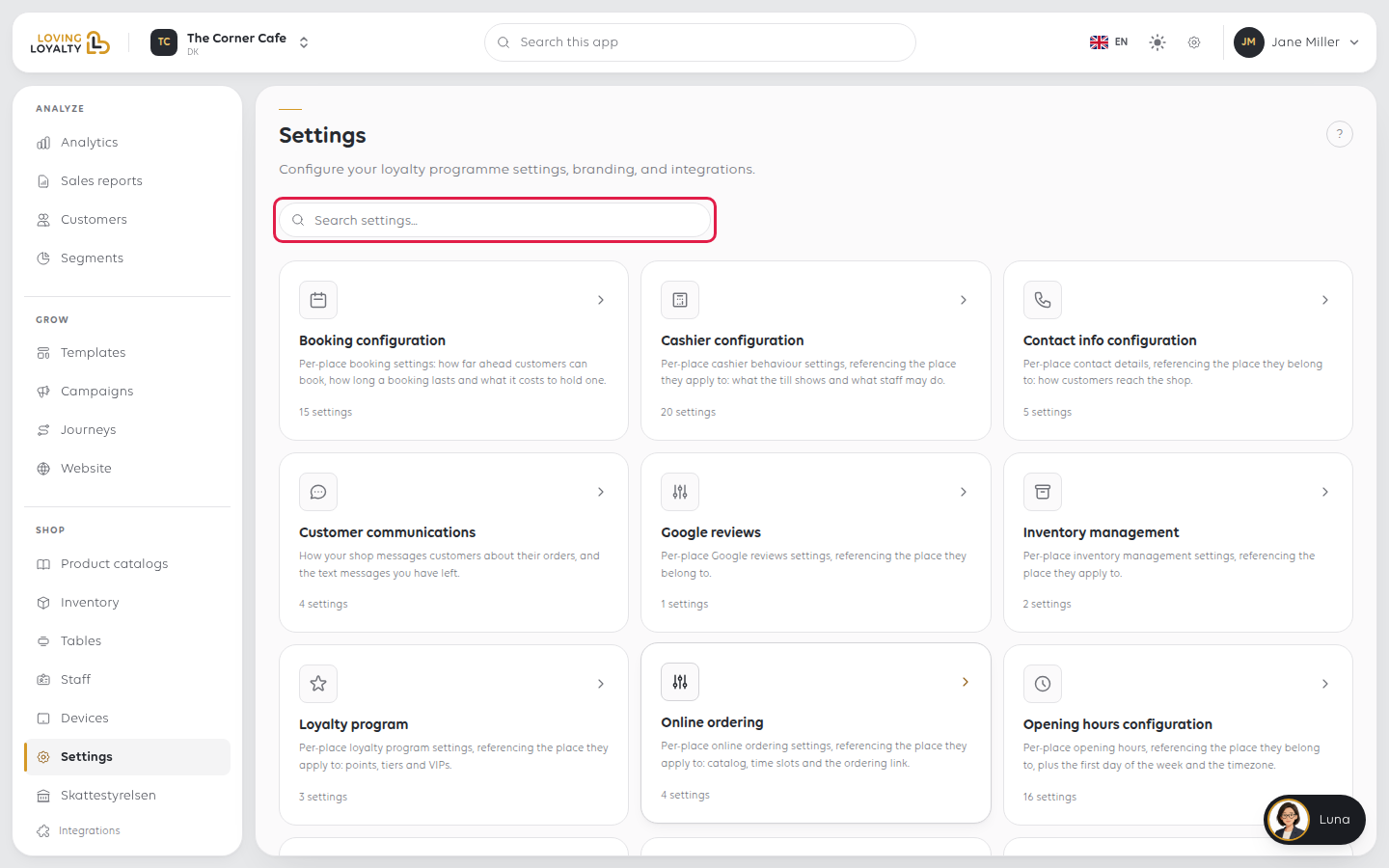
| Group | Holds |
|---|---|
| Order management | Order types, VAT rates per order type, trainee mode, default payment method |
| Cashier configuration | How the till behaves for staff, including the manager PIN |
| Receipt configuration | What prints and what is emailed |
| Opening hours configuration / Contact info configuration | When you are open, and how customers reach you |
| Customer communications | Order text messages and your text message balance |
| Loyalty program | Points, tiers and VIPs |
| Online ordering | What online customers can do |
| Self-service kiosk configuration | Every kiosk at the place |
| Reporting configuration | Scheduled sales report emails |
| Booking configuration | What can be booked and how far ahead |
| Visual presence | Your logo and fonts |
| Inventory management / Google reviews | As named |
These apply to every till at the shop. Change the takeaway VAT rate once and all
of them charge it.
Three that catch people out
Trainee mode sounds like a per-person or per-till setting. It is neither: it is
per shop, and every order from every till is marked as practice while it is on. See
Use trainee mode to train new staff.
Kiosk settings are central even though the kiosk is a device. The kiosk itself
says so, and only the terminal it uses and its screen orientation belong to the
device. See Settings managed centrally.
Printer categories exist on the till, but which items are in them is set on each
item in the manager app. Both halves are needed — see Send items to the right
printer.
When a change does not seem to apply
A setting changed in the manager app reaches a till when the till next loads its
settings, not instantly. If it has not arrived, reload the till before assuming the
change failed.
Also check the shop selected at the top of the manager app. Settings belong to the
shop that was selected when you changed them. See Switch between your shops.
Quick answers
| You want to change | Go to |
|---|---|
| Which printer a till uses | That till |
| What prints on a receipt | Manager app |
| Whether this screen is bigger | That till |
| VAT on takeaway | Manager app |
| Whether the shop is taking orders right now | That till |
| Whether the shop is open on Sunday | Manager app |
Was this article helpful?
Thanks for your feedback!
