

 Dansk
 Svenska
 Deutsch
 Norsk bokmål
Park an order and take payment later
Not every order is paid when it is rung up. A customer goes back to the car for their
wallet, a table orders now and settles at the end, or a regular runs a tab. Parking
the order puts it in the order list, unpaid, and it can be paid whenever the customer
is ready.
Before you start
- The order is built in the basket. See Take an order and get paid.
1. Choose Later instead of a payment method
With the basket ready, find Later among the payment buttons. If it is not on the
bar, tap More and it is in the list.
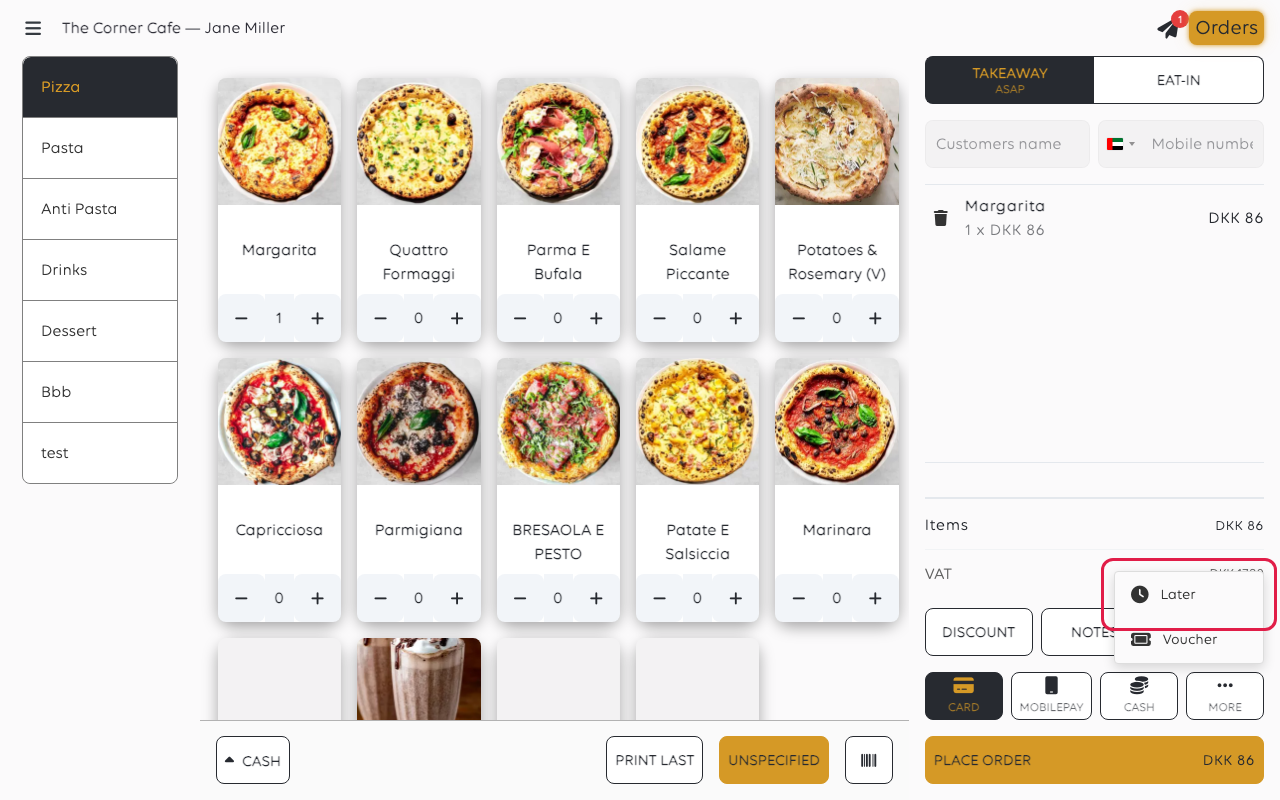
Tap Later. You are choosing not to take money now, rather than choosing how it
will be paid.
2. Place the order
Tap PLACE ORDER.
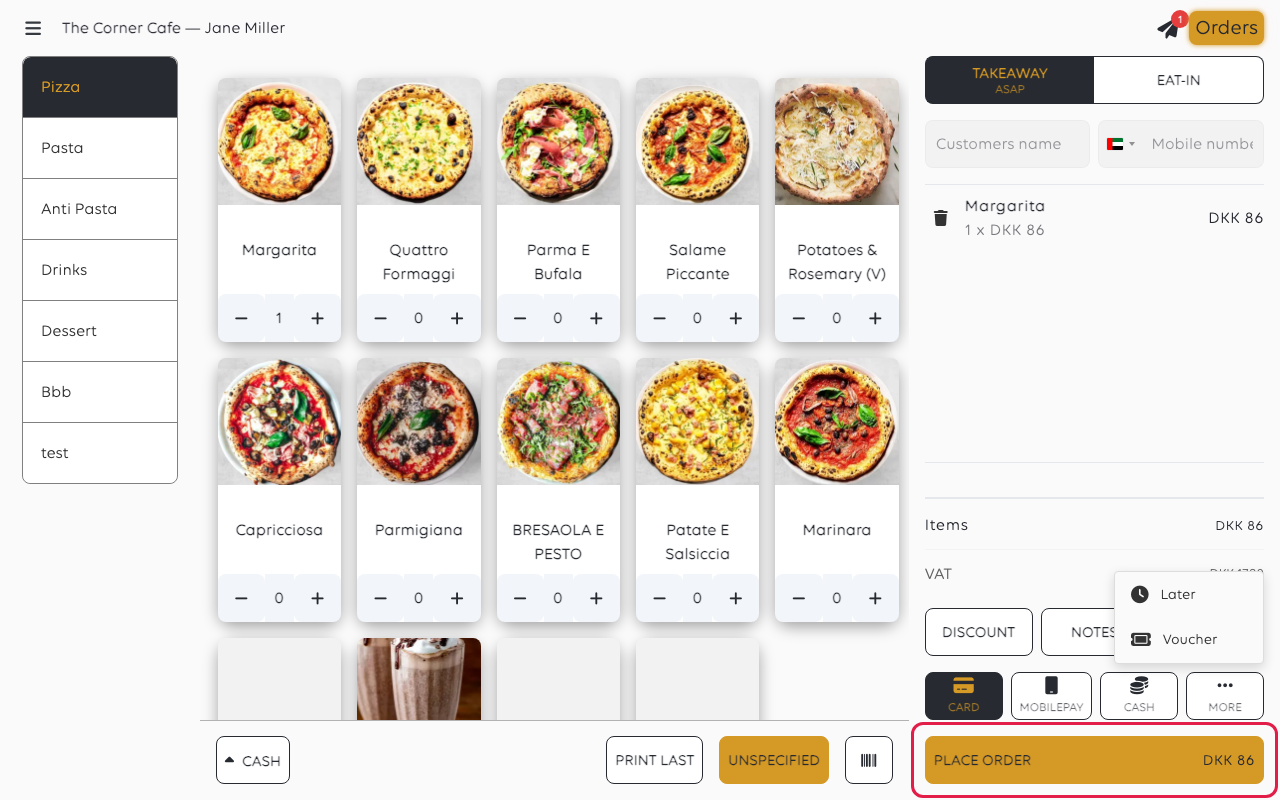
The basket empties and the order joins the order list, where it waits as unpaid. It
behaves like any other order in the meantime: it can be added to or changed.
3. Take the payment when the customer is ready
Open Orders, find the order, and tap Pay on it. From there it is an ordinary
payment - cash, card, voucher, or split across methods.
An order that is part paid shows what is still owed, so a parked order settled in
two goes is no different. See Split a payment across methods.
Was this article helpful?
Thanks for your feedback!
