

 Dansk
 Svenska
 Deutsch
 Norsk bokmål
Add a note to an order
Add a note to an order
Some things about an order are not items: no onions, allergy to nuts, birthday candle,
table by the window. A note travels with the order to whoever is making it.
Before you start - the order is in the basket.
Write the note
With the basket open, tap Notes.

Order instructions opens. Type what needs saying, then tap Save. The Notes button stays highlighted
while the order has a note.
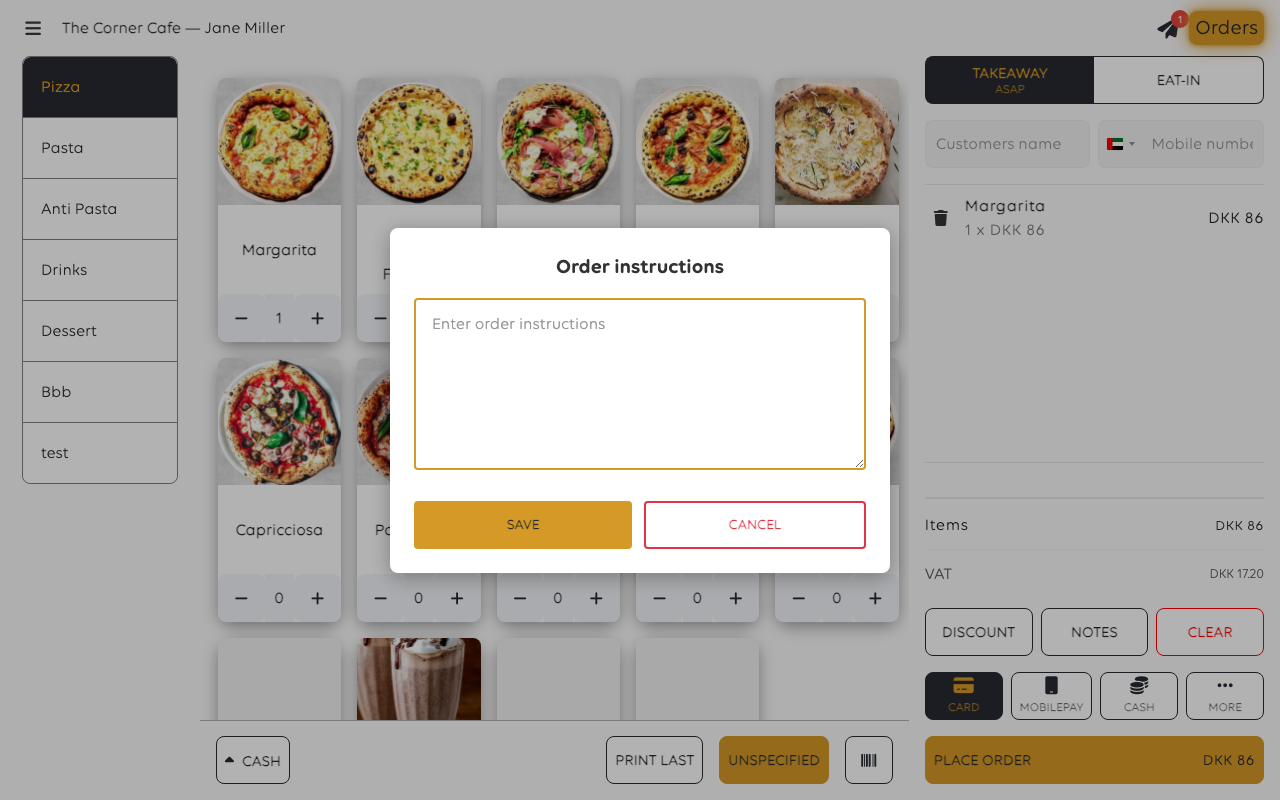
Cancel closes it without keeping what you typed.
To add or change a note after the order is placed, open the order from Orders and
use Add note or Edit note.
Was this article helpful?
Thanks for your feedback!
