

 Dansk
 Svenska
 Deutsch
 Norsk bokmål
Make a table bookable
Make a table bookable
For restaurants taking table bookings. For appointments with a person, see Make
a staff member bookable.
Before you start
- The table exists, is saved, and is in a section. See Set up tables and the floor plan.
1. Open the table
Open Shop → Tables. On the Floor plan, double-click the table. Edit table opens.
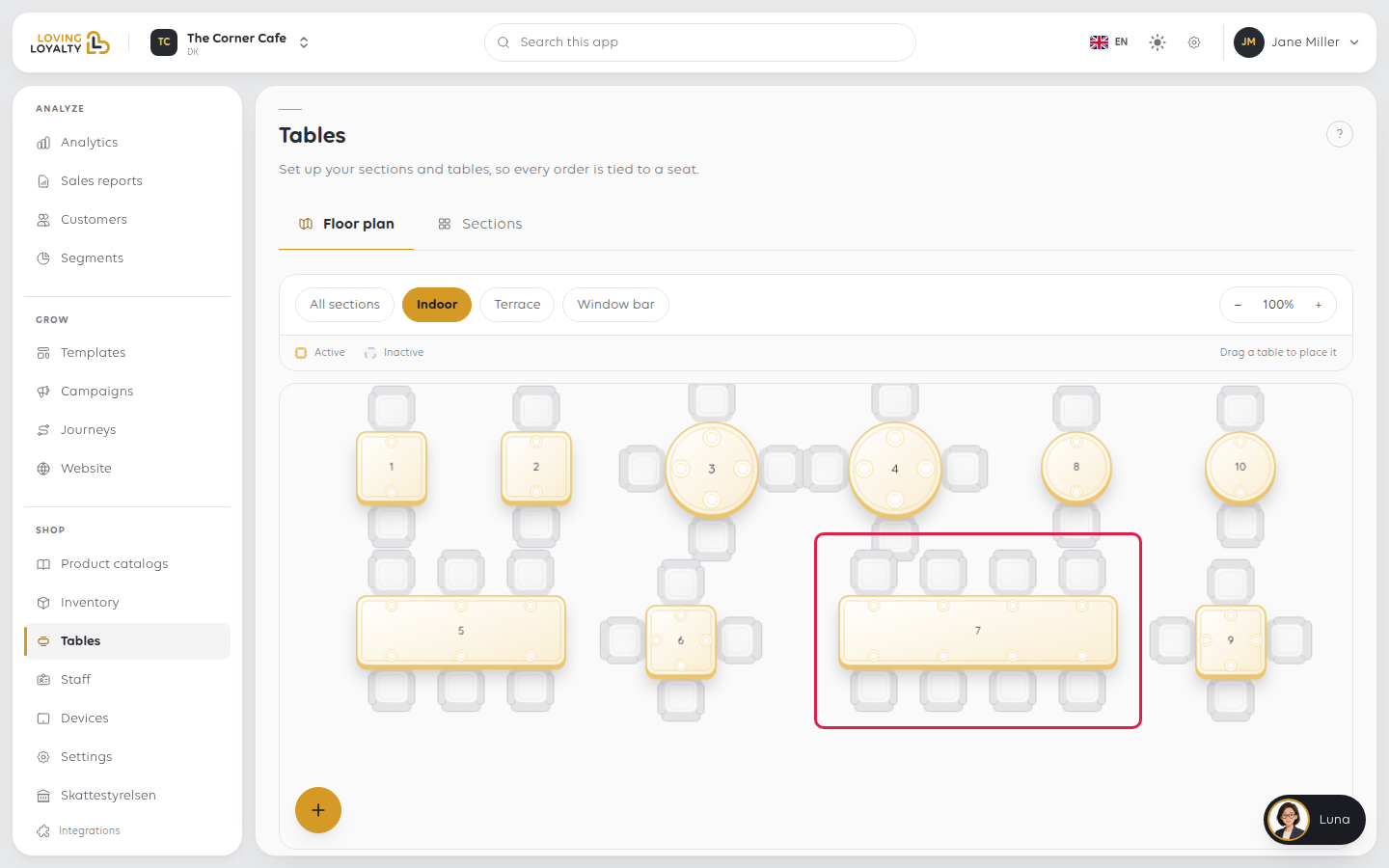
2. Turn on Bookable
Switch on Bookable. It saves straight away, and the text beside it changes to
Guests can reserve this table online. The booking settings appear below it.
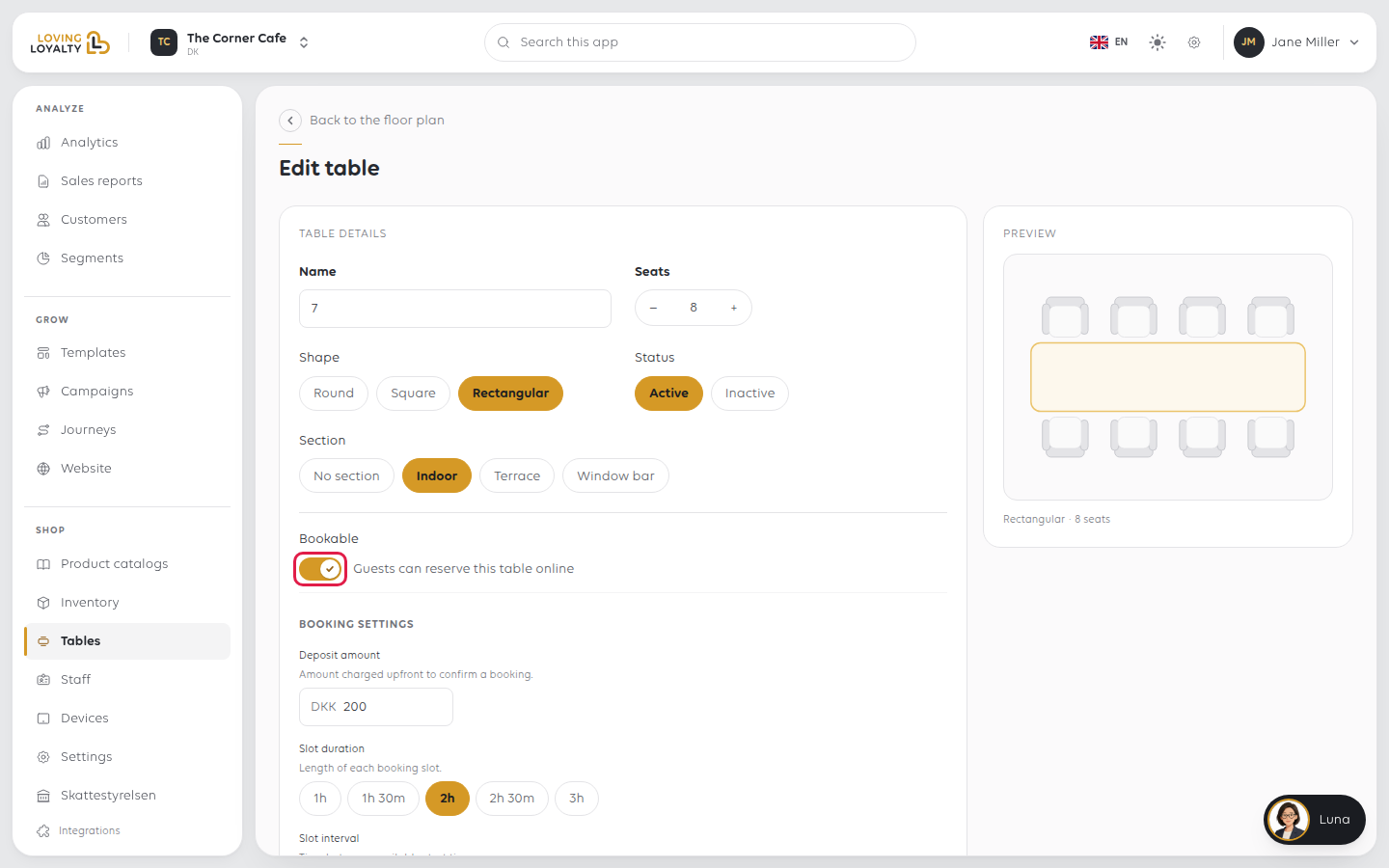
3. Set the table's booking settings
| Setting | What it decides |
|---|---|
| Deposit amount | Charged upfront to confirm a booking |
| Slot duration | Length of each booking slot, 1h to 3h |
| Slot interval | Time between available start times, 15m to 1h |
| Buffer before | Reserved time before each booking |
| Buffer after | Reserved time after each booking |
| Min lead time | How far in advance guests must book |
| Cancellation cutoff | How long before the start time guests can cancel |
| Max parallel bookings | How many bookings the table takes at the same time |
| Arrival offset | How late a guest can arrive before the slot is released |
| Availability hours | When the table accepts bookings each day |
These are per table, so a small table that turns quickly and a large table held for
the evening each get their own.
Seats decides the party sizes it is offered for, and Section which area it
belongs to.
Select Save. You are taken back to the floor plan.
What guests see
Bookable tables are offered at your booking link. See Let customers book online.
If something goes wrong
| What you see | What to do |
|---|---|
| The table is not offered online | Check Bookable is on and Status is Active |
| No Bookable switch | The table is new. Save it first, then open it again |
| Bookable is on but no booking settings show | Put the table in a section, save, and open it again |
| Couldn't load the booking settings | Select Try again |
| Bookings are too long or too short | Change Slot duration on that table |
| Tables are booked back to back | Set Buffer after |
| A large party cannot book | Seats is lower than the party size |
| Guests book too close to the time | Raise Min lead time |
Was this article helpful?
Thanks for your feedback!
