

 Dansk
 Svenska
 Deutsch
 Norsk bokmål
Take cash and give change
Cash is the one payment method where the till needs your help: it cannot see what
the customer handed over, so it asks, and works the change out from that.
Before you start
- A cash balance is open. If none is, the till asks you to open one when you place the order. See Open the shop.
- The order is built and ready to pay. See Take an order and get paid.
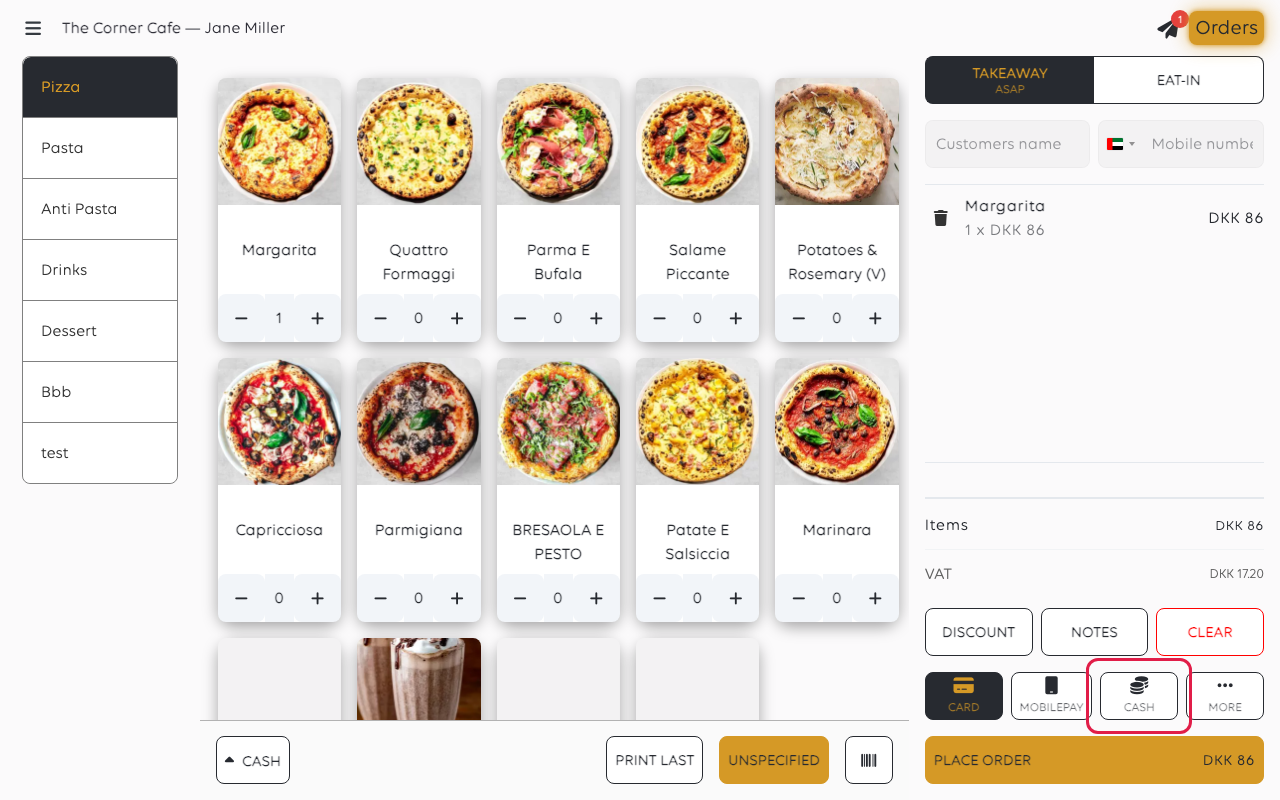
1. Choose cash
With the basket ready, tap CASH.
2. Place the order
Tap PLACE ORDER. Nothing is charged yet - the till asks about the money next.
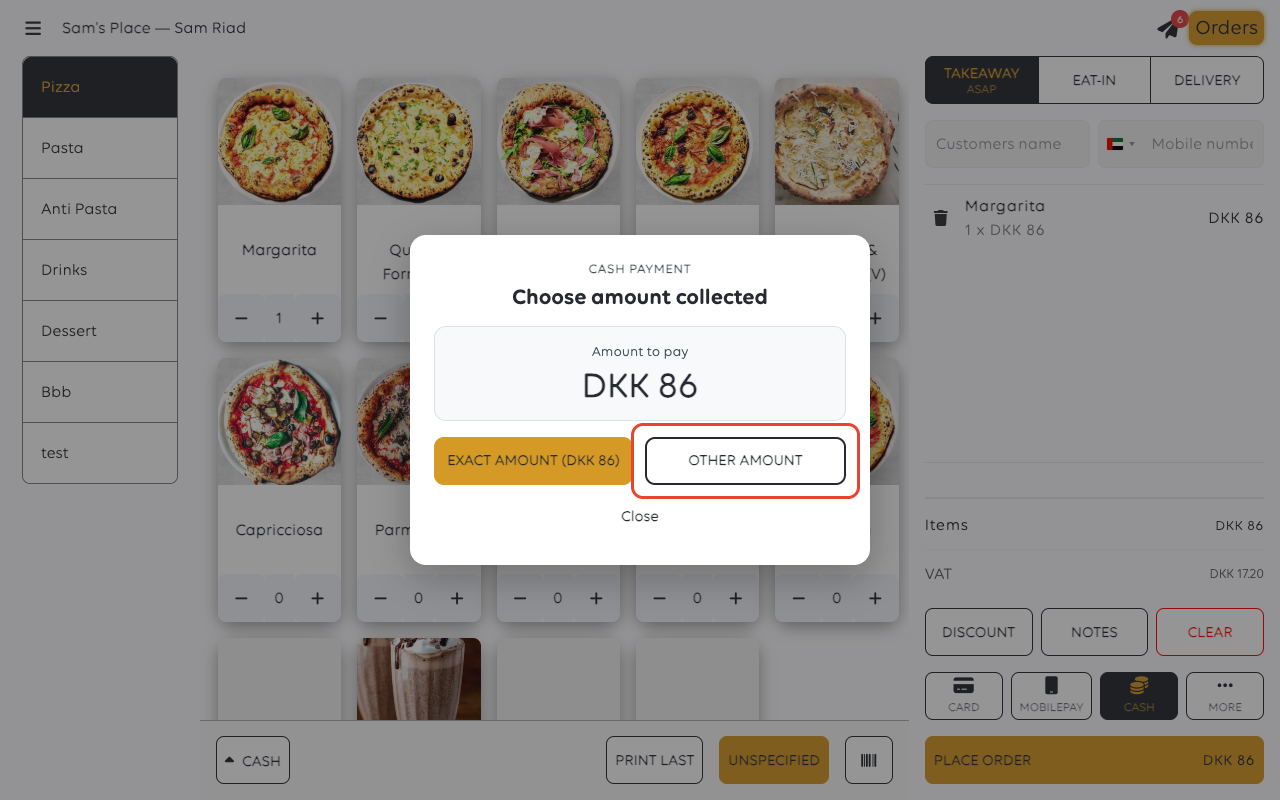
3. Say what the customer handed over
The till shows what is owed and offers two ways to answer:
- EXACT AMOUNT - the customer paid to the penny. No change to give.
- OTHER AMOUNT - they handed over more (or less), and you type what you took.
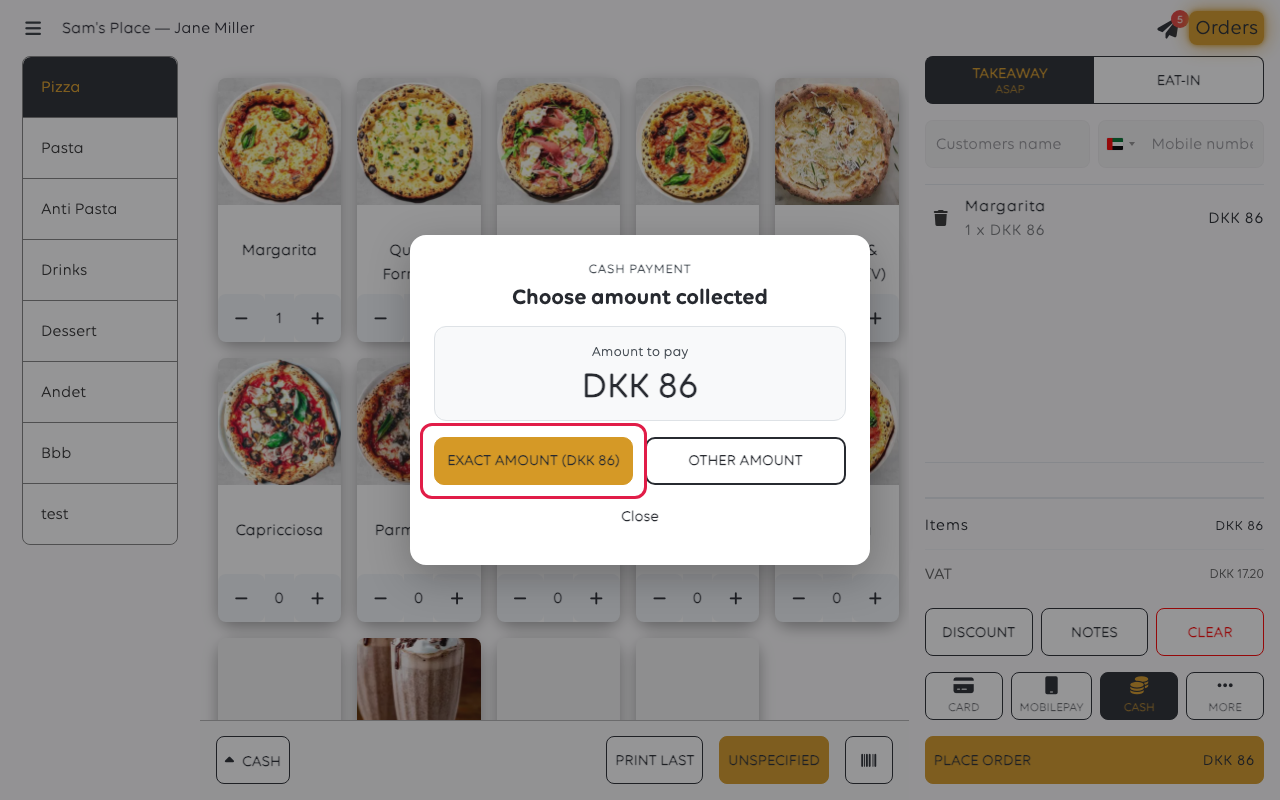
If they paid exact, tap EXACT AMOUNT and you are done. If there is change to
give, tap OTHER AMOUNT.
4. Type the amount collected
The keypad fills from the right, in the smallest unit of currency: the display starts
at DKK 0.00, and each digit shifts the number left. Typing 1, 5, 0, 0, 0 gives
DKK 150.00.
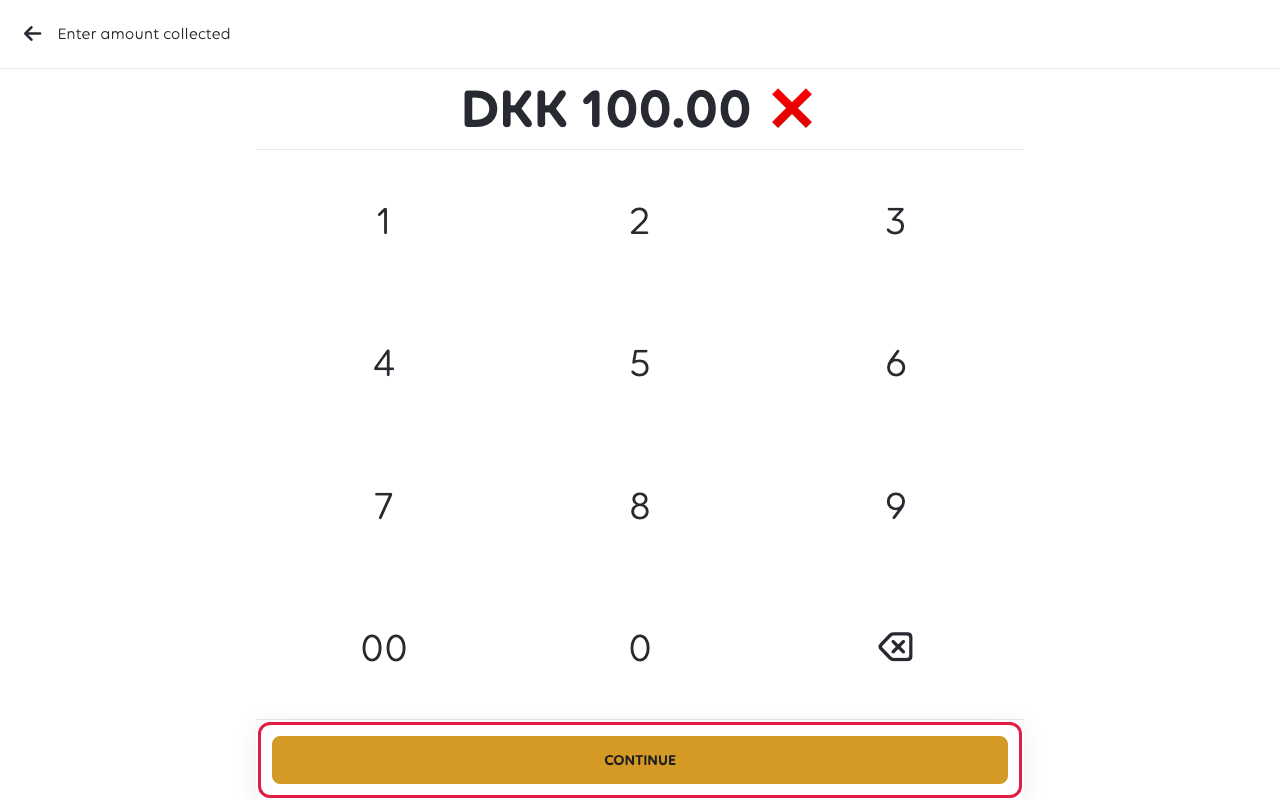
Typing 1, 5, 0 gives DKK 1.50, not DKK 150. Check the figure at the top before
tapping CONTINUE. The till accepts less than the order, because paying part of
a bill in cash is allowed, so it will not warn you.
Tap CONTINUE when the display matches what is in your hand.
5. Give the change
The till works the change out and shows it as a banner across the top of the home
screen: Change: DKK 14 for DKK 100 handed over on an DKK 86 order.
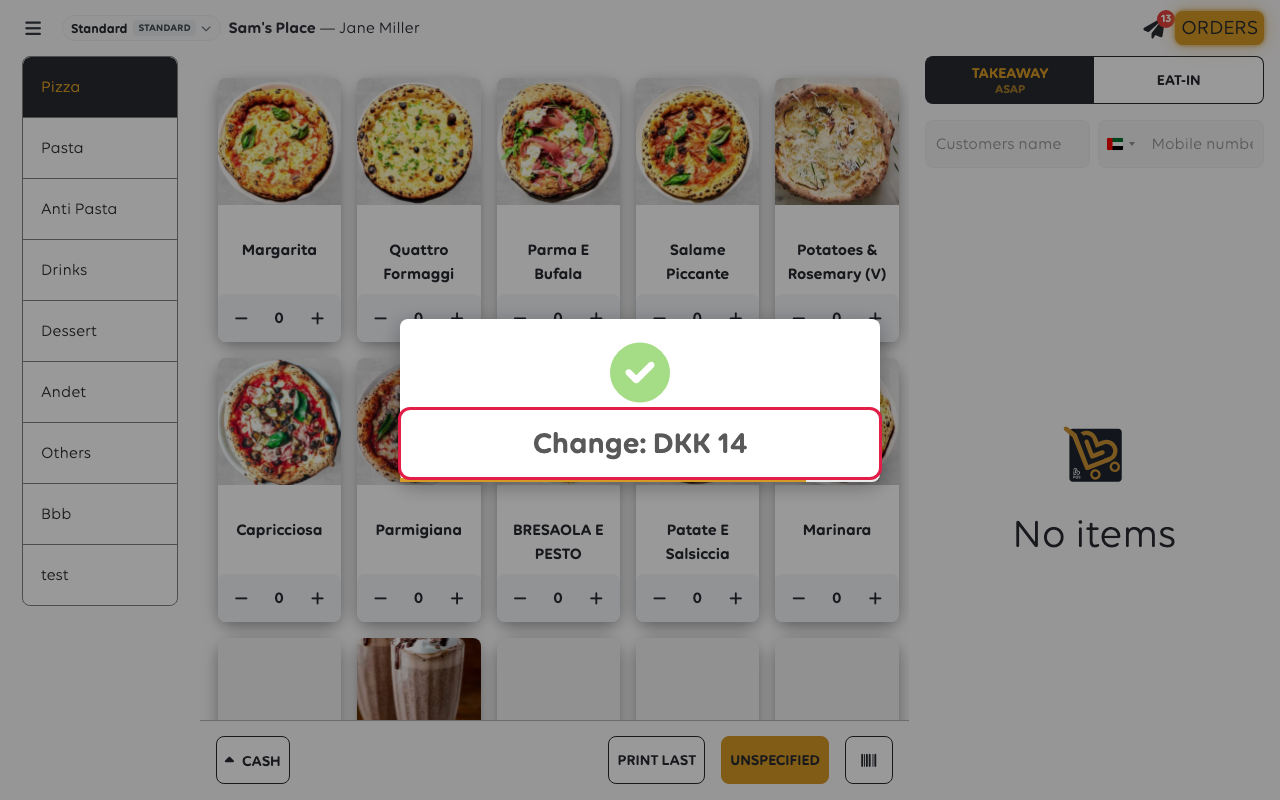
The banner clears itself after a few seconds, so read the figure
before it goes. If you miss it, open the order from the orders
list: it shows what was collected against what was owed.
To open the drawer by hand at any time, tap CASH, then Open Cash Drawer on the
home screen.
If something goes wrong
| What you see | What it means | What to do |
|---|---|---|
| The order says part of it is already paid, and you did not mean to split it | Less was typed than the order came to - often the keypad catching you out | Open the order and take the remainder; see Split a payment across methods |
| The amount looks a hundred times too small | The keypad fills from the right: 1, 5, 0 is DKK 1.50 | Clear it with the red cross and type the full amount, including the pennies |
Was this article helpful?
Thanks for your feedback!
