

 Dansk
 Svenska
 Deutsch
 Norsk bokmål
Refund a payment
A refund is made against the payment, from the order it belongs to. You can
return all of it or part of it.
Before you start
- Find the order. It is in the orders list, or through order search if it has been closed.
- For a card payment, the terminal that took it should be to hand.
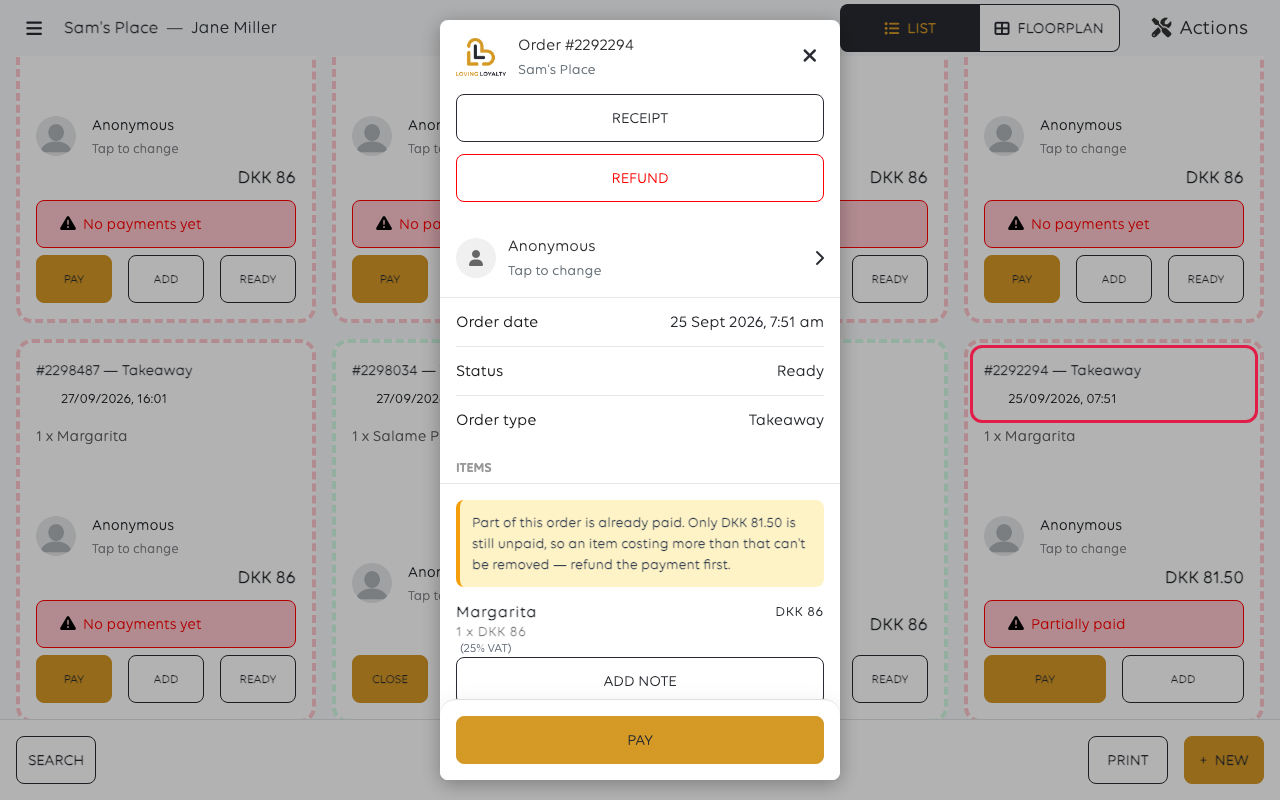
1. Open the order
In the orders list, open the order the payment belongs to. The panel shows what was
ordered, what has been paid, and the order's status.
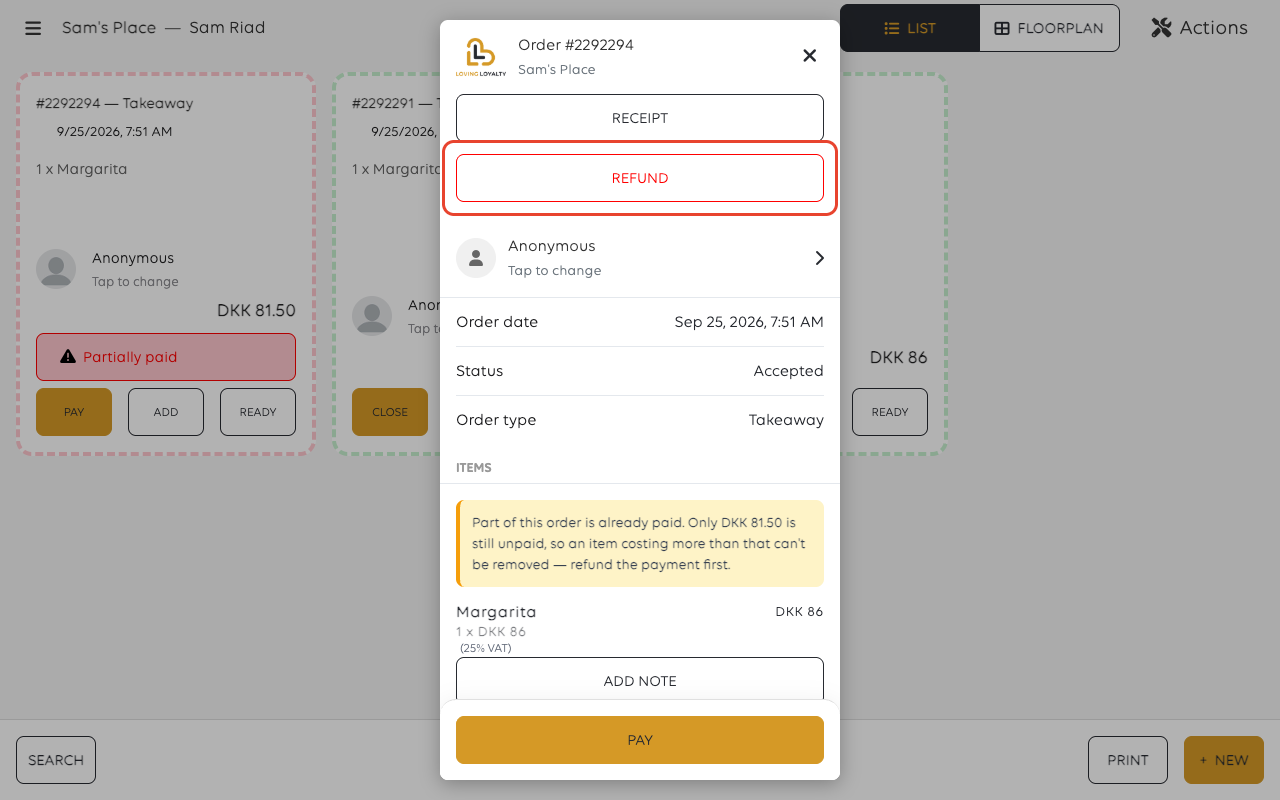
2. Tap REFUND
REFUND sits at the top of the order, beside RECEIPT. It only shows when the
order has a payment that can be refunded.
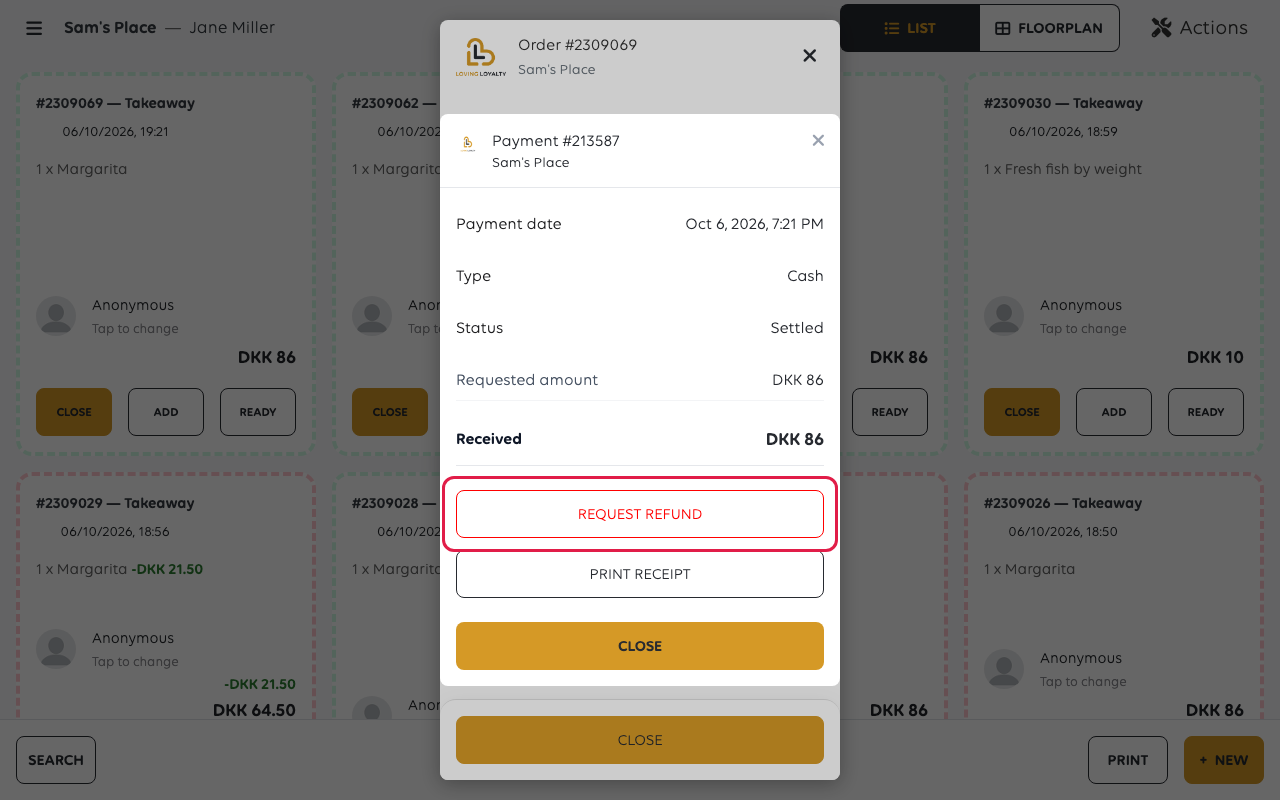
3. Check the amount
A keypad titled Enter amount to refund opens, filled in with the full amount of
the payment. Leave it to refund everything, or change it to refund part - a customer
returning one item out of three gets that item's worth back.
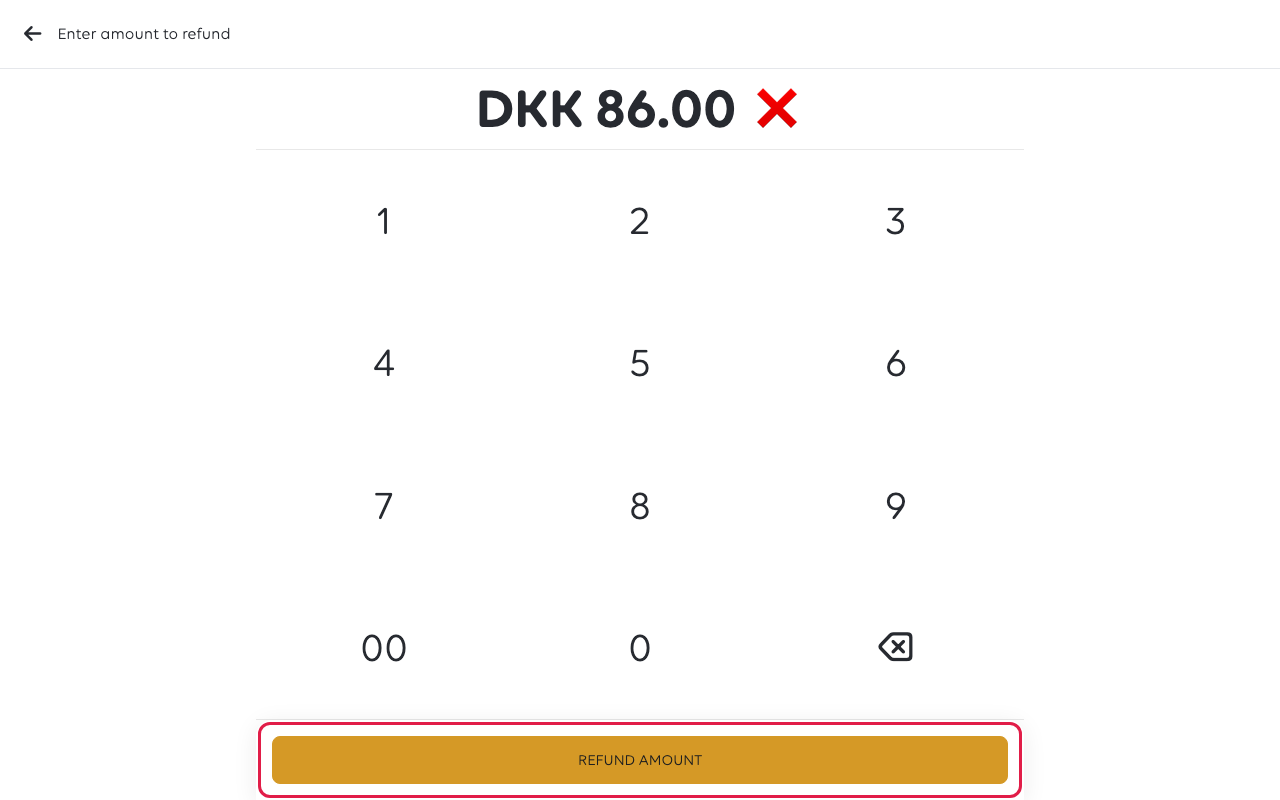
The keypad fills from the right, in the smallest unit of currency: 1, 5, 0, 0 is
DKK 15.00.
Tap REFUND AMOUNT when the figure is right.
4. Confirm
The till asks Are you sure you want to refund DKK 4.50?, naming your amount.
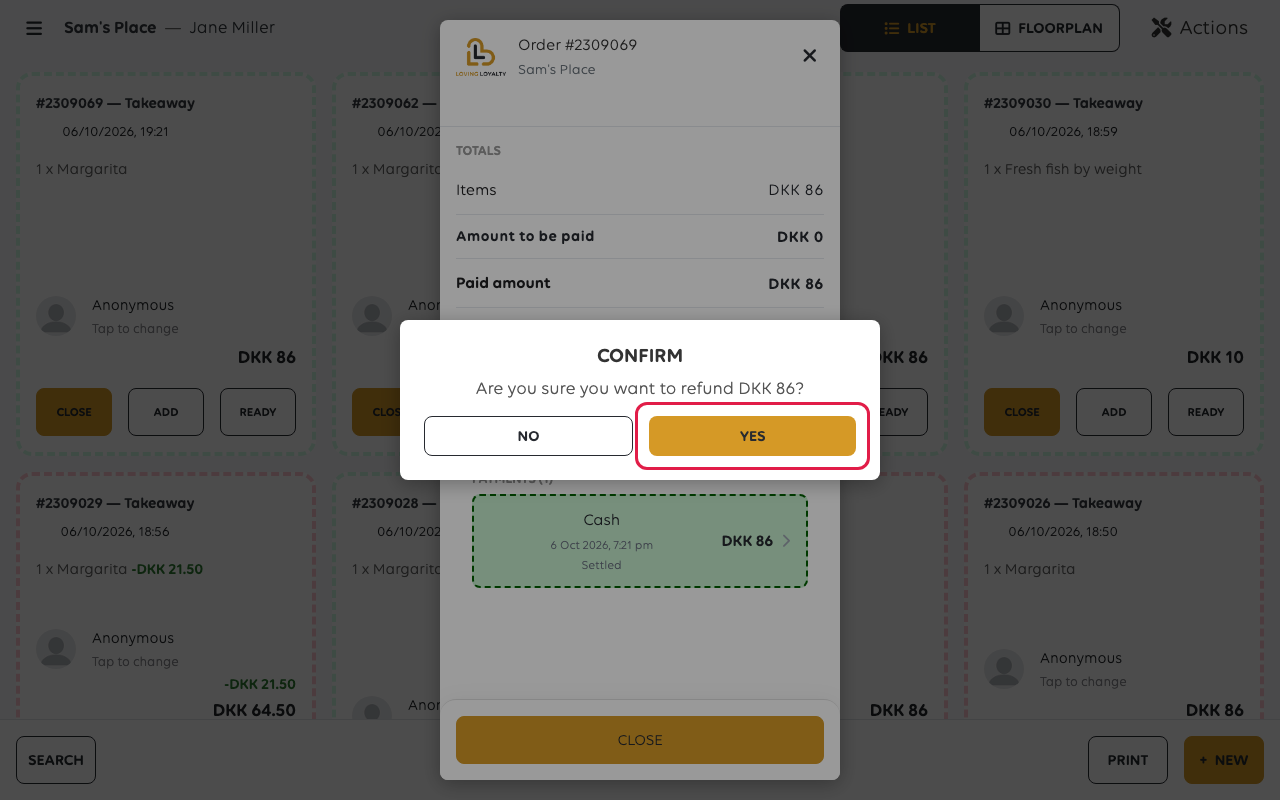
Tap YES to refund it. NO leaves the payment alone. For a card payment, the
refund goes back through the card terminal.
5. What the refund leaves behind
The payment is not deleted - it is marked as refunded, and both figures stay on the
order:
- The payment line keeps its original amount and gains DKK 86 Fully refunded
underneath it. - A summary appears above the payments: Collected DKK 86 · Refunded DKK 86 ·
Net DKK 0. - Amount to be paid goes back to the full price, and the order offers PAY
again - a refunded order is an unpaid order, not a cancelled one.
That is what makes the drawer and the reports agree: the money came in, and the money
went back out, and both are on the record.
If something goes wrong
| What you see | What it means | What to do |
|---|---|---|
| The amount offered is less than the order | Only part of the order was ever paid | That is the amount available to refund; the rest was never taken |
| There is no REFUND button | Nothing has been paid on this order yet, or it is already fully refunded | Cancel or change the order instead |
| Payments not allowed in trainee mode | The till is in trainee mode | Turn trainee mode off, then refund |
| An item cannot be removed from a paid order | The payment has to be returned first | Refund, then change the order |
Was this article helpful?
Thanks for your feedback!
