

 Dansk
 Svenska
 Deutsch
 Norsk bokmål
Pay with a voucher
A voucher is prepaid value a customer spends with you. A gift card is the same
thing - the app calls them vouchers throughout.
A customer paying with a voucher or gift card has a code. The till takes the code,
checks what is left on it, and puts that towards the order.
Before you start
- The order is built and ready to pay. See Take an order and get paid.
- The customer has the voucher code to hand: printed on the voucher, or in the email or message they were sent.
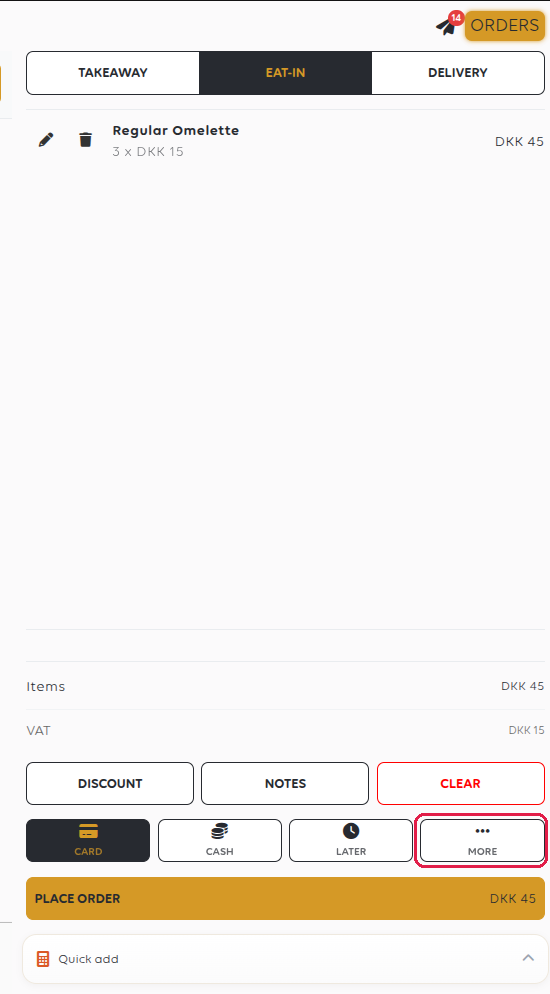
1. Open the other payment methods
Vouchers are not among the payment buttons on the basket. Tap MORE.
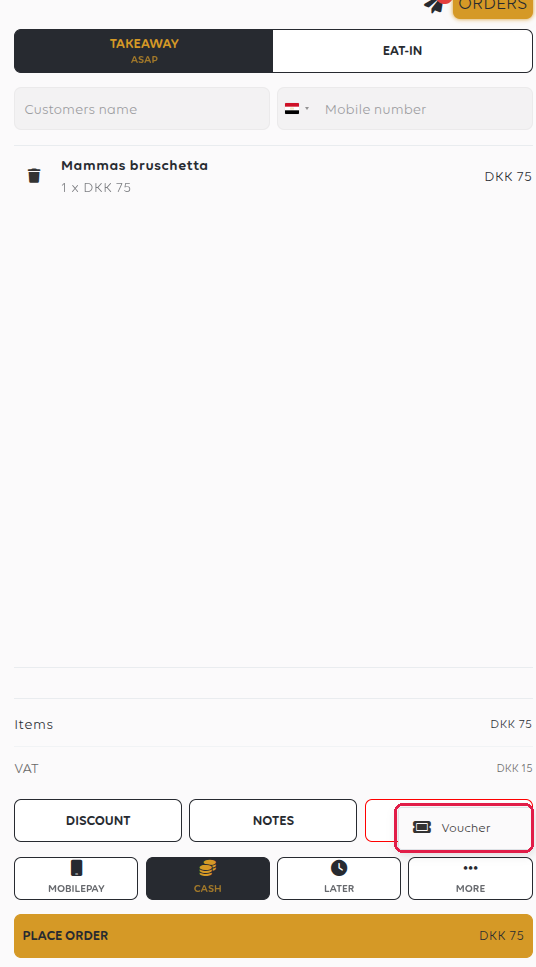
2. Choose voucher
MORE opens a short menu with the rest of the methods. Tap Voucher.
3. Place the order
Tap PLACE ORDER. Nothing is taken from the voucher yet - the till asks for the
code next.
4. Enter the voucher code
A keypad titled Voucher code opens. Type the code, then tap CONTINUE.
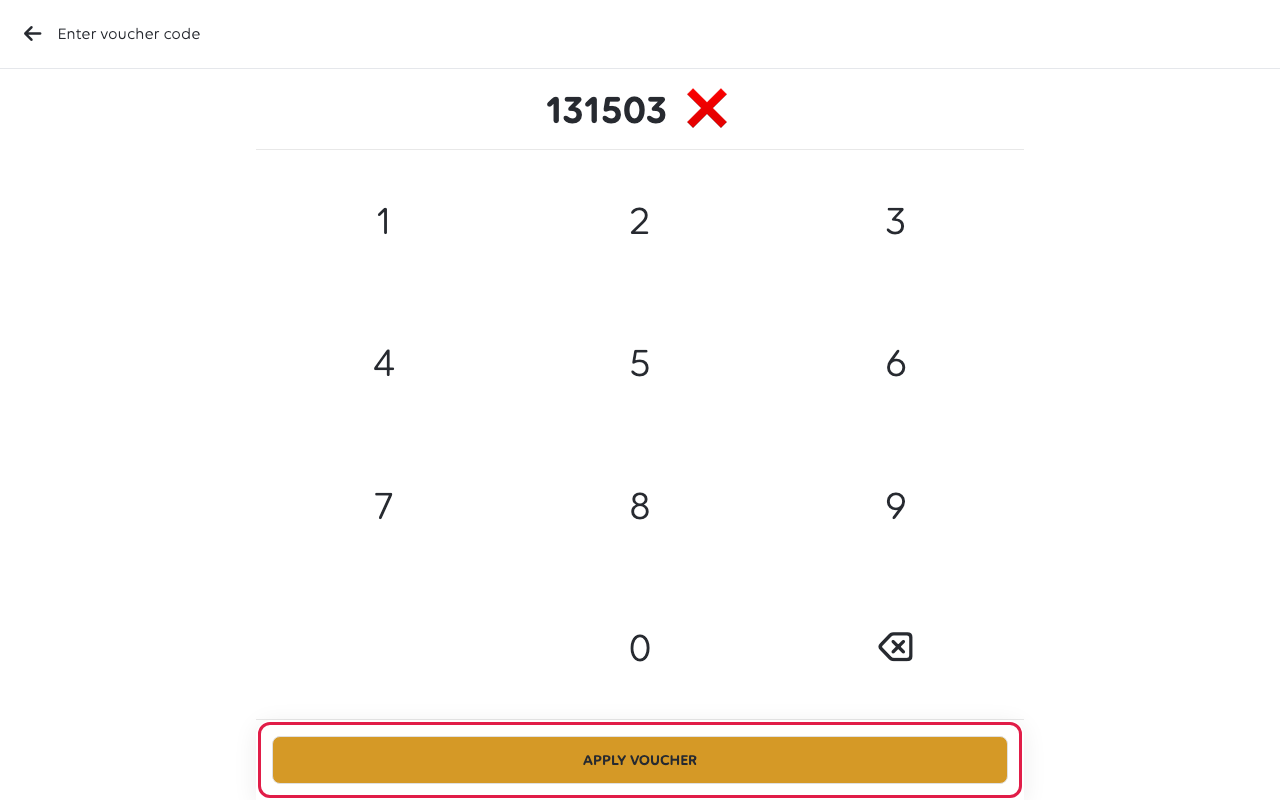
Voucher codes are numbers only. Type the number printed on the voucher.
5. Confirm the payment
The till checks the voucher and tells you what will be left on it, for example
The amount remaining on the voucher after payment will be DKK 4.00. Tap YES.
The order is paid: it moves from PAY to CLOSE in the orders list, and opening
it shows a payment of type Voucher. Whatever is left stays on the voucher for
next time.
If the voucher does not cover the bill
The till says so, names the shortfall and asks if you still want to use the voucher.
Tap YES. The voucher pays what it holds, and you take the rest by another payment
method. See Split a payment across methods.
Paying an order that is already in the orders list works the same way, but the
keypad is titled Enter voucher code and the button reads APPLY VOUCHER.
If something goes wrong
| What you see | What it means | What to do |
|---|---|---|
| Voucher is not in the menu | The shop is not set up to take vouchers | A manager turns voucher payments on in the manager app |
| Invalid voucher code | The code is mistyped, or the voucher belongs to another shop | Type it again, or check it in Vouchers |
| No remaining money on voucher | The voucher is used up | Take payment another way |
| The gift card is cancelled or expired | The voucher can no longer be spent | Take payment another way |
Was this article helpful?
Thanks for your feedback!
