

 Dansk
 Svenska
 Deutsch
 Norsk bokmål
Exchange cash
A cash exchange lets a customer take cash out with their card. The customer pays the
amount on the card terminal, and you hand them the same amount from the drawer.
Before you start
- A card terminal is set up for this till. Without one, Cash Exchange is not in
the menu. - A cash balance is open, with enough cash in the drawer to cover the amount. See
Open the shop.
1. Open Cash Exchange
On the home screen, tap CASH, then Cash Exchange.
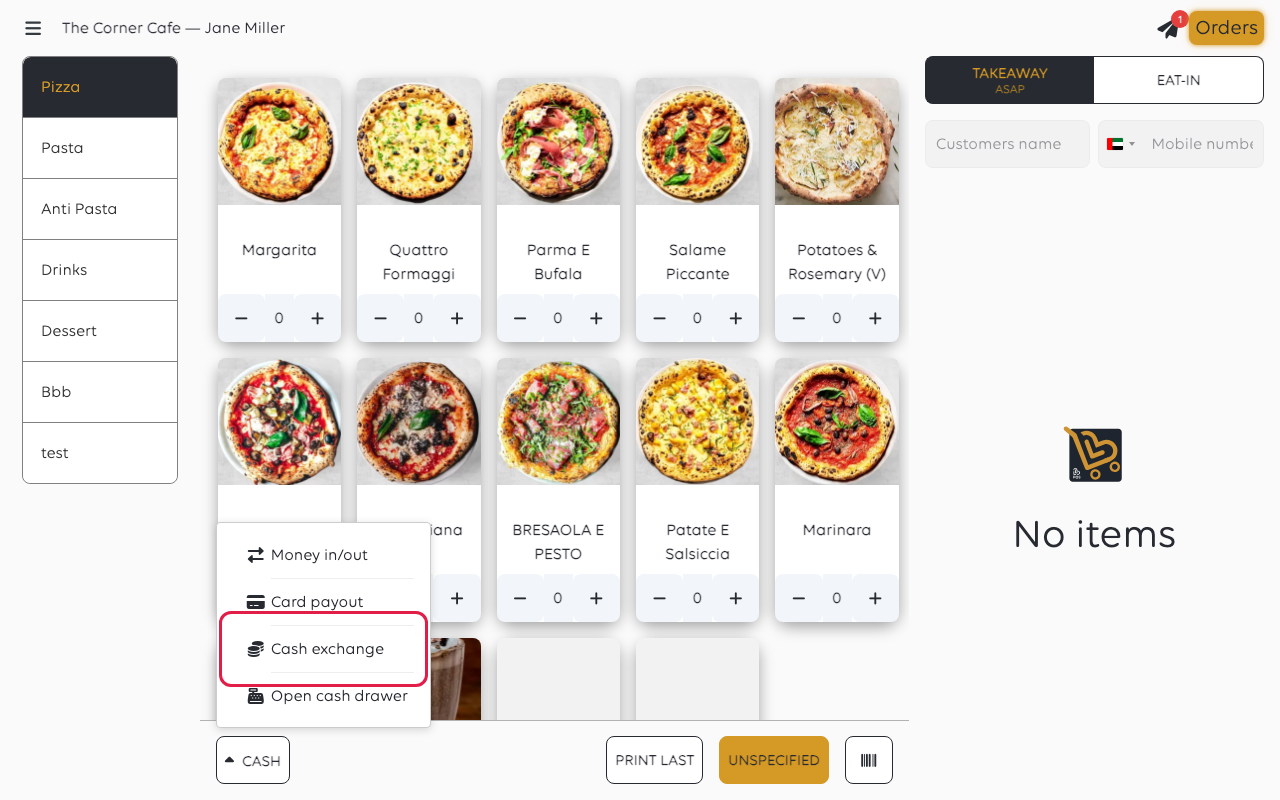
A keypad titled Enter amount opens.
2. Enter the amount
Type the amount the customer wants in cash, then tap WITHDRAW CASH.
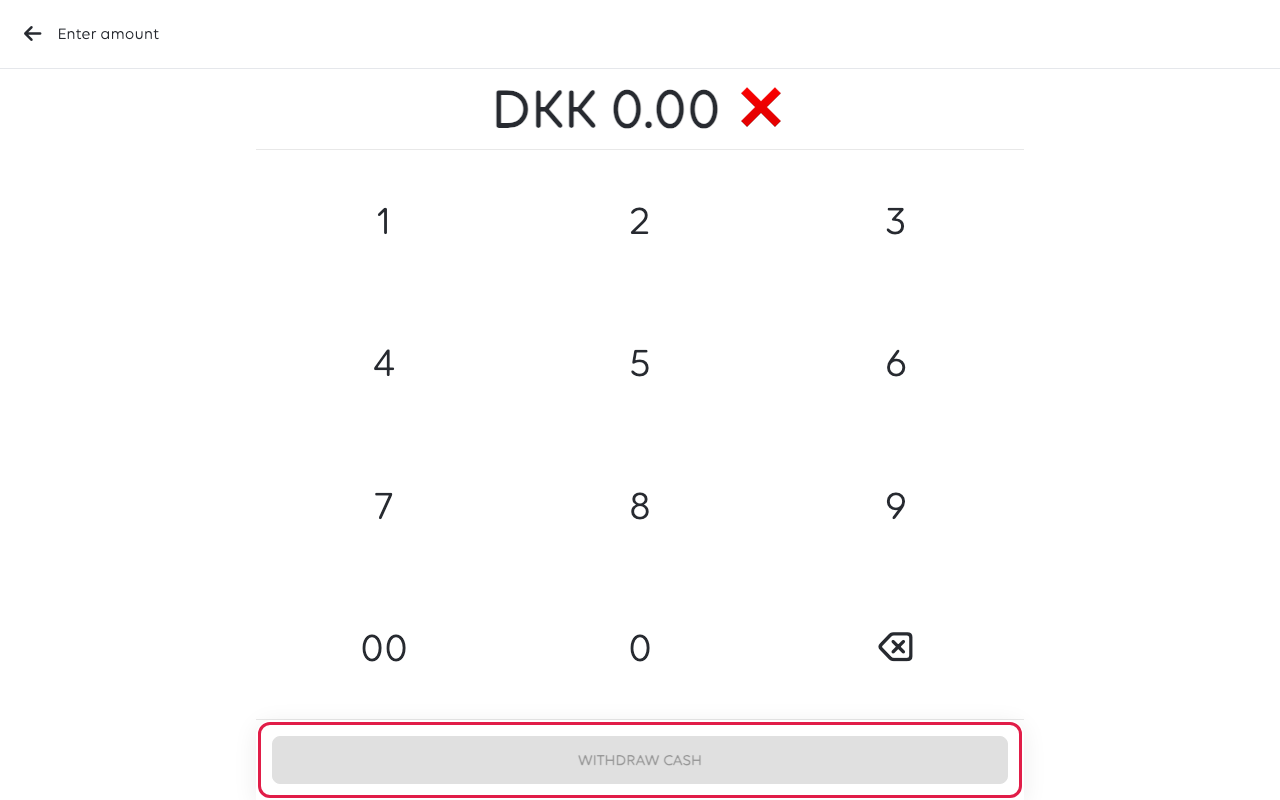
The keypad fills from the right, in the smallest unit of the currency: 1, 5, 0
gives DKK 1.50, not DKK 150. WITHDRAW CASH stays greyed out until the
amount is at least 1.
3. Let the customer pay by card
If the till has more than one terminal, pick the one to use. The customer then taps
or inserts their card on the terminal.
4. Hand over the cash
When the card payment goes through, the drawer opens and Cash exchange success
shows. Give the customer the amount from the drawer.
If something goes wrong
| What you see | What it means | What to do |
|---|---|---|
| Cash Exchange is not in the menu | No card terminal is set up for this till | Set up the terminal - see Which terminal setup do you need? |
| You are asked to open a cash balance | None is open | Say yes and count the drawer, then try again |
| Not enough cash in drawer | The drawer holds less than the amount asked for | Take a smaller amount, or add cash with Money In/Out first |
| Payment interrupted | The card payment was cancelled | No money moved. Try again |
| The payment status could not be confirmed | The terminal did not report back | Check the terminal before you hand over any cash |
Was this article helpful?
Thanks for your feedback!
