

 Dansk
 Svenska
 Deutsch
 Norsk bokmål
Sell items at a different VAT rate
Most shops charge one VAT rate on everything. Some cannot: in Norway, prepared food
is 15% as takeaway and 25% eaten in, while alcohol stays at 25% however it is sold.
So a rate is not simply a property of the item. It belongs to the item and how it
is sold, together.
A rate for eat-in, and a rate for takeaway
Open Shop → Settings and search for VAT rate. Under Order management there
is a rate per order type.
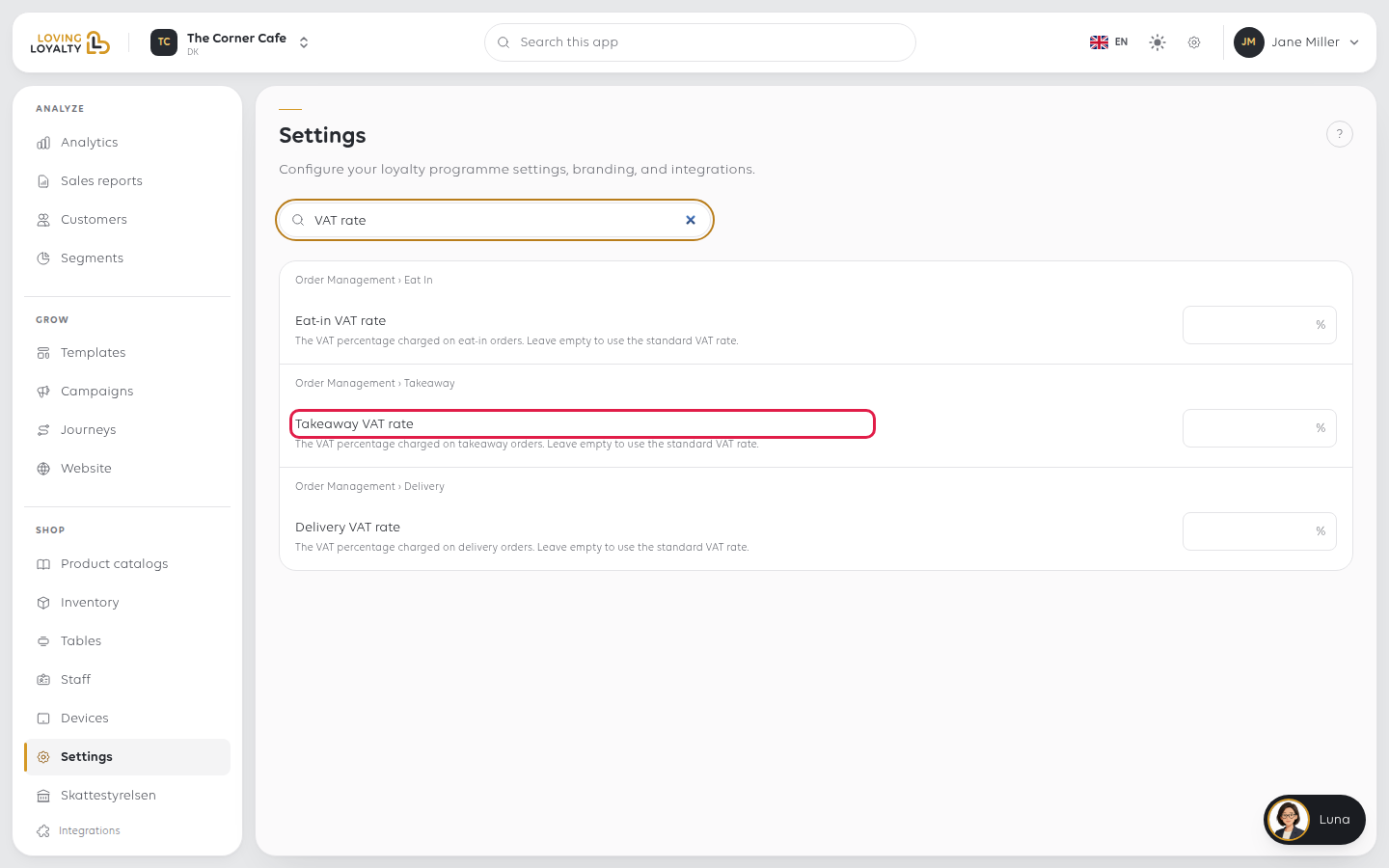
Each says the same thing: the VAT percentage charged on those orders. Leave empty to
use the standard VAT rate. So a shop that charges one rate leaves them empty and
nothing changes. A Norwegian shop sets the takeaway rate once, and every food item
follows it without being edited one at a time.
Each field saves on its own: click the Save beside it, or press Enter.
Setting it on one item instead
Some goods carry their own rate whatever the shop does: VAT-exempt items, or alcohol
that must stay at the standard rate while food drops. That is set on the item itself.
Open Shop → Product catalogs → Items Library and select the item, then its
Price tab.
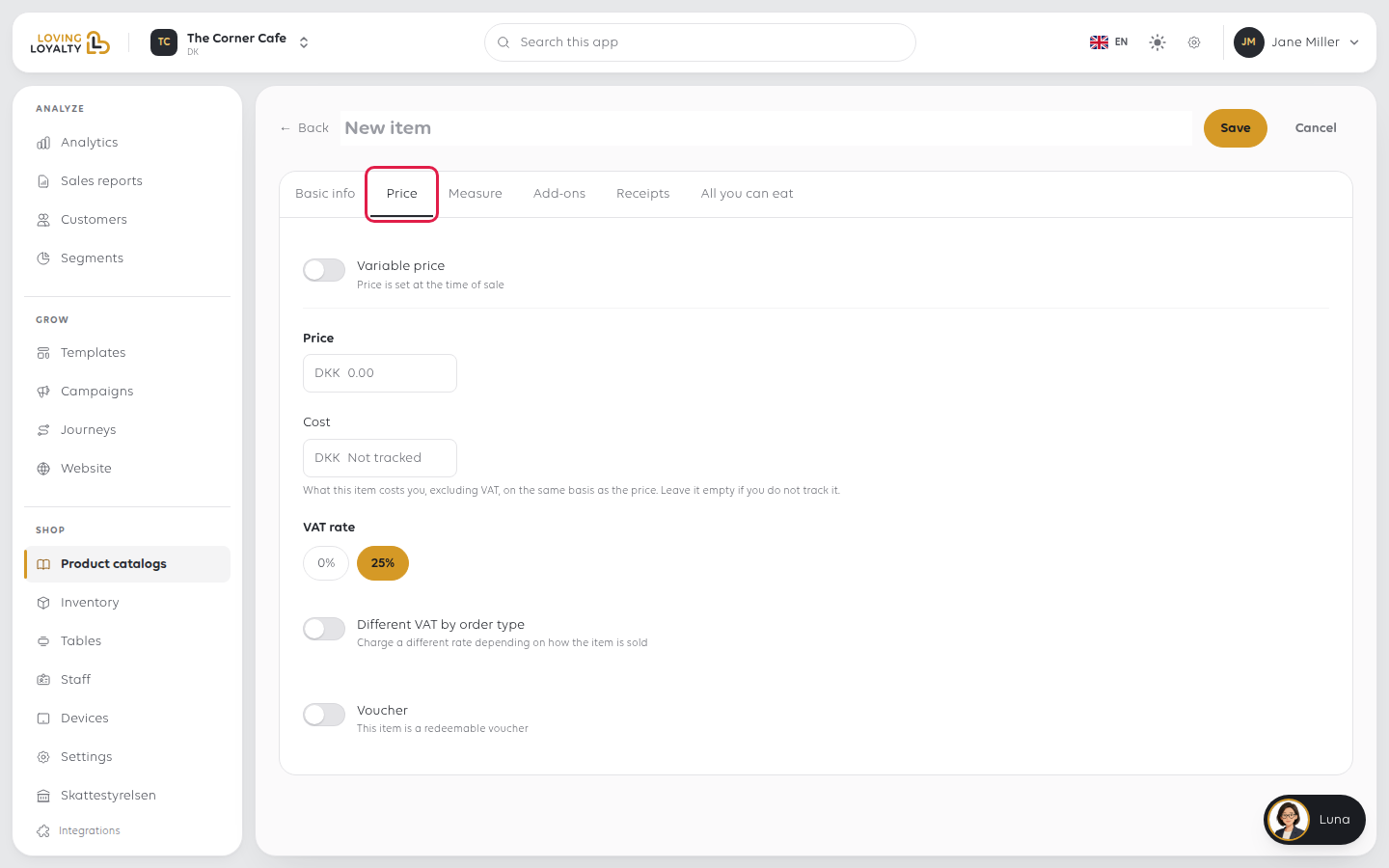
VAT rate sets one rate for the item however it is sold. Switch on Different VAT
by order type to enter a rate for each order type on this item alone; leave one at
Same as item to use the item's rate. This switch only appears if your shop has
more than one order type. Click Save on the item when done.
On takeaway and eat-in shops the same tab also has Different price by order type,
which does the same job for the price: a dish can cost one amount eaten in and
another taken away, independently of its VAT. The two are separate switches, and
turning on one does not turn on the other. That surprises people when only the price
was meant to change.
The order of precedence, most specific first:
| Order | Where the rate comes from |
|---|---|
| 1 | The rate set on the item within a particular catalogue |
| 2 | The item's own rate for that order type |
| 3 | A rate deliberately set on the item |
| 4 | Your shop's rate for that order type |
| 5 | The item's rate |
| 6 | Your shop's standard rate |
"Deliberately set" has a precise meaning. An item whose rate is the same as your
shop's is treated as having inherited it, and follows your eat-in or takeaway rate.
An item whose rate differs is treated as a decision somebody made, and it stands
however the item is sold.That is what lets a shop-wide takeaway rate work without editing every product,
while a 0%-rated item stays at 0% when the takeaway rate is introduced.
Check what was actually charged
The rate is shown on the order, per line. Open Orders, tap the order, and each
line carries its rate beside the price.
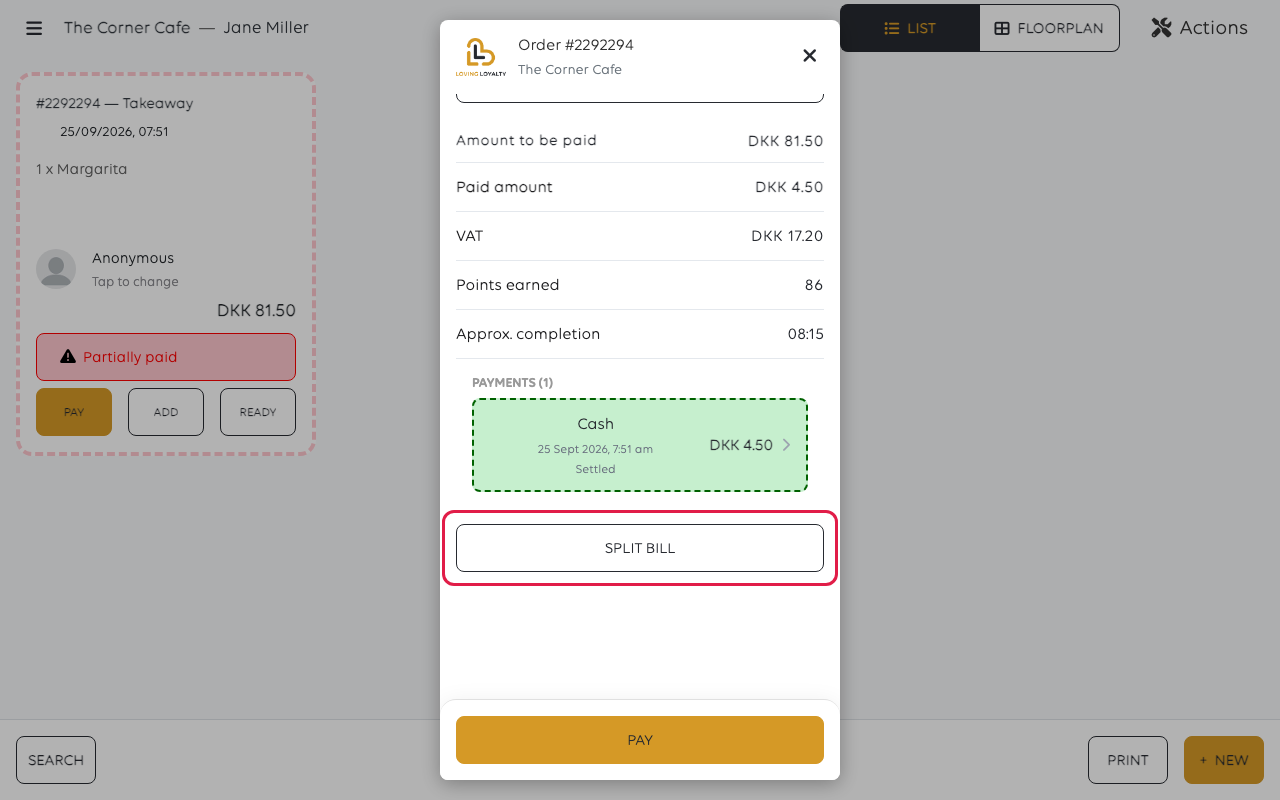
This is the reliable way to check a change did what you expected: sell one item both
ways and read the two orders. The totals also show the VAT for the order as a whole.
Two things that do not follow the rules above
- Unspecified sales carry your shop's standard rate, because there is no product
behind them to hold a different one. Something that must be sold at another rate
cannot be rung up that way. See Ring up an item that is not in the catalogue. - Changing a rate does not change history. Orders already placed keep the rate
they were sold at, which is correct: your reporting and your VAT return must
continue to say what actually happened.
If something goes wrong
| What you see | What it means | What to do |
|---|---|---|
| Takeaway is charged at the eat-in rate | The takeaway rate is empty, so the standard rate applies | Set it in Order management, or on the item's Price tab |
| The price changed by order type but the VAT did not | Different price by order type and Different VAT by order type are separate switches | Turn on the one you meant |
| One item ignores the shop's takeaway rate | It has a rate of its own, different from the shop's | That is deliberate; change the item's rate if it is wrong |
| A new takeaway rate re-rated an exempt item | Its rate matched the shop's, so it looked inherited | Set the exempt item to its own rate |
| The rate is right on new orders but wrong on old ones | Orders keep the rate they were sold at | This is intended; it cannot be applied backwards |
| You are unsure which rate applies | The rate depends on the item and the order type together | Sell one both ways and read the lines on each order |
Was this article helpful?
Thanks for your feedback!
