

 Dansk
 Svenska
 Deutsch
 Norsk bokmål
Keep your catalogue current
A catalogue is not set up once. Things sell out, prices change, dishes come off the
menu. This is the maintenance, and most of it is on one screen.
Open Shop → Product catalogs → Items Library and select the item. Every change
below takes effect when you click Save on the item.
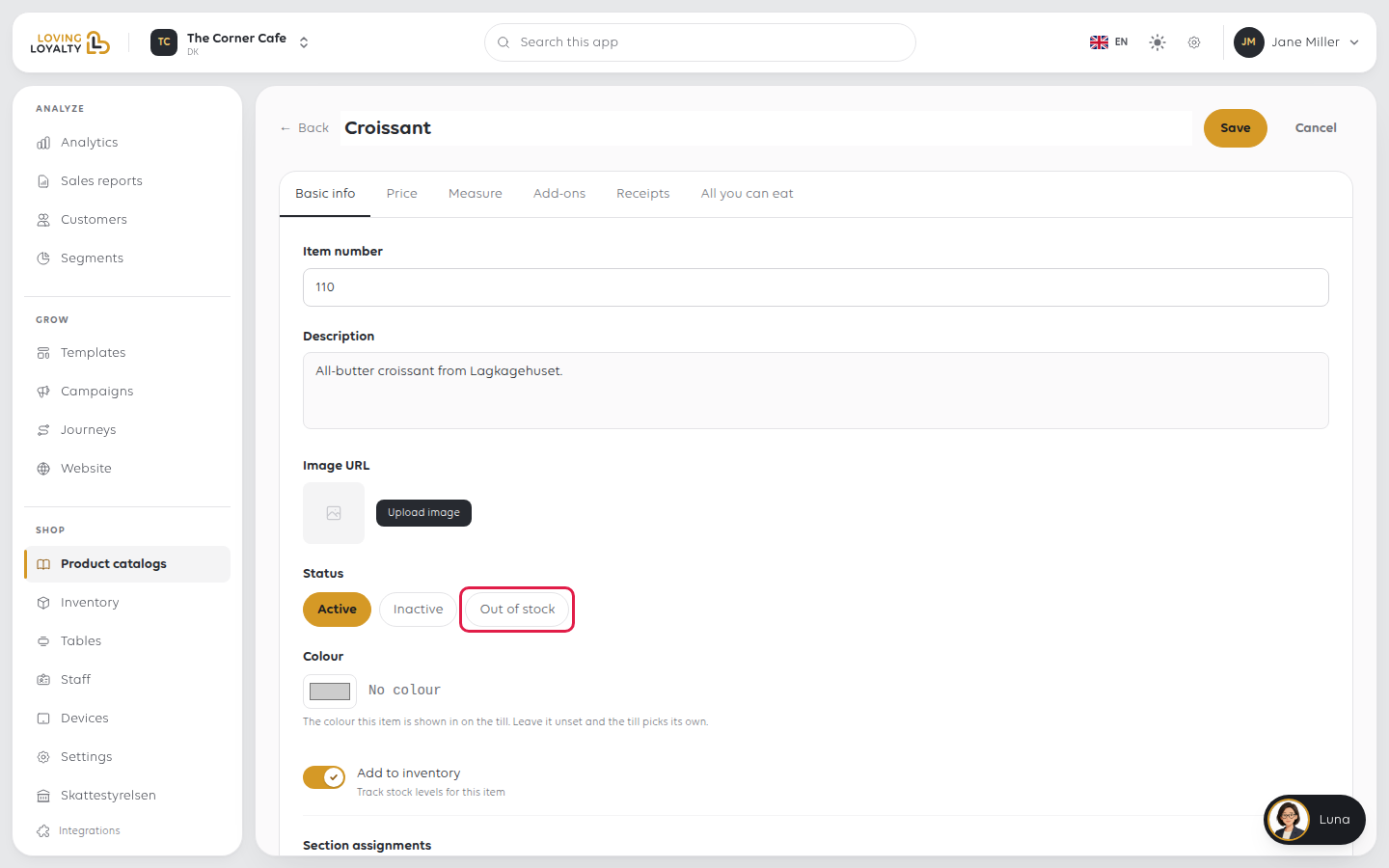
Sold out today: use Out of stock
Status has three settings, and choosing between them is the thing worth getting
right.
| Status | Use when | What happens |
|---|---|---|
| Active | Normal | Sold as usual |
| Out of stock | You have run out today | Temporarily unavailable. Put it back to Active tomorrow |
| Inactive | It is off the menu | Removed from the till without deleting it |
Out of stock is for today. Inactive is for the season. Both stop the item being
sold; the difference is what you mean, and which one you remember to undo. An item
left Out of stock for a month is a dish nobody has noticed is missing.
Do not delete an item that is merely unavailable. Deleting loses its history, and
the sales already made against it still have to make sense in your reporting.
Prices
Prices live on the item's Price tab, along with per-order-type pricing and
whether the price is asked for at the till. See Sell an item at a variable price
and Sell items at a different VAT rate.
A price change applies from when you save it. Orders already placed keep what they
were sold at, which is correct, and means fixing a wrong price does not repair
yesterday's takings.
Where the item appears
Section assignments decides which sections of which catalogues show the item. An
item that exists but sits in no section is not on the till at all. It is in the
library, waiting.
That is worth knowing, because "the new dish is not on the till" is almost always
this rather than a fault.
Two settings people miss
Colour: the colour this item is shown in on the till. Leave it unset and the
till picks its own. Useful for making a handful of items findable at a glance; not
worth doing for everything, because the effect disappears when every tile is
coloured.
Add to inventory: track stock levels for this item. Off by default. Turning it
on is what makes stock counting mean anything for that product; see Manage stock
from the manager app.
Was this article helpful?
Thanks for your feedback!
