

 Dansk
 Svenska
 Deutsch
 Norsk bokmål
Sell an item at a variable price
Some things are the same product every time but not the same price: goods sold by
weight, a made-to-order platter, a bottle chosen from the shelf. An item can be set
up to ask for the price when it is sold.
Selling one
A variable-price item looks like any other on the till, except it shows no price.
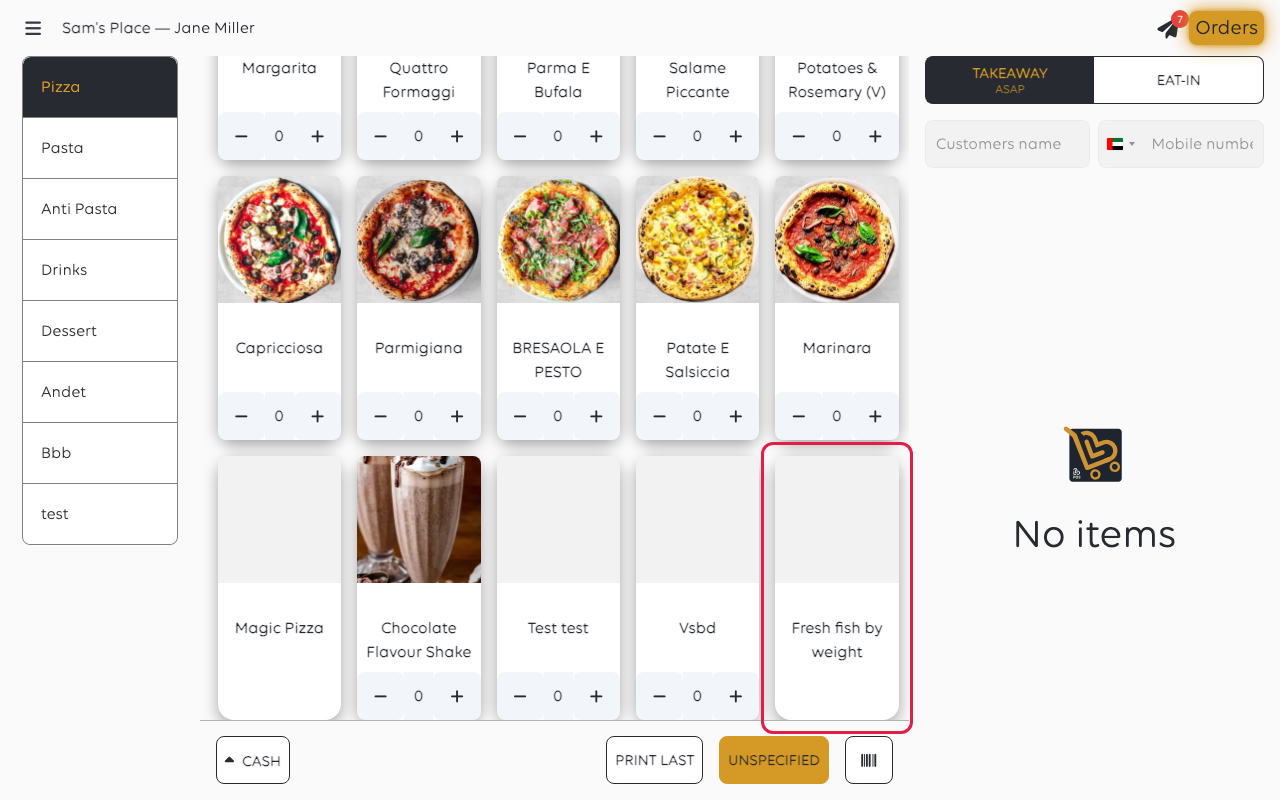
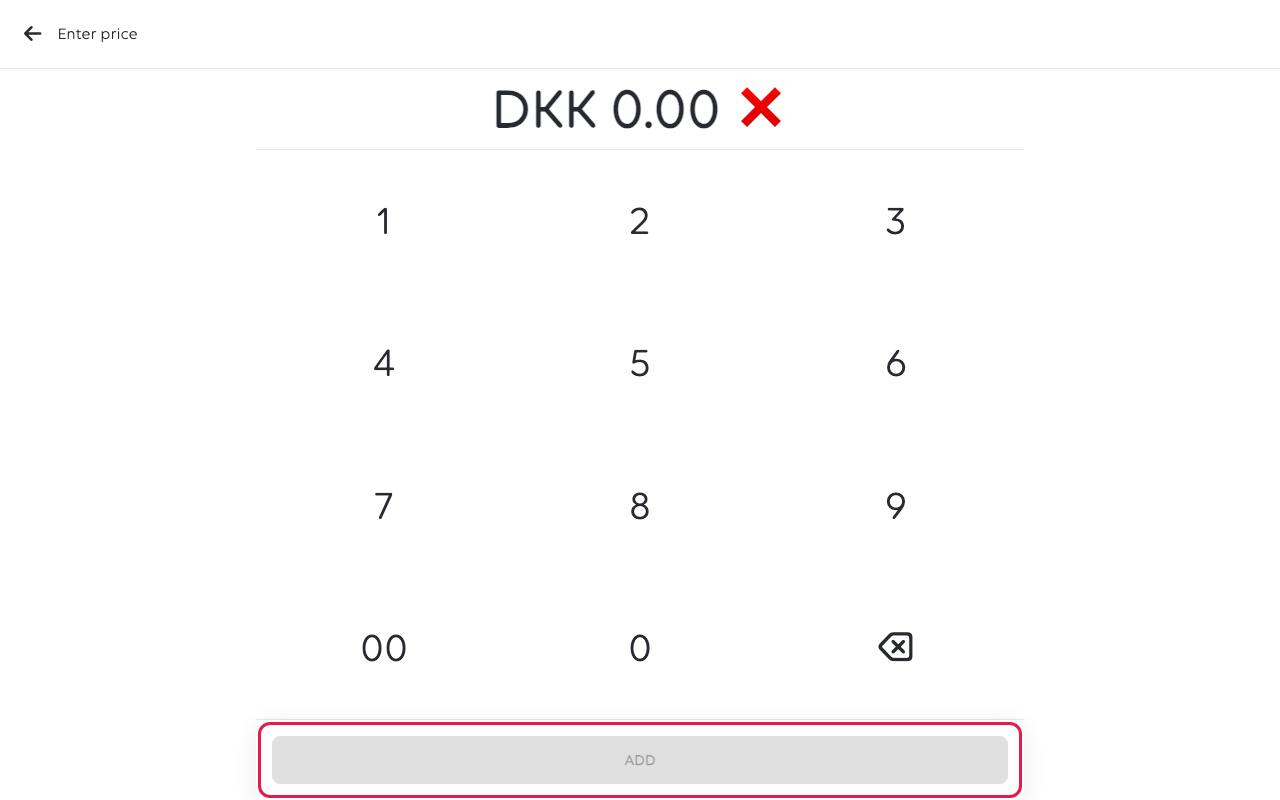
Tap it and the till asks. Type the price on the Enter price keypad and tap
Add.
It joins the basket like any other line, at the price you typed.
How you type the amount is a shop setting. Either you type it as written, with a
comma before the øre, or the keypad fills from the right in øre, so 1, 5, 0 is
DKK 1.50, not DKK 150. Check the basket line before taking payment - an item
with no fixed price has nothing to check the typed figure against.
Setting an item up this way
Open Shop → Product catalogs → Items Library, select the item, and on its
Price tab turn on Variable price - price is set at the time of sale. That
is the switch that makes the till ask.
The same tab carries Different price by order type, for an item that has a fixed
price but a different one eaten in and taken away. Use that rather than a variable
price when the amounts are known - a cashier typing a price they could have been
given is a mistake waiting to happen.
Give it a name that tells the cashier what to charge for - Cheese by 100g is
better than Cheese, because the person typing the price is deciding what the
customer pays.
If something goes wrong
| What you see | What it means | What to do |
|---|---|---|
| The item adds at zero | No price was typed before Add | Remove the line and add it again |
| The price is a hundred times too small | The shop's keypad fills from the right in øre | Remove the line and type the full amount including øre |
| The till does not ask for a price | The item has a fixed price | Change it in the catalogue, or use Unspecified for a one-off |
Was this article helpful?
Thanks for your feedback!
