

 Dansk
 Svenska
 Deutsch
 Norsk bokmål
Send items to the right printer
In a shop with more than one printer, the drinks should not print in the kitchen and
the food should not print at the bar. Printer categories are how the till decides
where each item goes.
Before you start - the printers are already set up.
How it fits together
Three things have to line up:
- A printer category exists - Kitchen, Bar, Desserts.
- Each item in your catalogue belongs to one.
- Each kitchen printer has the category it should print.
Miss any one and tickets go to the wrong place, or nowhere.
Manage the categories
Open the menu, tap Receipt printers, then the Printer Categories tab.
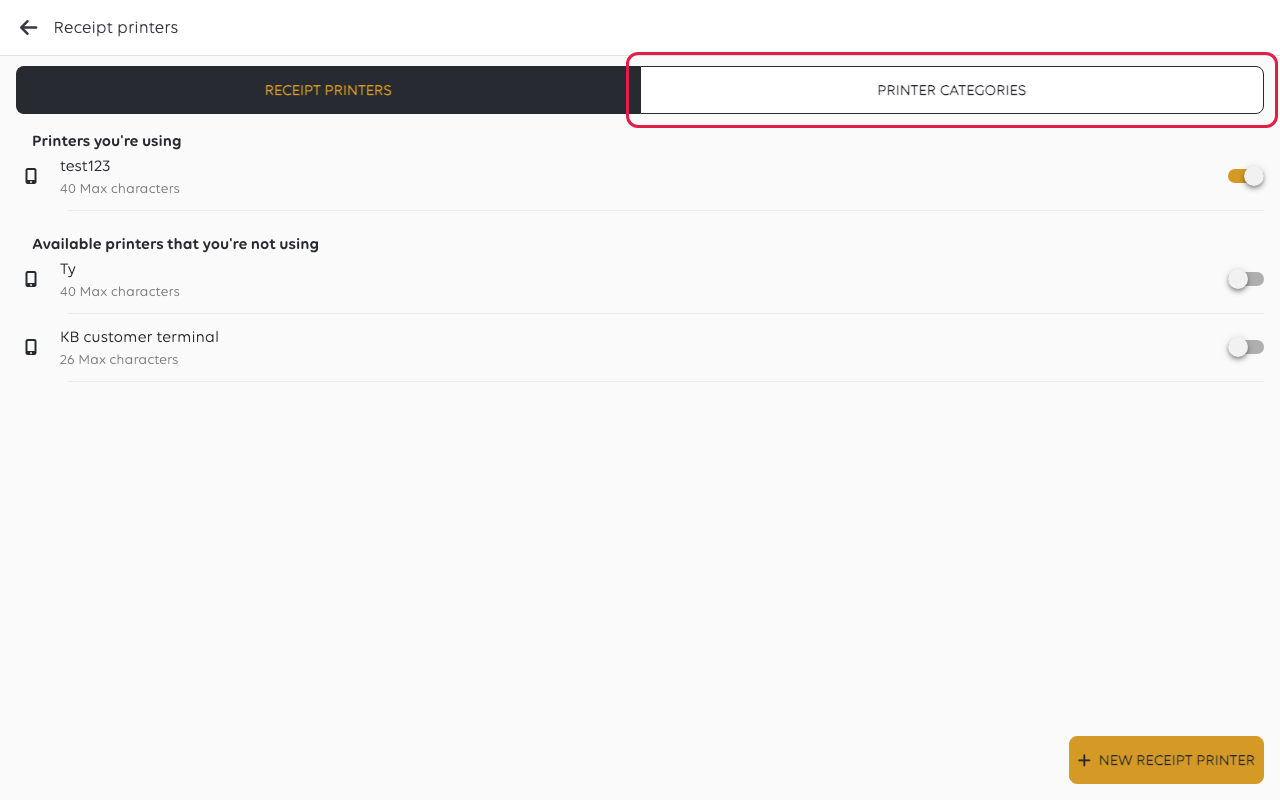
The categories you already have are listed. New printer category adds another.
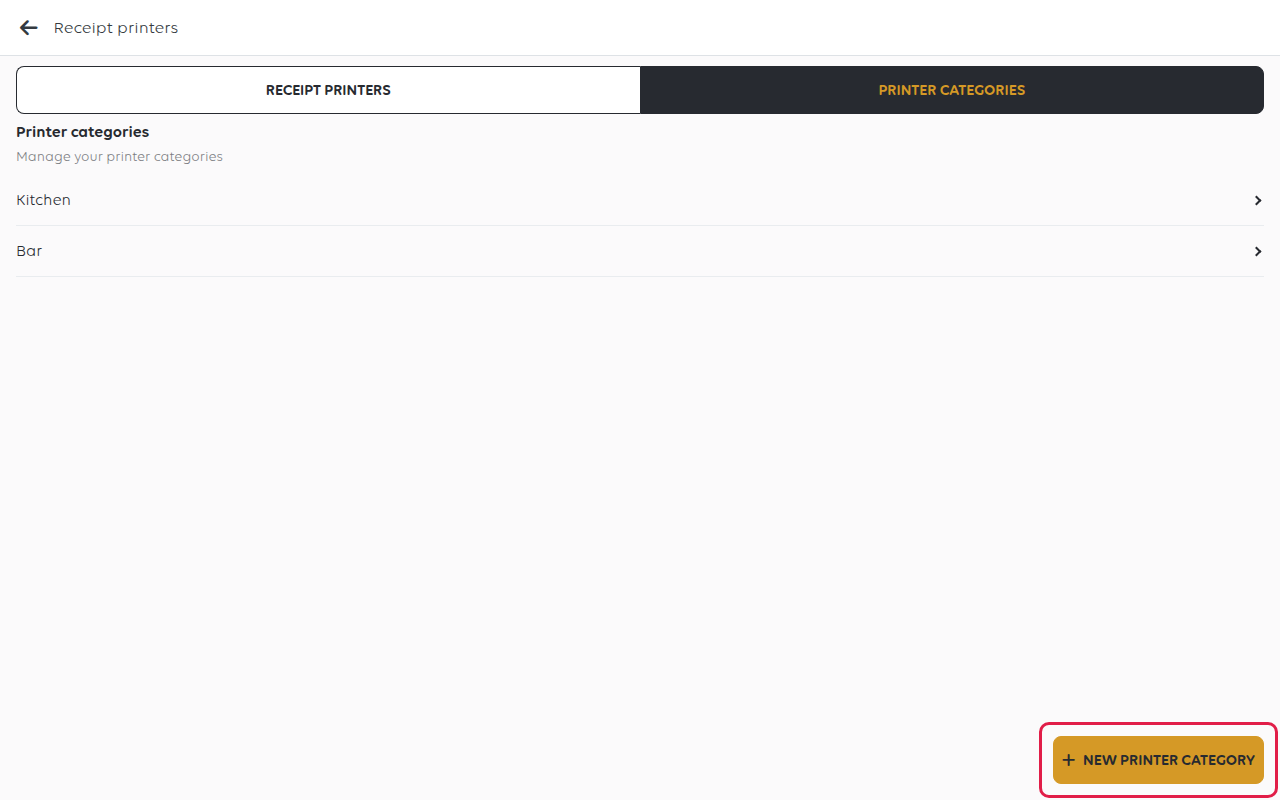
Name them after the place the ticket comes out, not after the food. Kitchen and
Bar stay true when the menu changes; Pizzas stops making sense the moment pizzas
move station.
Put items into them
Each item says which categories it belongs to. Open Shop → Product catalogs →
Items Library in the manager app, select the item, and go to its Receipts tab -
Assign printer categories.
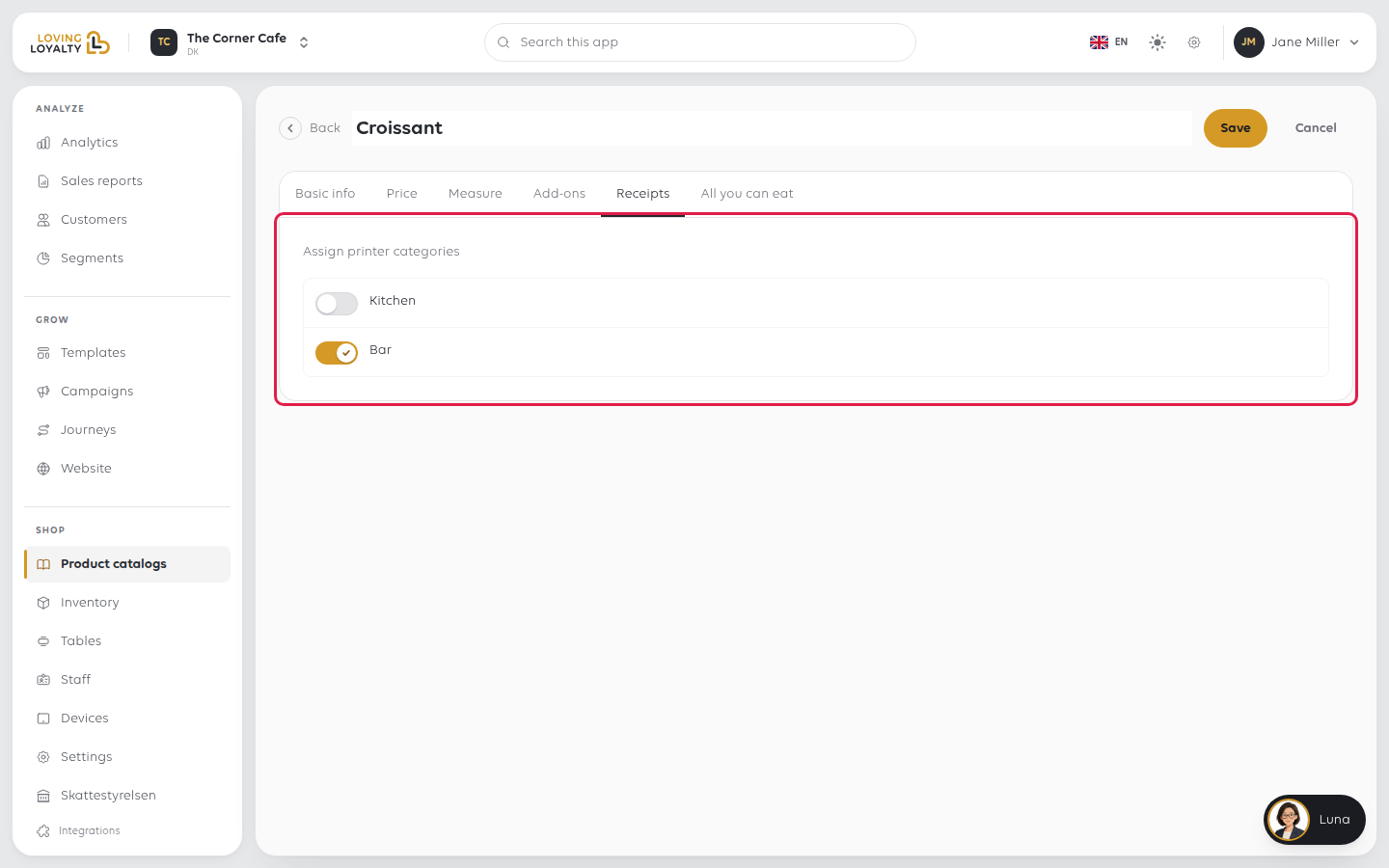
An item can belong to more than one, which is how a dish prints at both the kitchen
and the bar.
An item with no category of its own uses its menu section's categories. If neither
has one, the item never prints at a printer that has a category. It is still sold and
still on the receipt, which is why this fault shows up as one dish never reaching the
kitchen rather than as an error.
Mark the printer
Open the menu, tap Receipt printers and tap the printer. On Edit receipt
printer:
- Turn Kitchen printer on so the printer is used for kitchen orders only.
- Pick its Printer Category. It then prints only the items in that category.
Leave it at None to print every item.
Tap SAVE RECEIPT PRINTER.
If no printer is a kitchen printer, kitchen tickets come out at the receipt printer.
If something goes wrong
| What you see | What it means | What to do |
|---|---|---|
| One dish never reaches the kitchen | That item, and its menu section, are in no printer category | Put it in one in the catalogue |
| Everything prints everywhere | Printers are handling more than one category, or categories are unset | Give each printer the category it should handle |
| Kitchen tickets come out at the counter | No printer is set up as a kitchen printer | Turn Kitchen printer on for the kitchen printer |
| Tickets print twice | Two printers handle the same category | Decide which one should, and change the other |
Was this article helpful?
Thanks for your feedback!
