

 Dansk
 Svenska
 Deutsch
 Norsk bokmål
The cash drawer will not open
The drawer stays shut when it should open. Almost every cause is the printer, because
that is what opens it.
The drawer is opened by the printer
The till does not have a wire to the drawer. It tells the receipt printer to send
a pulse, and the printer opens it. So a drawer problem is usually a printer problem,
and the fastest check is whether the printer prints at all.
If receipts are not printing either, fix that first - see The printer is not
printing.
Work down this list
| Check | Why |
|---|---|
| Is the printer on, with paper? | A printer that cannot print usually cannot pulse |
| Is the drawer cable in the printer? | It plugs into the printer, not the till |
| Is the printer under Printers you're using in Receipt printers? | A printer not in use is ignored |
| Is the drawer unlocked? | Most drawers have a physical key, and a locked drawer will not open however many pulses it gets |
The cash drawer setting on the printer
Open the menu, tap Receipt printers and tap the printer. Check Cash Drawer:
if it says None, set it to Generic and tap SAVE RECEIPT PRINTER.
Then tap Open Cash Drawer on the same screen. If the drawer opens, the hardware
and setting are fine.
Opening it without a sale
On the home screen, tap CASH, then Open Cash Drawer.
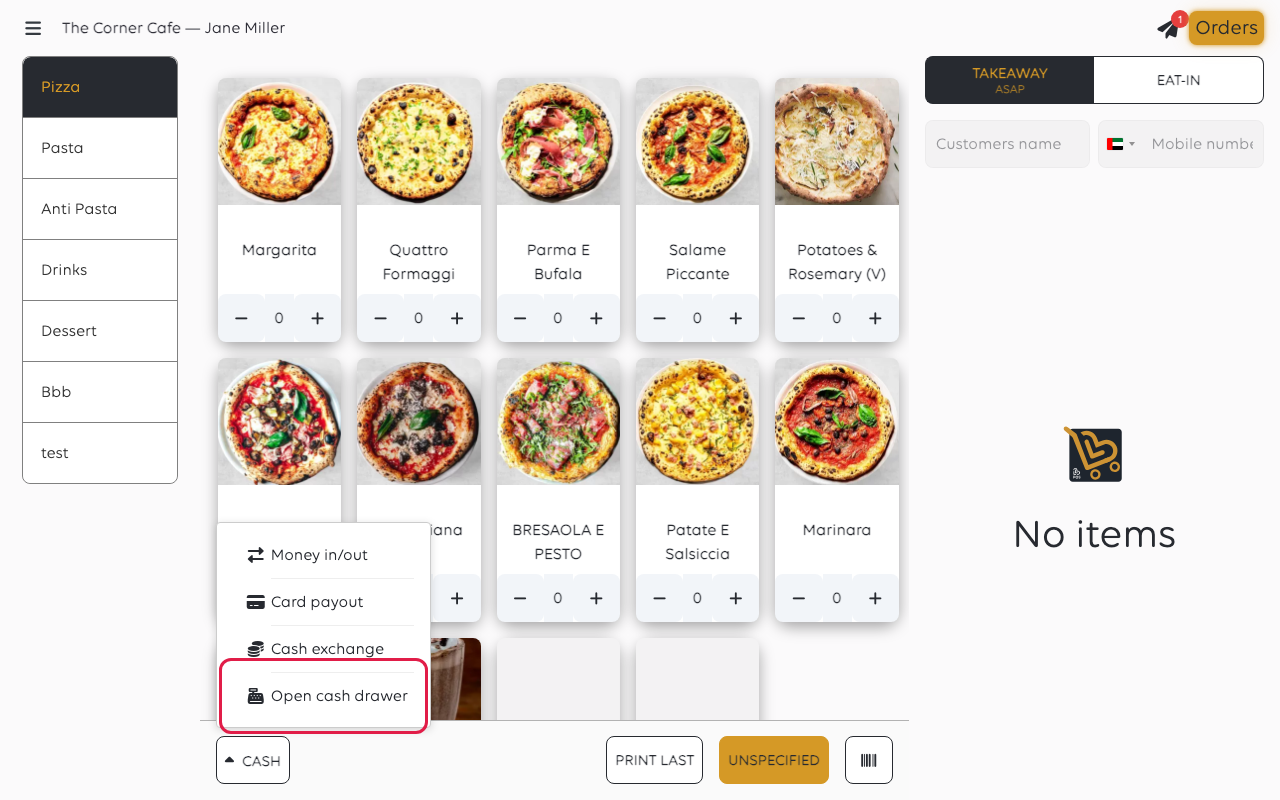
Cash drawer opened shows when it works. No printer available for cash drawer
means no printer is set up to open a drawer - check the setting above. See Open the
cash drawer without a sale.
If you have to open it by hand
Most drawers have a key, and many have a release lever underneath. Use it if you need
the money now - then find out why it did not open, because the fault will still be
there at the end of the day.
If money moves while the drawer is open by hand, record it - see Pay money out of
the drawer. An unrecorded movement is a discrepancy nobody can explain later.
If it still will not open
| What you see | What it means | What to do |
|---|---|---|
| No printer available for cash drawer | No printer has a cash drawer set | Set Cash Drawer to Generic on the printer |
| It never opens, but receipts print | The cable, or the drawer's own lock | Check both at the drawer |
| It opens on one till and not another | That till's printer is set up differently | Compare the two printers' settings |
| Nothing prints and nothing opens | The printer | See The printer is not printing |
Was this article helpful?
Thanks for your feedback!
