

 Dansk
 Svenska
 Deutsch
 Norsk bokmål
The printer is not printing
Nothing comes out. The till shows a message such as Failed to print receipt when
it can tell something went wrong, but often it cannot - a printer out of paper can
look exactly like one that worked. Work down the checks below, most likely first.
Start with the paper
Most of it is paper, and one cause is easy to miss.
- Is there paper? A roll can look present and be empty on the spindle.
- Is it the right way round? Thermal paper only prints on one side. Fed the wrong
way it runs blank and everything looks healthy. - Black mark not detected. Some printers look for a black mark on the back of the
roll to find the end of a ticket. The wrong roll, or one loaded upside down, gives
this error and stops printing. - Is the lid properly shut? A lid that is nearly closed is open.
Then the printer itself
| Check | Why |
|---|---|
| Power and status light | An unplugged printer accepts nothing |
| Cable, or Bluetooth connection | The till reaches it over one of these |
| The printer is not jammed | A partly-fed ticket blocks the next |
Then whether the till is using it
Open the menu and tap Receipt printers. A printer under Available printers that
you're not using is ignored, however well it works.
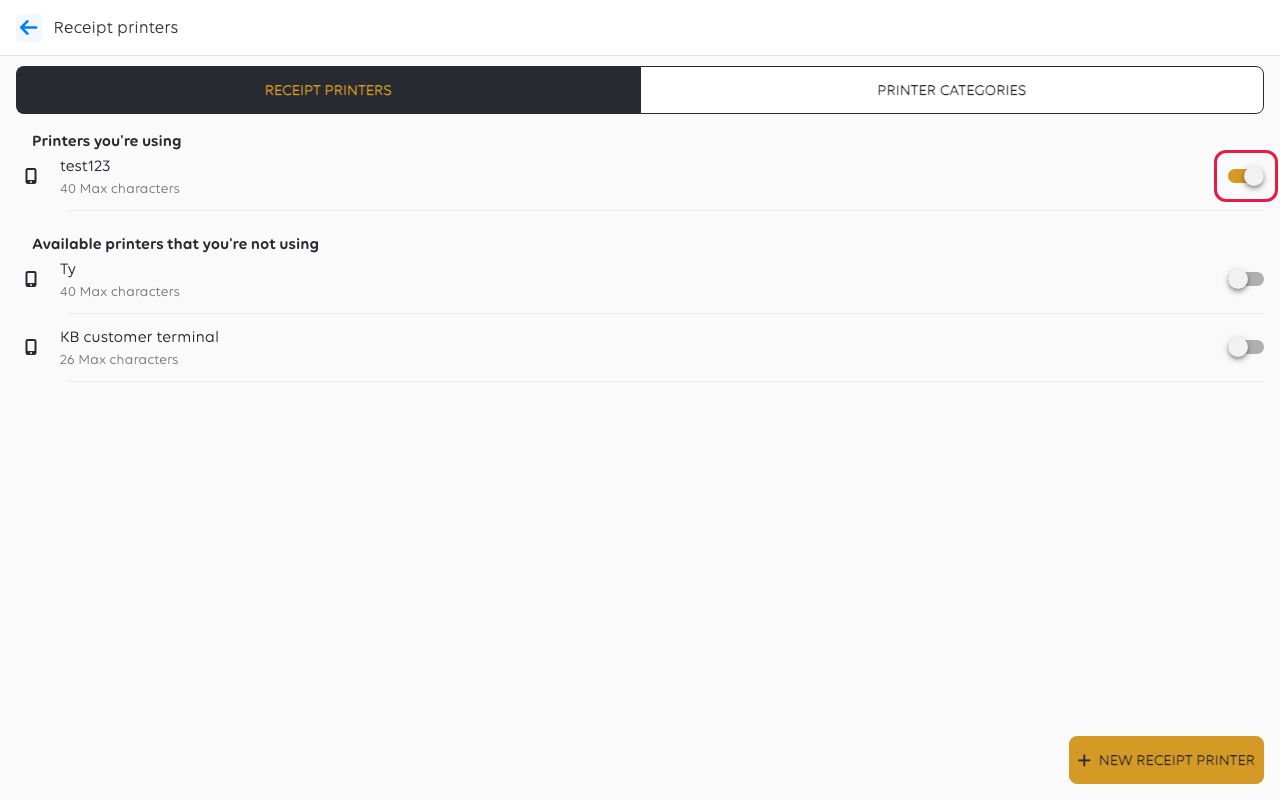
Switch it on if it is in the wrong group — see Stop using a printer or payment
terminal.
Prove it with a test print
Tap the printer and tap PRINT TEST RECEIPT. This is the fastest way to split the
problem in two.
| Result | What it means |
|---|---|
| Test print works | The printer and paper are fine - the fault is what you asked it to print |
| Test print does nothing | The printer, the paper or the connection |
The same screen shows Last printed. A printer reading Never after a test print
has not received it.
When only the kitchen is affected
Receipts print, kitchen tickets do not. That is a different fault, and it is one of
two settings:
- The kitchen printer is switched off, or set to a Printer Category the items are
not in. - The items, and their menu section, are in no printer category, so a printer with a
category skips them.
See Send items to the right printer.
When only one dish is missing from the ticket
That dish is not in the kitchen printer's category. Everything else about the setup
is fine - adding it to the category fixes it, and reprinting will not.
If it still will not print
| What you see | What it means | What to do |
|---|---|---|
| It printed earlier today and stopped | Usually paper or a jam | Reload the roll and check the lid |
| It prints receipts but not kitchen tickets | The kitchen printer or the categories | See Send items to the right printer |
| Two copies come out | Two printers handle the same category | Change one of them |
| Nothing prints anywhere, from any till | The shop's printing, not one device | Contact support — see Get help from inside the app |
Was this article helpful?
Thanks for your feedback!
