

 Dansk
 Svenska
 Deutsch
 Norsk bokmål
See your devices and licences
Every till, kiosk and card terminal your shop has used is listed here, with how many
licences you have and how many are in use. Look here when a device will not activate.
1. Open Devices and licences
Open Shop → Devices. Each licence type shows its usage, such as 1 of 2 licences
in use, and the devices holding them are listed below.
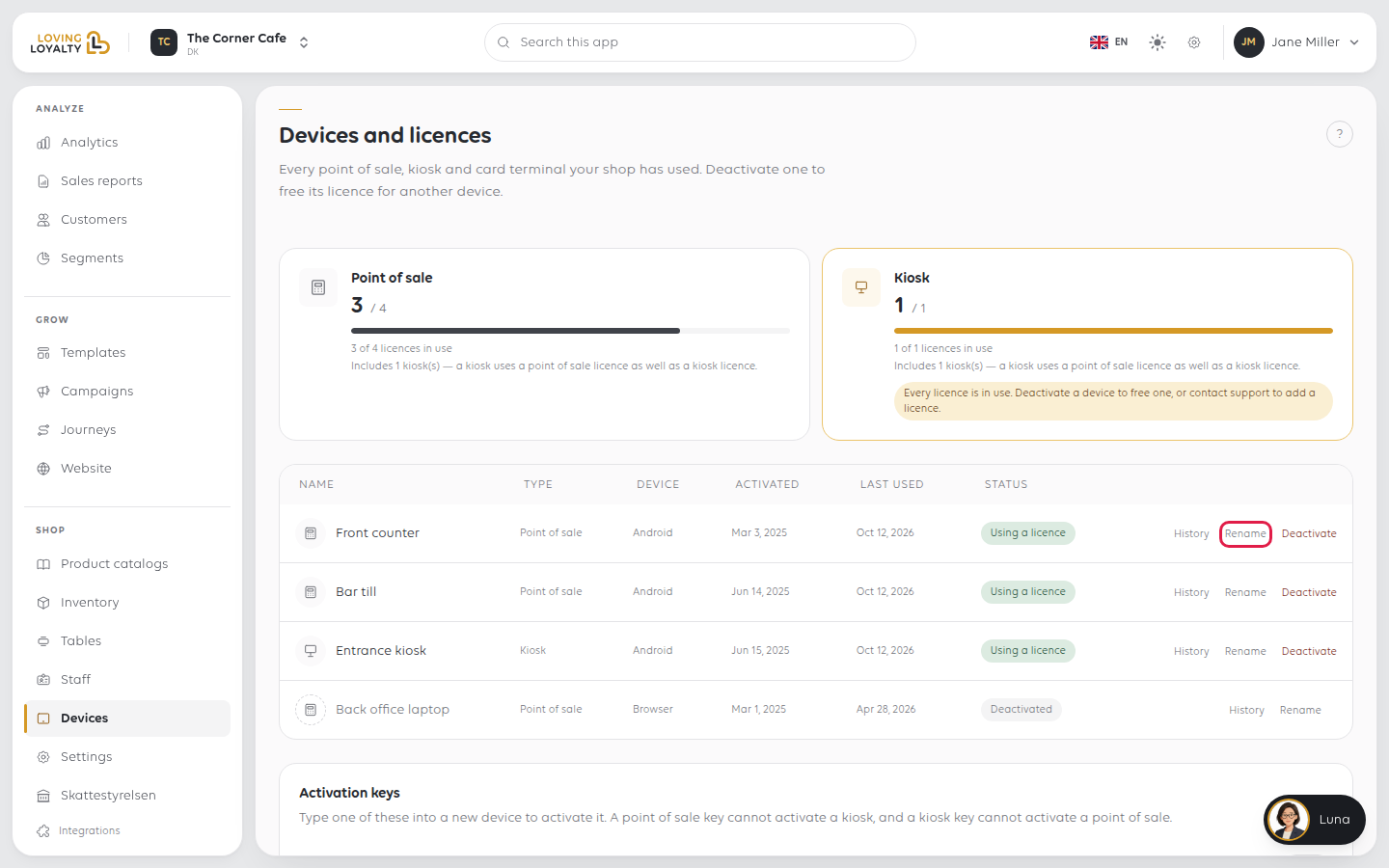
Activation keys lists the keys you type into a new device to activate it. A point
of sale key cannot activate a kiosk, and a kiosk key cannot activate a point of sale.
2. Count kiosks twice
A kiosk uses a point of sale licence as well as a kiosk licence. A shop with one
till and one kiosk is using two point of sale licences, not one.
This catches people out when adding a second till: the kiosk already took one.
3. Free a licence
When the page says Every licence is in use and a new device will not activate,
deactivate a device you no longer use.
Select Deactivate on the device's row. Read the confirmation, then select
Deactivate device.
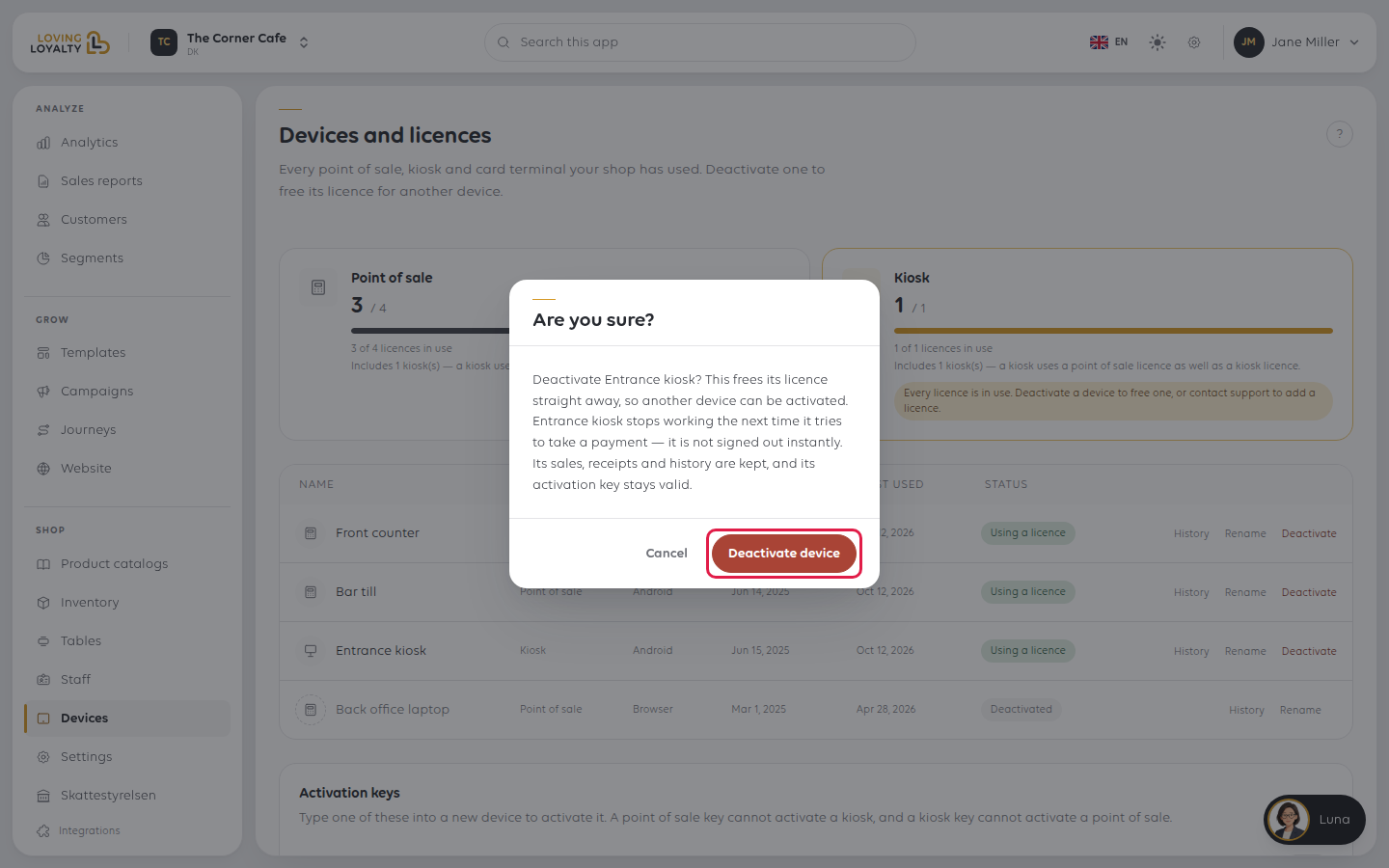
- The licence is freed straight away, so another device can be activated.
- The device is not signed out instantly. It stops working the next time it tries to take a payment.
- Its sales, receipts and history are kept.
- Its activation key stays valid, so the same device can be brought back without being set up from scratch.
So it is safe to deactivate a device that is away for repair. The device's status
changes to Deactivated.
If something goes wrong
| What you see | What it means | What to do |
|---|---|---|
| Every licence is in use | There is nothing free for a new device | Deactivate a device you no longer use, or contact support to add a licence |
| The count is higher than your devices | A kiosk consumes two licences | Count the kiosk twice |
| An old device still holds a licence | It was never deactivated | Deactivate it here |
Was this article helpful?
Thanks for your feedback!
