

 Dansk
 Svenska
 Deutsch
 Norsk bokmål
Order hardware
Terminals, printers, receipt rolls and other accessories are ordered from the Manager.
Orders are invoiced to your account. See Your plan and invoices.
The Billing menu, and with it Hardware, is not shown for shops in Norway.
1. Fill your basket
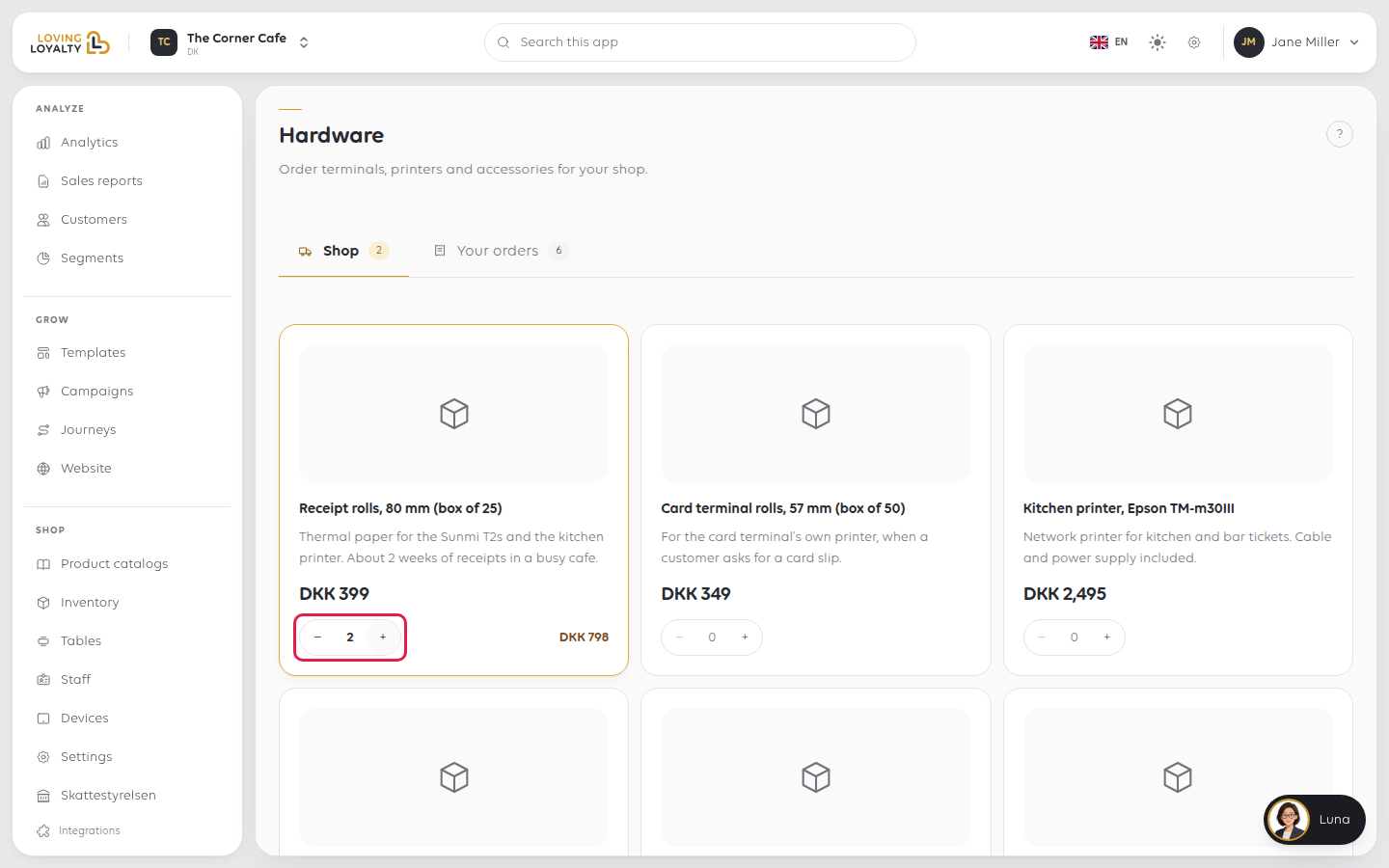
Open Billing → Hardware. On the Shop tab, use + and − on each item to
set how many you want. The page shows how many are in your basket.
2. Review and place the order
Select Review order. Under Delivery address, choose Shop address,
Company address or Another address, and check the Subtotal, Shipping,
VAT and Total.
Select Place order. This is a binding order and you are invoiced for the total.
You see Your order has been placed.
3. Check what you have ordered
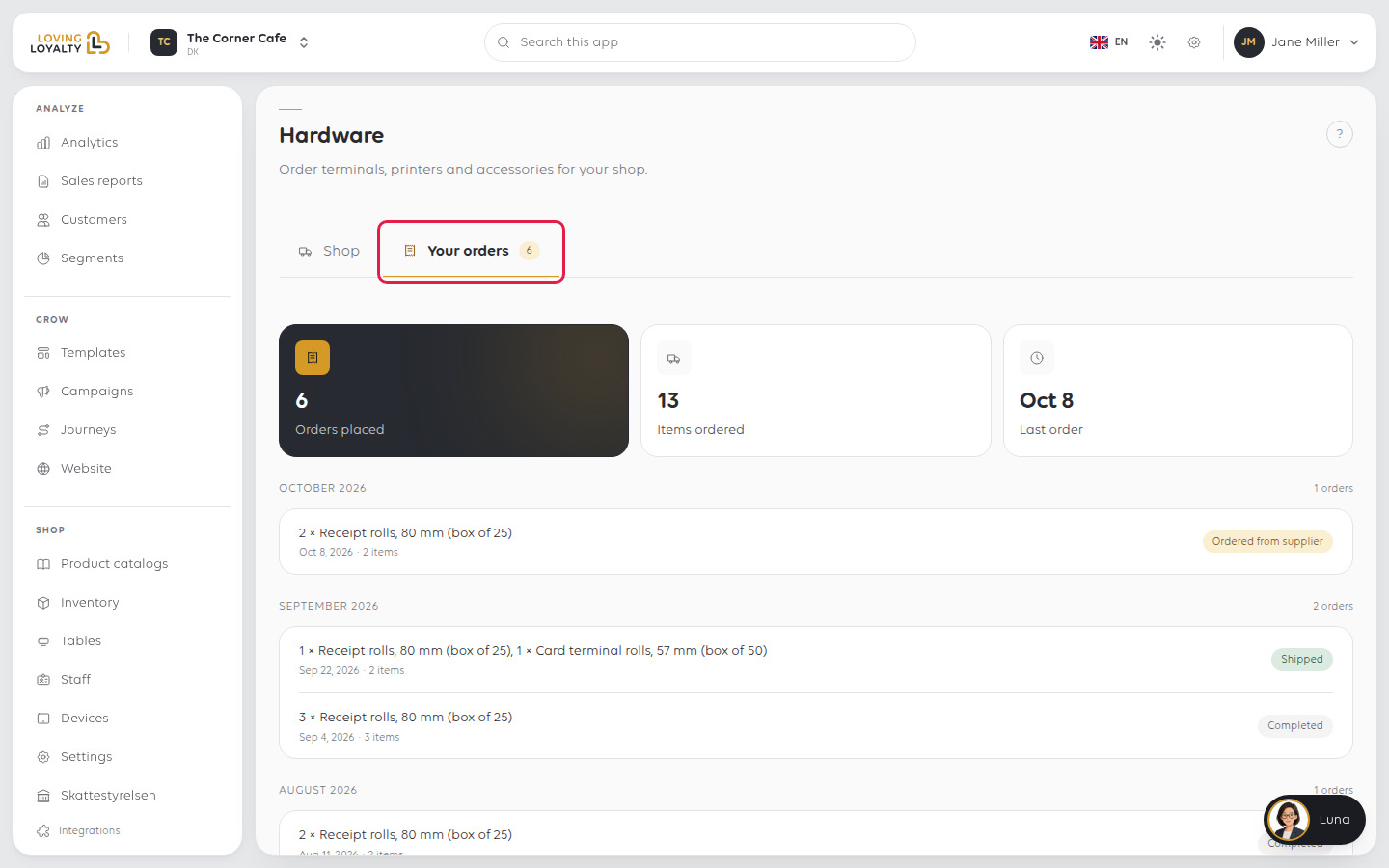
The Your orders tab, next to Shop, lists what you have already ordered. Check it
before ordering again, so you do not order twice.
Order rolls before the last one goes on. A till with no paper cannot print a
receipt, and in a shop that prints kitchen tickets it stops the kitchen too.
If something goes wrong
| What you see | What it means | What to do |
|---|---|---|
| The item you need is not listed | Only what is stocked for your country is offered | Contact support. See Get help from inside the app |
| The order could not be placed. or the order is not in Your orders | It was not completed | Place it again and check it appears |
| Something in your basket is no longer available. Please review it. | An item went out of stock | Select Review order again and adjust the basket |
| You ordered for the wrong shop | Orders belong to the shop you are in | Check the shop name in the top bar. See Switch between your shops |
Was this article helpful?
Thanks for your feedback!
