

 Dansk
 Svenska
 Deutsch
 Norsk bokmål
Track staff hours
Every clock-in and clock-out from the till lands here, with running totals and an
export for payroll.
Before you start
- Staff clock in on the till with their PIN. See Open the shop.
- Time registration is a paid add-on. If it is not on yet, the tab shows Track your staff's hours with its monthly price. Select Enable time registration to add it.
1. Open Time registrations
Open Shop → Staff and the Time registrations tab. The tiles at the top show
Clocked in now, Team hours today, Hours this period and Weekly
progress.
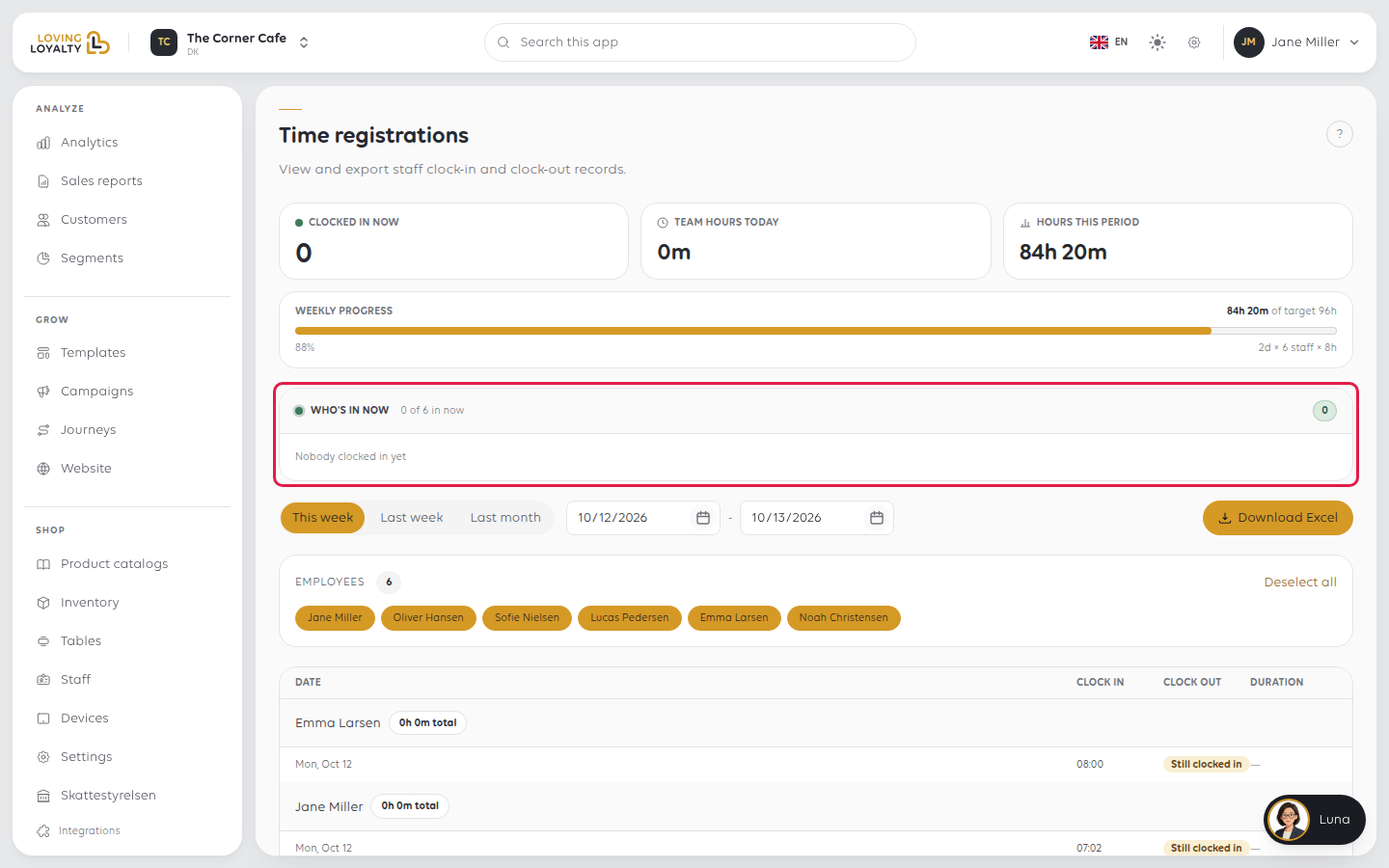
Weekly progress compares hours worked against a target worked out as
working days × staff × 8 hours. With many occasional staff the target looks
enormous. Nobody set it; read the hours rather than the percentage.
2. See who is in
Who's in now lists the people clocked in at this moment, or says Nobody clocked
in yet. Today's Shifts lays out each of today's shifts on a timeline.
3. Choose the period and people
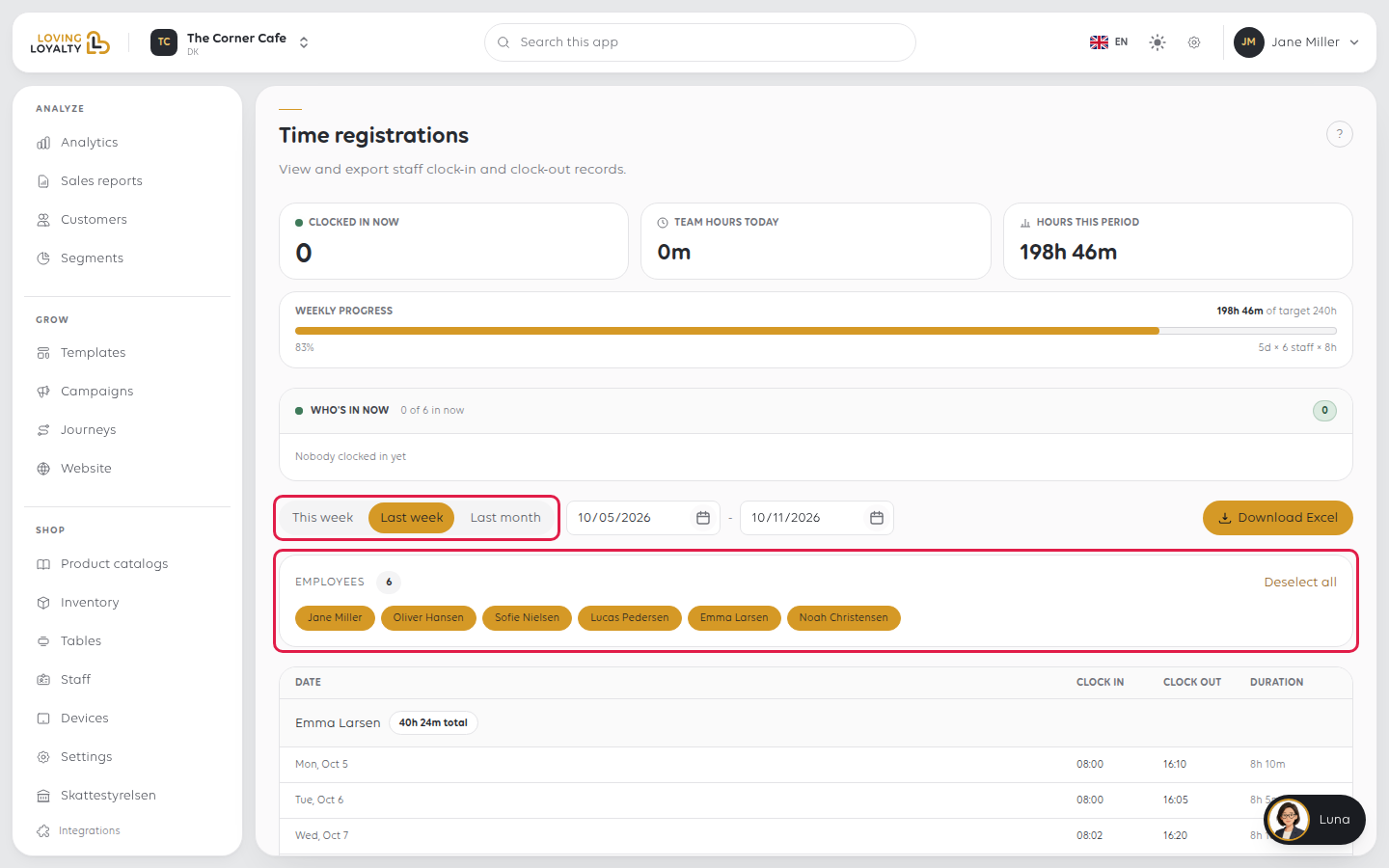
- This week, Last week or Last month sets the period.
- Employees picks whose hours to show. Deselect all, then tick one person to see only them.
The list shows each shift's Clock in, Clock out and Duration. A shift
still open reads Still clocked in. A period with no shifts reads No time
registrations for this period.
4. Export for payroll
Select Download Excel. It exports the period and people you have chosen.
If something goes wrong
| What you see | What it means | What to do |
|---|---|---|
| Forgot to clock out next to someone | They never clocked out | Their hours keep counting; correct the record before exporting |
| Time registration is not available for your country yet. | It cannot be bought here yet | Contact us to set it up |
| The weekly target looks absurd | It is calculated from headcount, not set by you | Read the hours themselves rather than the percentage |
| A shift is missing | They did not clock in, or did so at another shop | Switch to the other shop and check there |
Was this article helpful?
Thanks for your feedback!
