

 Dansk
 Svenska
 Deutsch
 Norsk bokmål
Add a staff member
Staff are created in the Manager, not at the till. Each one gets a role, which decides
what they can reach, and a PIN, which is how they identify themselves on the till.
1. Open Staff
Open Shop → Staff. The top of the page counts your team: Total staff,
Managers and Cashiers. A person can hold more than one role, so the role counts
will not usually add up to the total.
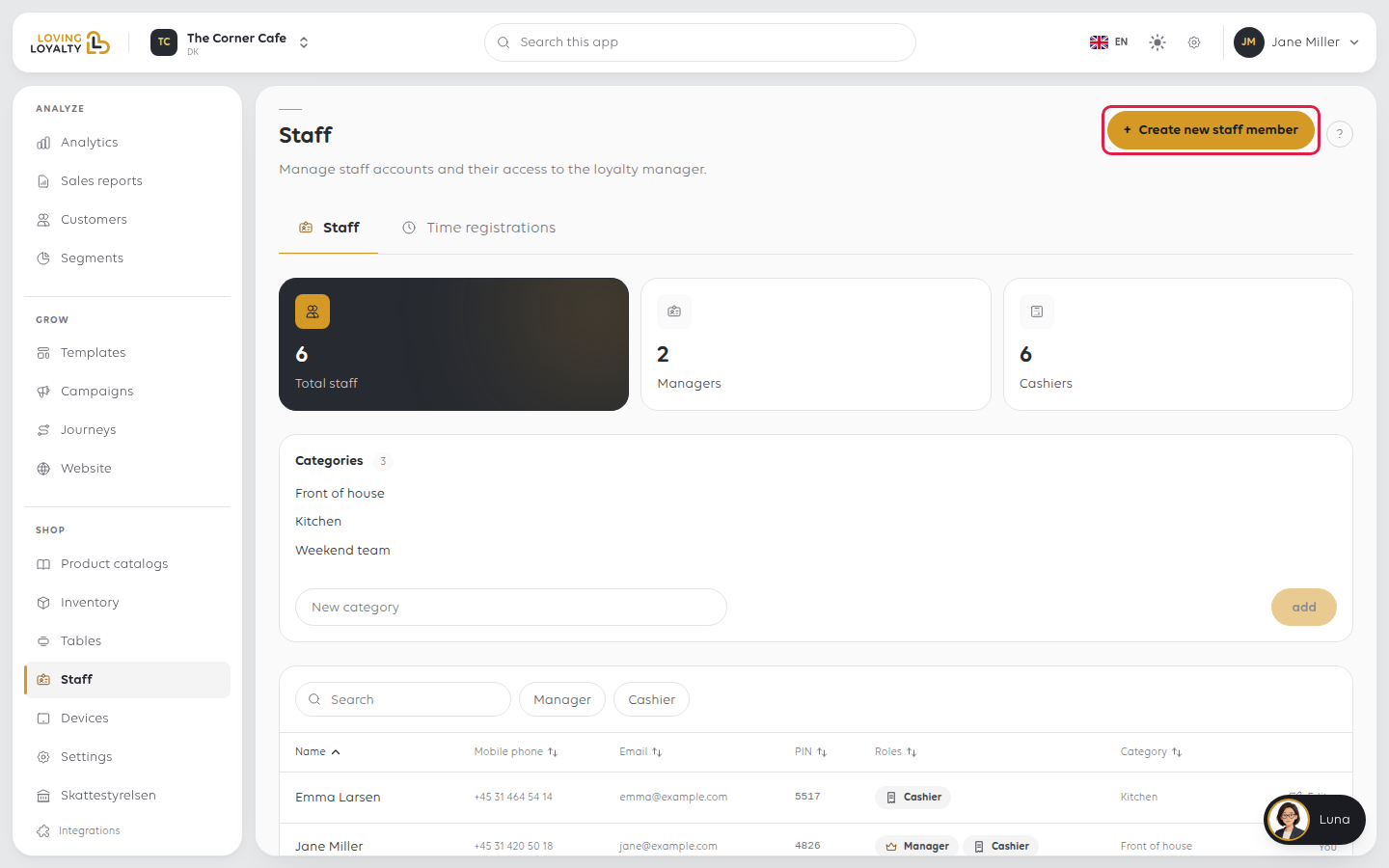
2. Fill in who they are
Select Create new staff member. Enter First name and Last name, then
Email or Mobile phone. Both names are required, and so is one of email or
mobile.
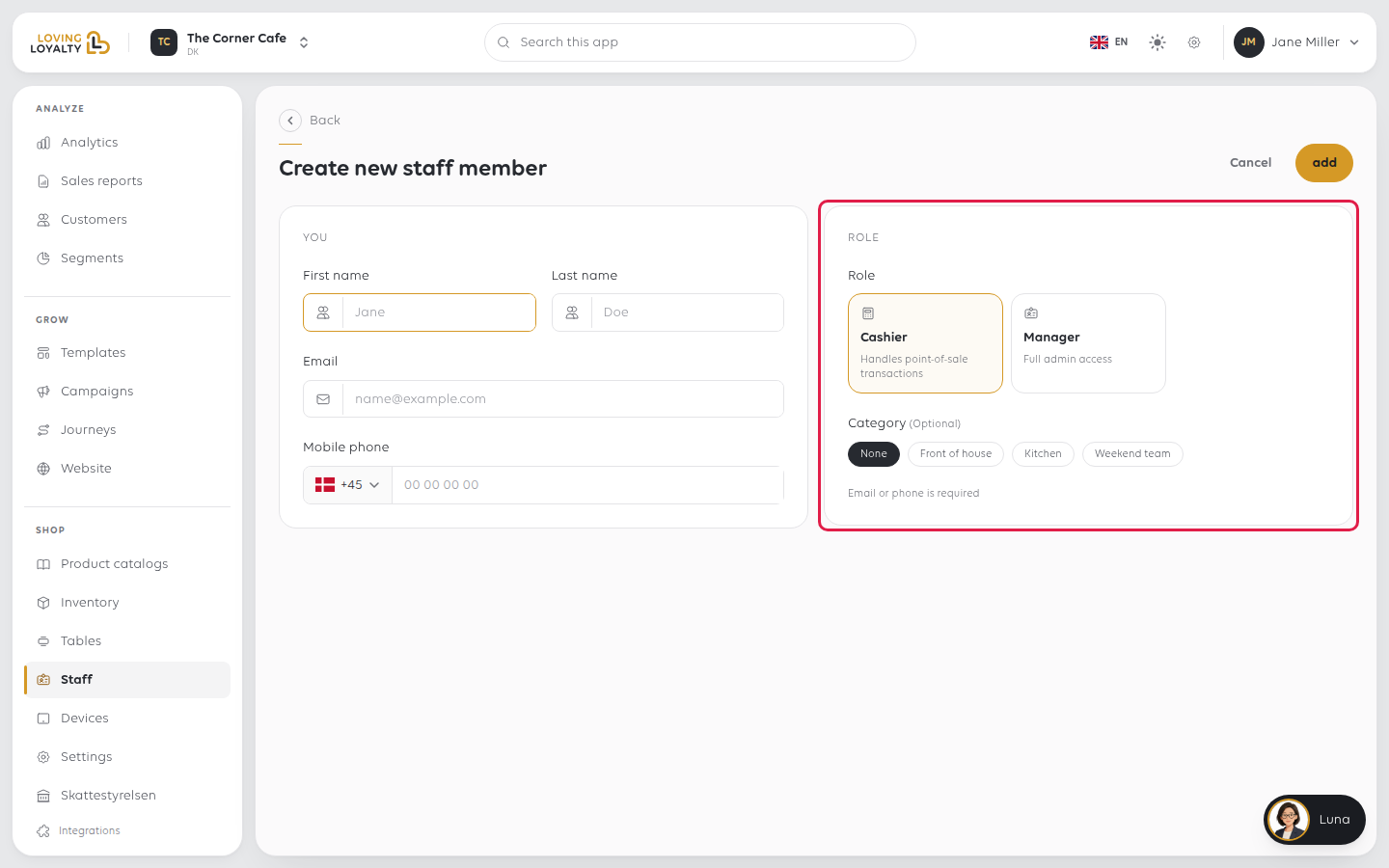
3. Choose a role and category
Under Role, pick one:
- Cashier - handles point-of-sale transactions.
- Manager - full admin access.
Give the narrower role unless there is a reason not to. A cashier cannot change
prices, settings or other people's access.
Category is optional. It groups staff, for example by section or shift. Leave it
on None if you do not use categories. See Organise staff into categories.
4. Add them and note the PIN
Select Add. You see Staff member added and Their PIN code is with the
digits. You do not choose the PIN; the shop issues it.
Give the PIN to the person. They type it to sign in and clock in at the till. Select
Done to go back to the list, where the PIN also shows in the PIN column.
If the email or mobile already belongs to someone, you are asked whether this is the
same person returning. Select Yes, add them to give them a role here. They keep
their existing name.
When someone leaves
Select Edit on their row, then Remove from this place at the bottom of their
record, and confirm.
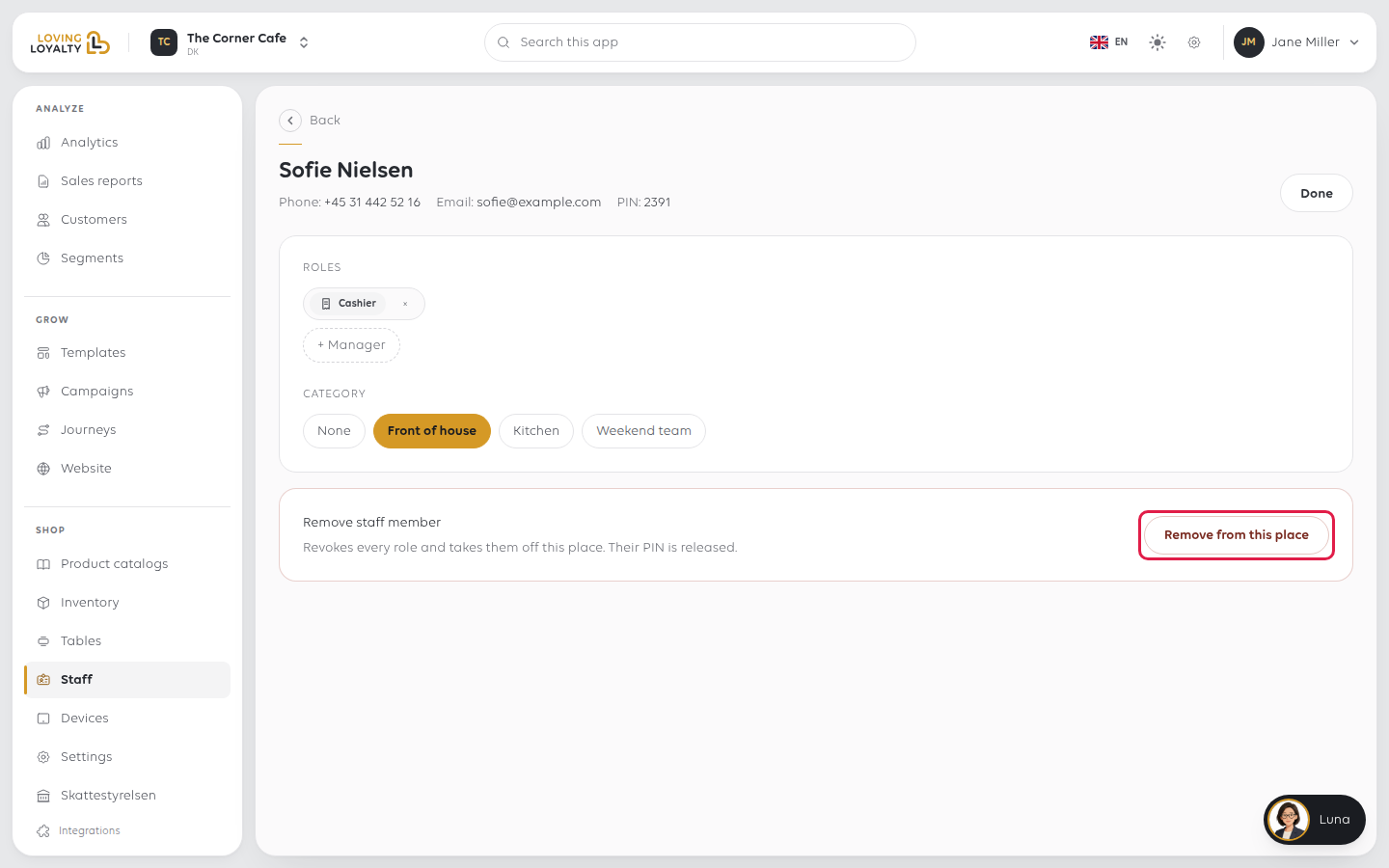
This removes every role they have at this shop and releases their PIN, so it can be
given to somebody else. Their past work stays on the record.
If something goes wrong
| What you see | What it means | What to do |
|---|---|---|
| Email or phone is required | Both were left empty | Fill in at least one |
| A cashier cannot sign in at the till | Wrong PIN, or they are not set up at this shop | Check their PIN here; staff belong to a shop |
| Somebody sees too much | They have the Manager role | Remove the role. See Change what a staff member can do |
| The counts do not add up | Staff can hold more than one role | That is expected |
Was this article helpful?
Thanks for your feedback!
