

 Dansk
 Svenska
 Deutsch
 Norsk bokmål
Protect till settings with a manager PIN
Everyone who works the till has a PIN, and by default they can reach everything on
it, including your sales figures and the settings that decide how the shop runs. The
manager PIN puts a lock on the parts that should need a manager.
You need the manager or editor role to see Settings.
Turn it on
Open Shop → Settings and search for manager pin. The setting is Protect
sensitive sections, under Cashier configuration → Staff and security.
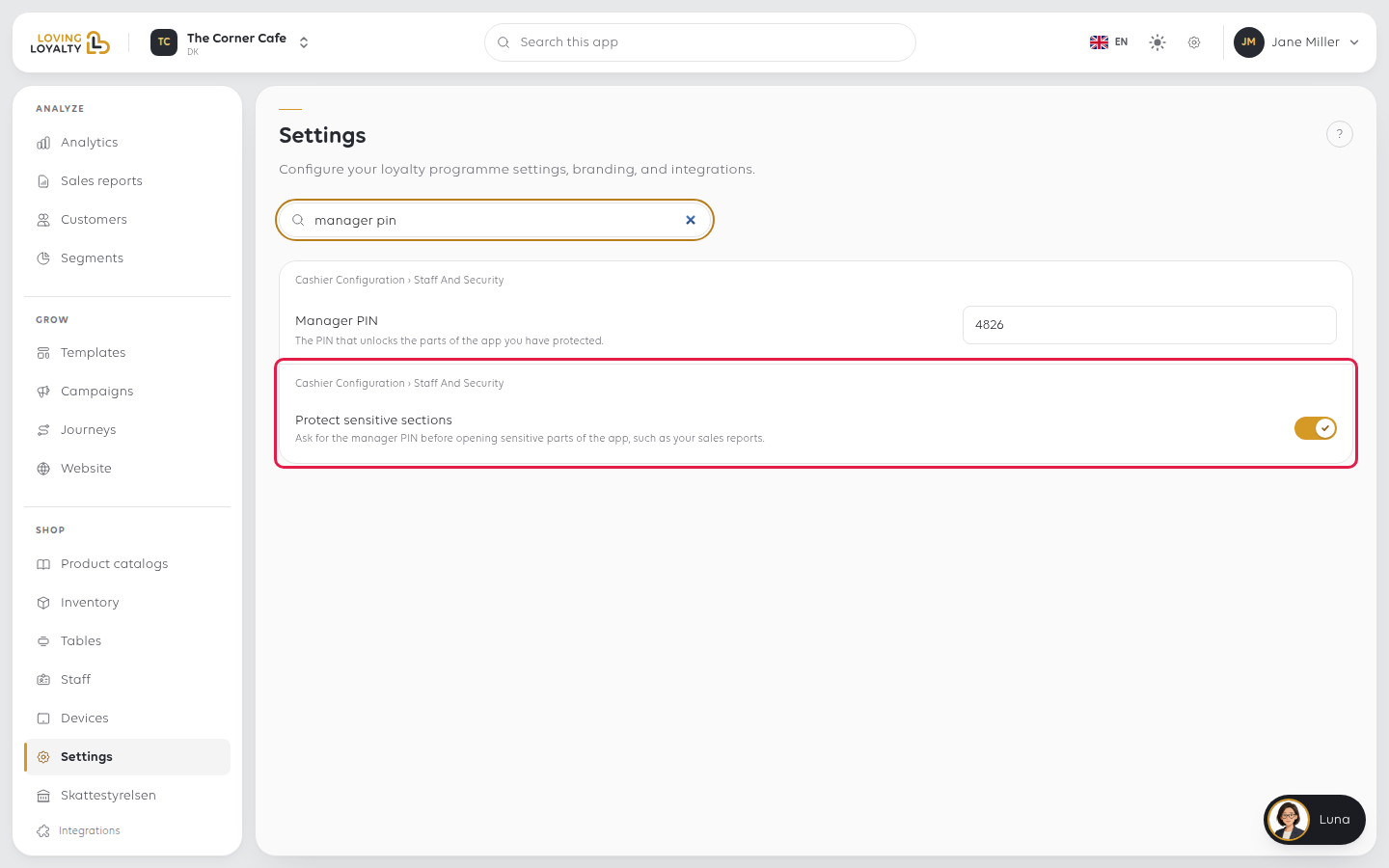
Switch it on. It saves straight away. From then on the till asks for a manager PIN
before opening sensitive parts, such as your sales reports.
Who can get past it
Whoever knows a manager's PIN. So the lock is only as good as the PINs:
- A manager who tells a cashier their PIN has removed the lock for that person,
permanently and invisibly. - A PIN belongs to whoever holds it now. Removing someone releases their PIN for the
next person. See Change what a staff member can do.
Turn it on before the shop is busy, not after something goes missing. The figures
it protects are the same figures you would use to work out what happened.
If something goes wrong
| What you see | What it means | What to do |
|---|---|---|
| The till does not ask for a PIN | The setting has not reached the device yet | Give it a moment and reopen the section on the till |
| Cashiers are locked out of something they need | That section counts as sensitive | Give them the Manager role if the work needs it, rather than sharing a PIN |
| Everyone seems to know the PIN | It has been shared | Stop sharing it, and treat every PIN as personal |
Was this article helpful?
Thanks for your feedback!
