

 Dansk
 Svenska
 Deutsch
 Norsk bokmål
Make a staff member bookable
For shops where customers book an appointment with a person, such as a
hairdresser, a clinic or a salon. For restaurants booking tables, see Make a table
bookable.
Before you start
- Shop → Settings → Booking configuration → Type is set to Staff. See Booking configuration. Otherwise the Bookable section does not show.
- The staff member has a Category. Without one they cannot be booked, and their booking hours do not appear. See Organise staff into categories.
1. Open the staff member
Open Shop → Staff and select Edit on their row.
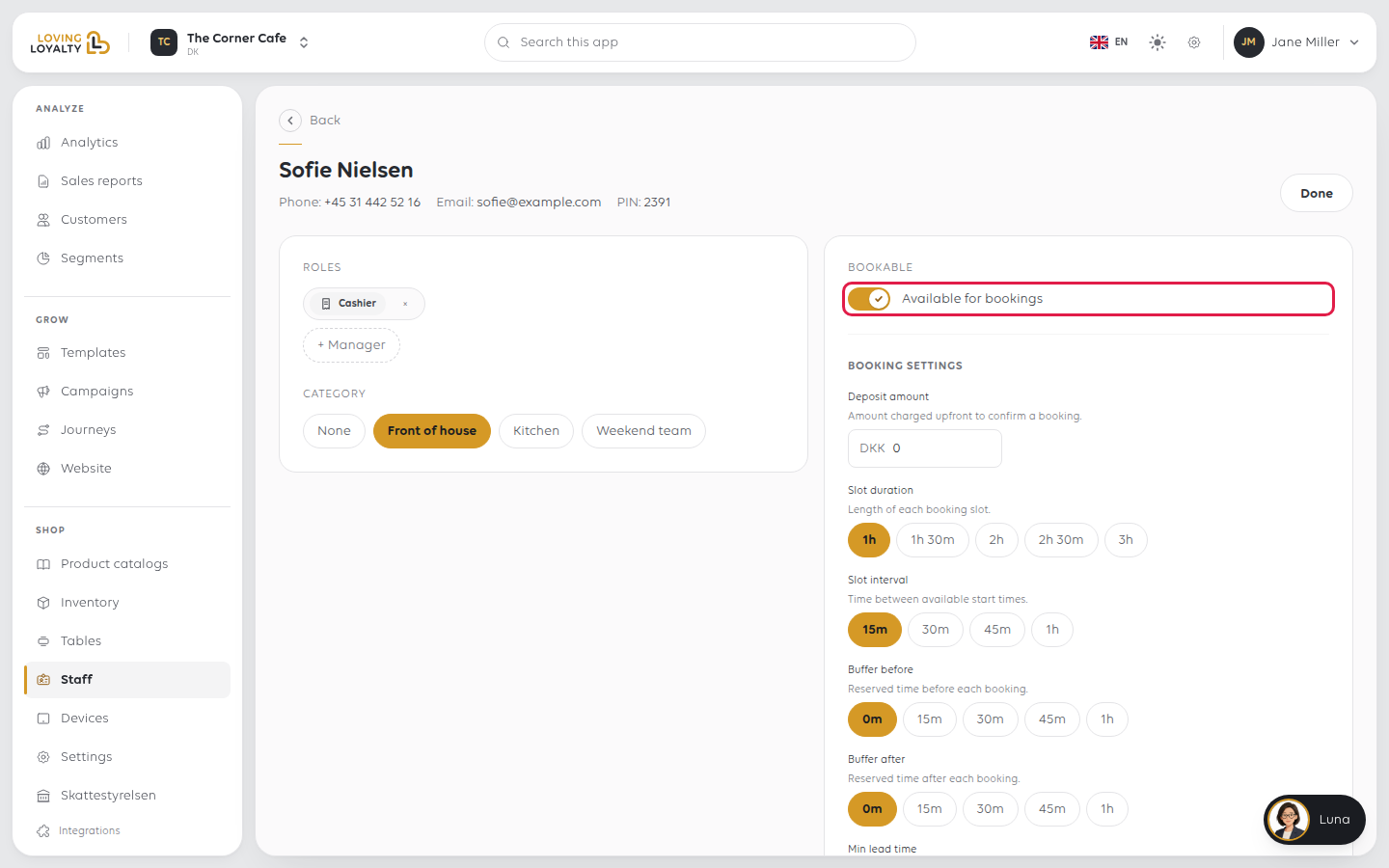
2. Turn on Bookable
Under Bookable, switch it on. It saves straight away, and the text beside it
changes to Available for bookings.
3. Set their booking settings
Booking settings for that person appear below the switch. They start with the
shop's defaults from Booking configuration; what you change here applies to this
person only.
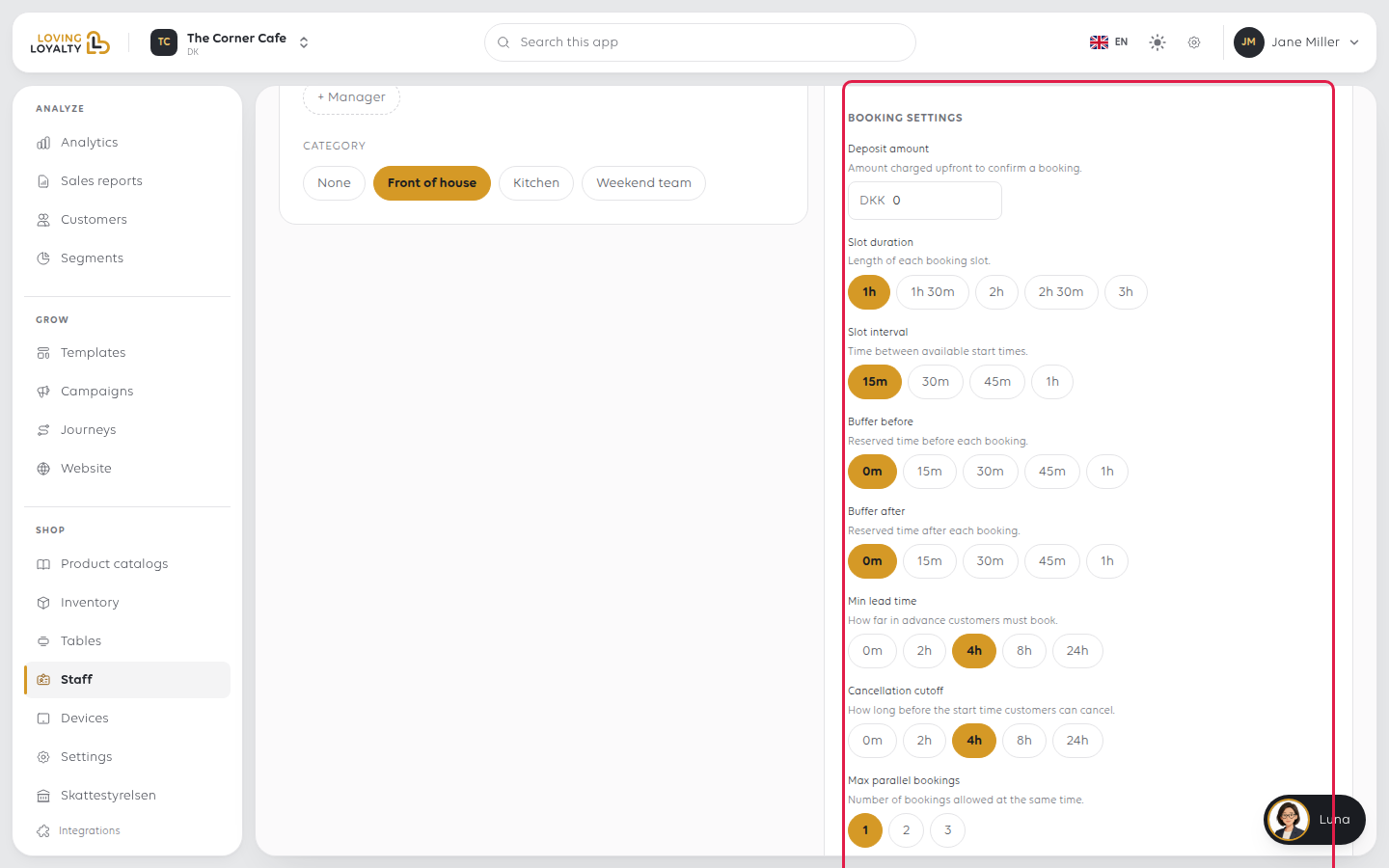
| Setting | What it decides |
|---|---|
| Deposit amount | Charged upfront to confirm a booking with them |
| Slot duration | Length of each booking slot, 1h to 3h |
| Slot interval | Time between available start times, 15m to 1h |
| Buffer before | Reserved time before each booking |
| Buffer after | Reserved time after each booking |
| Min lead time | How far in advance customers must book |
| Cancellation cutoff | How long before the start time customers can cancel |
| Max parallel bookings | How many bookings they take at the same time |
| Arrival offset | How late a customer can arrive before the slot is released |
| Availability hours | When they accept bookings each day |
These are set per person, so someone doing long treatments and someone doing quick
ones each get their own.
Select Save under the booking settings.
What customers see
Bookable staff appear at your booking link. See Let customers book online.
If something goes wrong
| What you see | What to do |
|---|---|
| They are not offered to customers | Check the switch shows Available for bookings |
| Not bookable yet: pick a category above. | Give them a Category; their booking hours appear once they have one |
| Their booking setup is still being created. | Wait a moment and reload the page, then set their hours |
| No Bookable section on their record | Booking configuration → Type is not set to Staff |
| Slots are the wrong length | Change Slot duration on that person |
| Back-to-back bookings leave no gap | Set Buffer after |
| Customers book too close to the time | Raise Min lead time |
| Customers cancel too late | Raise Cancellation cutoff |
Was this article helpful?
Thanks for your feedback!
