

 Dansk
 Svenska
 Deutsch
 Norsk bokmål
Change what a staff member can do
A person's roles decide what they can reach: Cashier to work the till, Manager
to open the Manager and change how the shop runs. Someone can hold both.
1. Find the person
Open Shop → Staff. The list shows everyone at this shop with their roles.
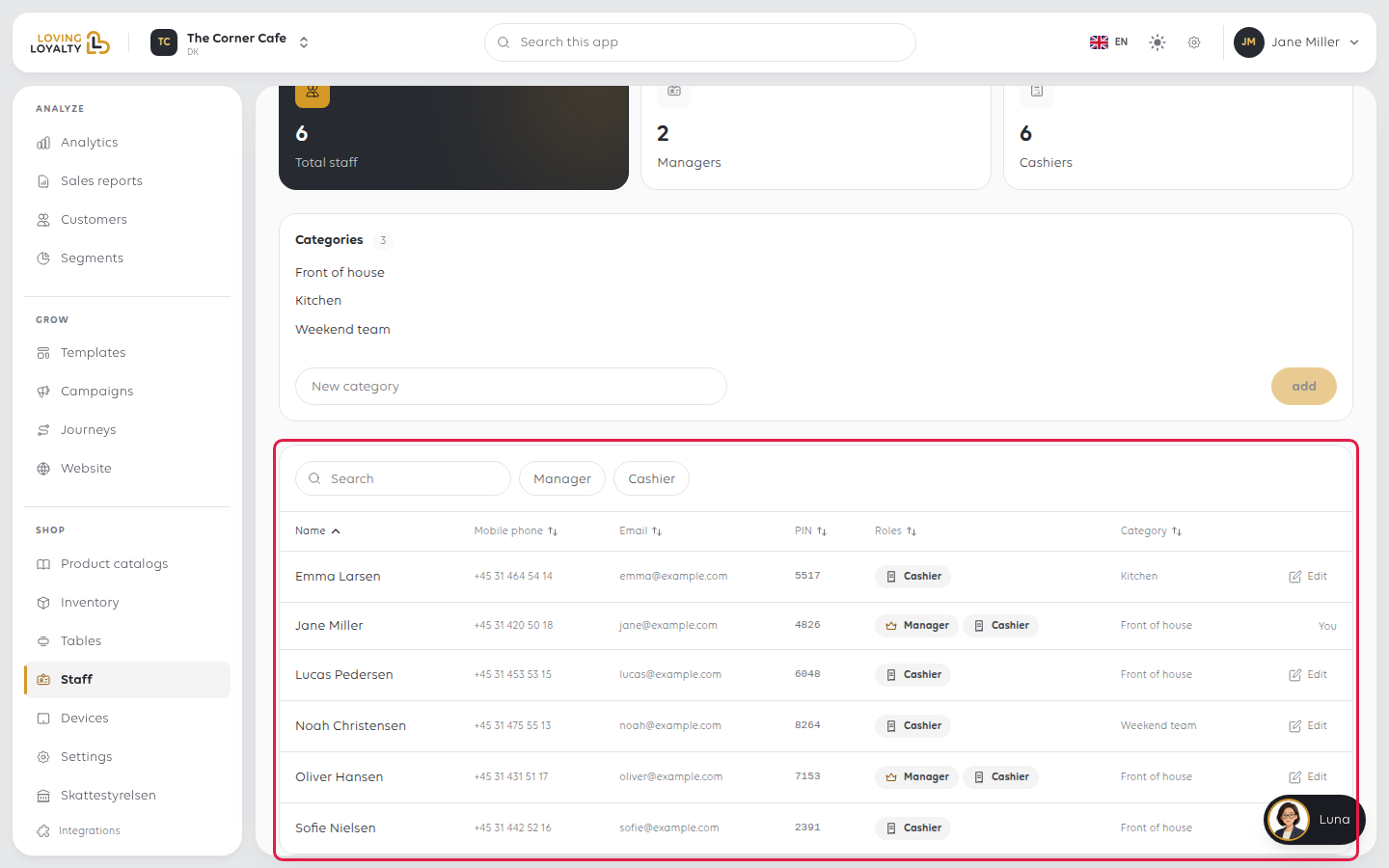
Search by name, or filter to Manager or Cashier. Select Edit on their
row.
2. Add or remove a role
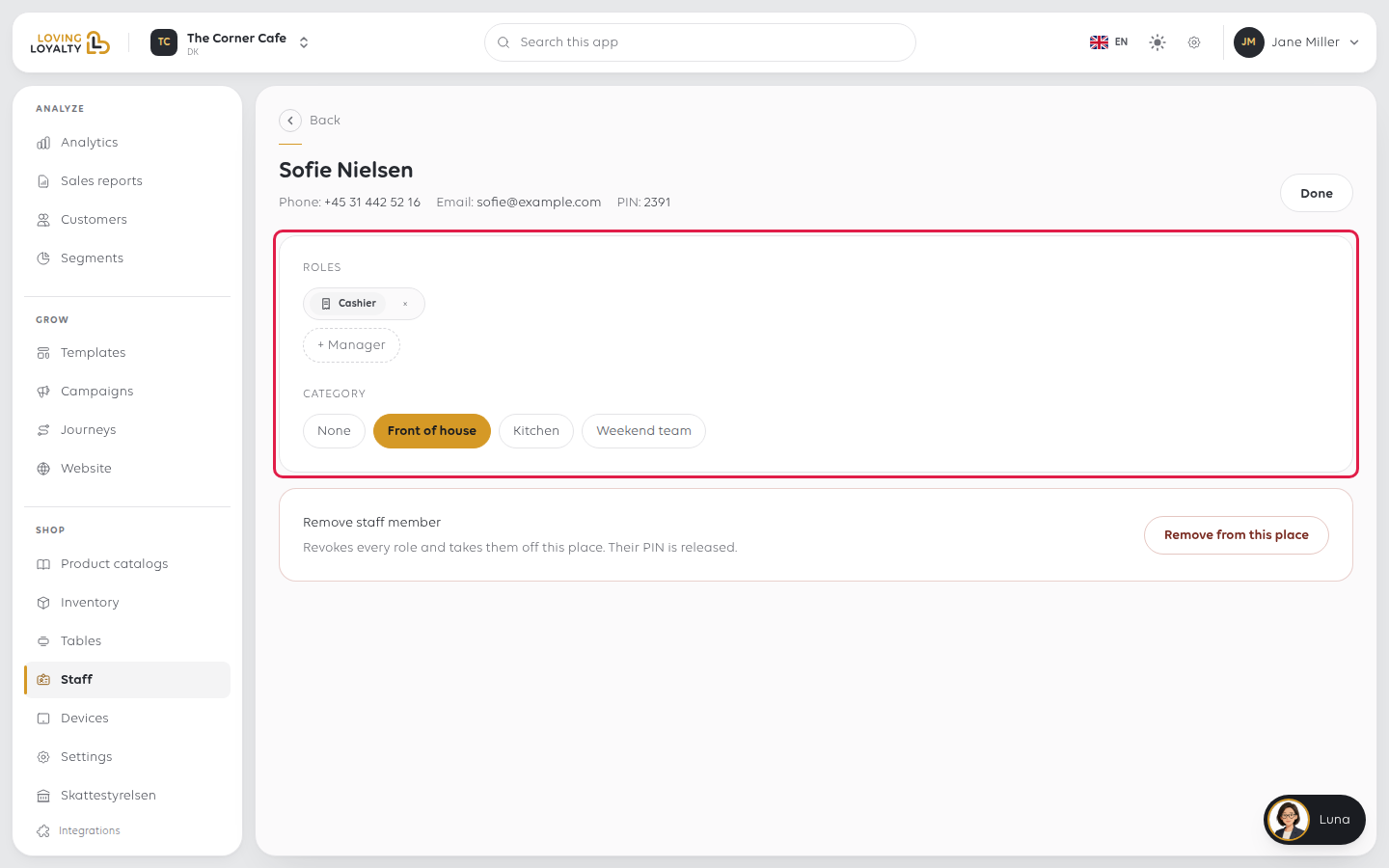
Under Roles, each role is a chip. Select × on a chip to take that role away.
Select + Manager or + Cashier below to add one. Each change saves straight
away.
Without the Cashier role a person can no longer sign in at the till. Without the
Manager role they lose the Manager.
Give Manager sparingly. It reaches your figures, your prices and your staff,
including other people's roles.
To add a role, the person needs a first and last name and an email or mobile number.
If one is missing, the page tells you.
Category is the group they belong to. Select a category, or None. See
Organise staff into categories.
Select Done to go back to the list.
3. Remove someone entirely
When someone leaves, select Remove from this place at the bottom of their record
and confirm. It removes every role they have here and releases their PIN, so it can
be given to the next person.
Taking away their last role has the same effect: they are removed from this shop.
If something goes wrong
| What you see | What it means | What to do |
|---|---|---|
| They still get into the till | The till holds a signed-in session | They are signed out when the till next checks; sign the device out to force it |
| This person needs a first and last name before another role can be given. | Their name is incomplete | Ask them to complete their profile, or remove and add them again |
| Add an email address or mobile number for this person before giving them another role. | They have no contact details | Remove and add them again with an email or mobile |
| The PIN was reused by someone else | Removing a person releases their PIN | PINs identify whoever holds them now |
| They are not in the list at all | They have not been added to this shop | See Add a staff member |
Was this article helpful?
Thanks for your feedback!
