

 Dansk
 Svenska
 Deutsch
 Norsk bokmål
Update your cashier profile
Profile holds the details of the account this till is signed in with: the name,
how it signs in, and the language the till uses. It is not the cashier who took over
the till with a PIN.
Open it
Open the menu and choose Profile. Opening it empties the basket, so finish or park
the order you are on first.
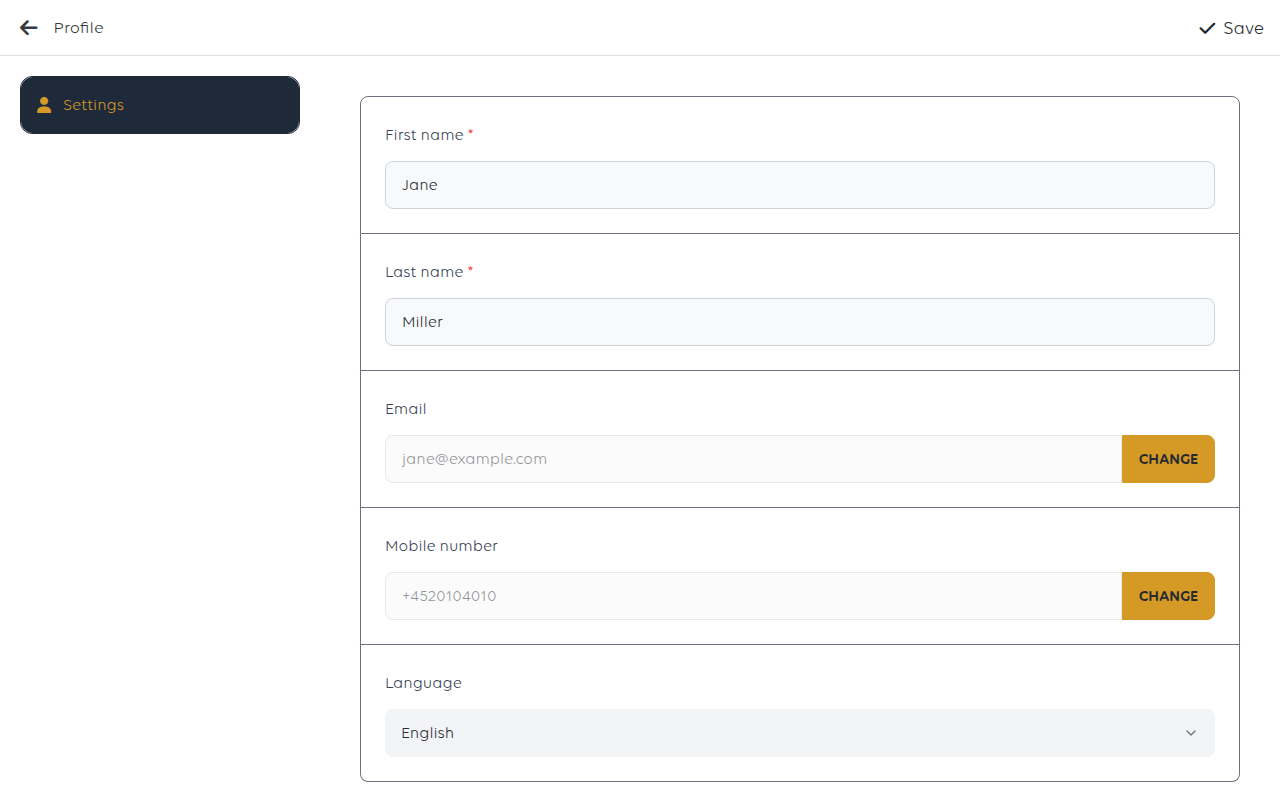
| Field | Notes |
|---|---|
| First name and Last name | Both required |
| Changed with its own Change button | |
| Mobile phone | Also changed with Change |
| Gender and Date of birth | Optional |
| Language | The language the till uses |
Tap Save when you have finished. The till shows Profile saved successfully.
Email and phone are changed separately
Both have their own Change button rather than being ordinary fields, because both
are ways of signing in. Tapping Change sends a verification code to the new address or
number, and you type it in to confirm. Change the address and that is what you sign
in with from then on, so make sure it is one you can open.
Language follows the account, not the cashier
The language changes as soon as you save, and it is stored on the account this till is
signed in with. Every cashier on this till sees it, whoever took over with their PIN.
It does not change what customers see.
A customer-facing terminal signs in with its own account. A terminal showing the
wrong language has that language set on its own profile.
Your profile is not your staff record
Two different things, easy to confuse:
| Your profile | Your staff record |
|---|---|
| The till account's name, sign-in and language | Your roles, PIN and category at this shop |
| Changed here, on the till | Changed in the manager app, by a manager |
If you need a different role or a new PIN, that is the staff record - see Change
what a staff member can do.
If something goes wrong
| What you see | What it means | What to do |
|---|---|---|
| Enter first name or Enter last name | A required name is empty | Fill it in and tap Save again |
| The till is still in the old language | The change was not saved | Pick the language again and tap Save |
| You cannot sign in after changing your email | The old address no longer works | Use the forgotten-password route on the new address - see Reset a forgotten POS password |
| Your name is wrong on old orders | Orders keep who took them | That is the record; it is not rewritten |
Was this article helpful?
Thanks for your feedback!
