

 Dansk
 Svenska
 Deutsch
 Norsk bokmål
Switch role or shop
A device signs in to one shop and takes one role. Switch role is how you change
either without signing the device out and setting it up again.
Where it is
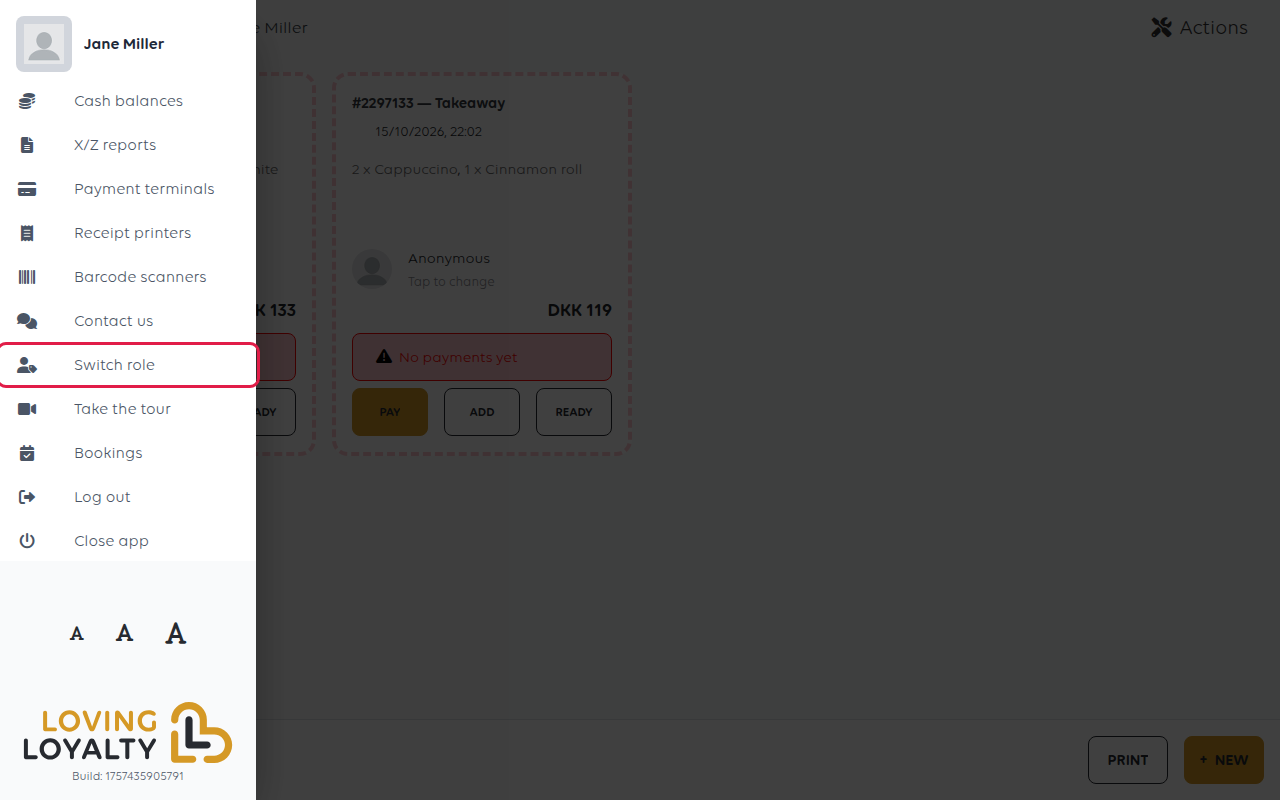
Open the menu at the top left and choose Switch role. Opening it empties the basket,
so finish or park the order you are on first.
I am a... lists the roles the account has. Tap one, then pick the shop under
Select restaurant. These are the same choices you saw when the device was first
set up. The till opens in the new role and shop.
What a role decides
The role is what the device is, not who is using it.
| Role | The device becomes |
|---|---|
| Cashier | A till: orders are rung up and paid on it |
| Driver | A delivery driver's device |
| Payment terminal | A card terminal that takes payments sent from a till |
Payment terminal is only offered once the till has checked this device can be one.
A terminal that ends up as a second till was given the wrong role here. See Which terminal setup do you need?
Switching shop
Changing shop changes where everything goes: orders, takings, reports and the cash
balance all belong to the shop the device is signed in to.
Do not switch shop mid-service. Orders belong to the shop that was selected when
they were placed, and a till that moved halfway through a shift splits the day's
takings across two shops.
Close the shop properly first - see Close the shop with an X or Z report - then
switch.
Switching role is not signing out
Your staff PIN is unaffected, and so is the device's sign-in. To hand the device to
another shop entirely, or to stop it reaching this one, sign the device out instead.
If something goes wrong
| What you see | What it means | What to do |
|---|---|---|
| The role you want is not offered | The account does not hold it | See Change what a staff member can do |
| A shop is missing | The account has no access to it | Ask a manager to add you - see Add a staff member |
| Takings are split across two shops | The till switched shop during the day | Switch back and close the balance in the shop it belongs to |
Was this article helpful?
Thanks for your feedback!
