
Managing customers
Managing customers
Before you begin: Make sure you are logged in to the Loving Loyalty Manager. If you have not logged in yet, see How to log in and reset your password.
Go to Customers in the left sidebar to see all customers enrolled in your loyalty programme.
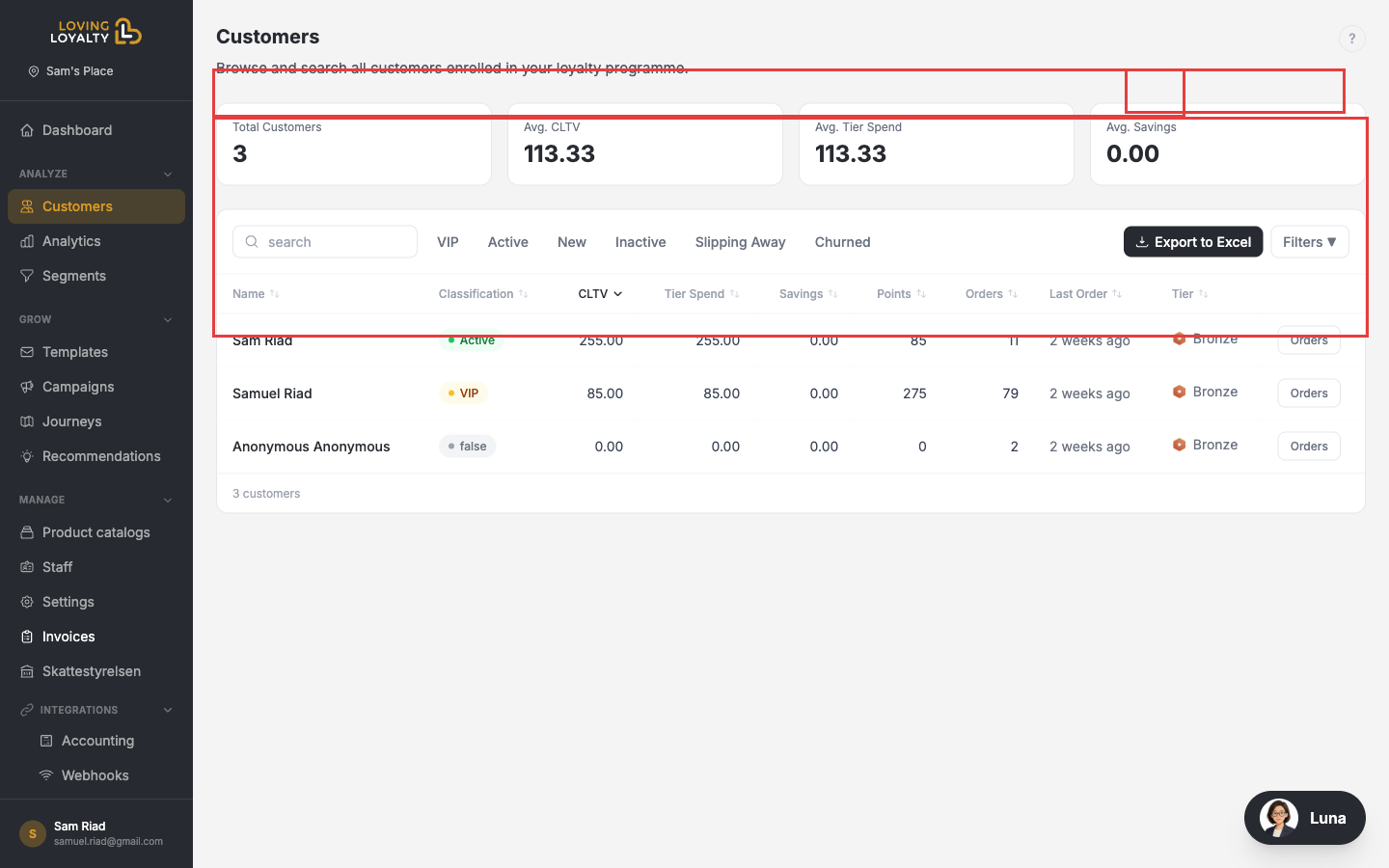
Summary stats
- Total Customers — Total enrolled customers.
- Avg CLTV — Average Customer Lifetime Value.
- Avg Tier Spend — Average spend within the current loyalty tier.
- Avg Savings — Average discount savings earned by customers.
Filtering
Use the tabs to filter by customer status: Active, New, Inactive, Slipping Away, or Churned.
Customer details
Each row shows name, status (VIP, Active, etc.), tier spend, savings, points, number of orders, last order date, and tier. Click Orders to view a customer's order history.
Exporting
Click Export to Excel to download the full customer list as a spreadsheet.