

 Dansk
 Svenska
 Deutsch
 Norsk bokmål
Get sales reports by email
Get sales reports by email
Instead of opening the Manager to see how the day went, you can have a sales report
emailed to you every day, every month, or both.
You need the manager or editor role to see Settings.
Turn it on
Open Shop → Settings and search for reporting. Under Reporting
configuration there are two switches and an address.
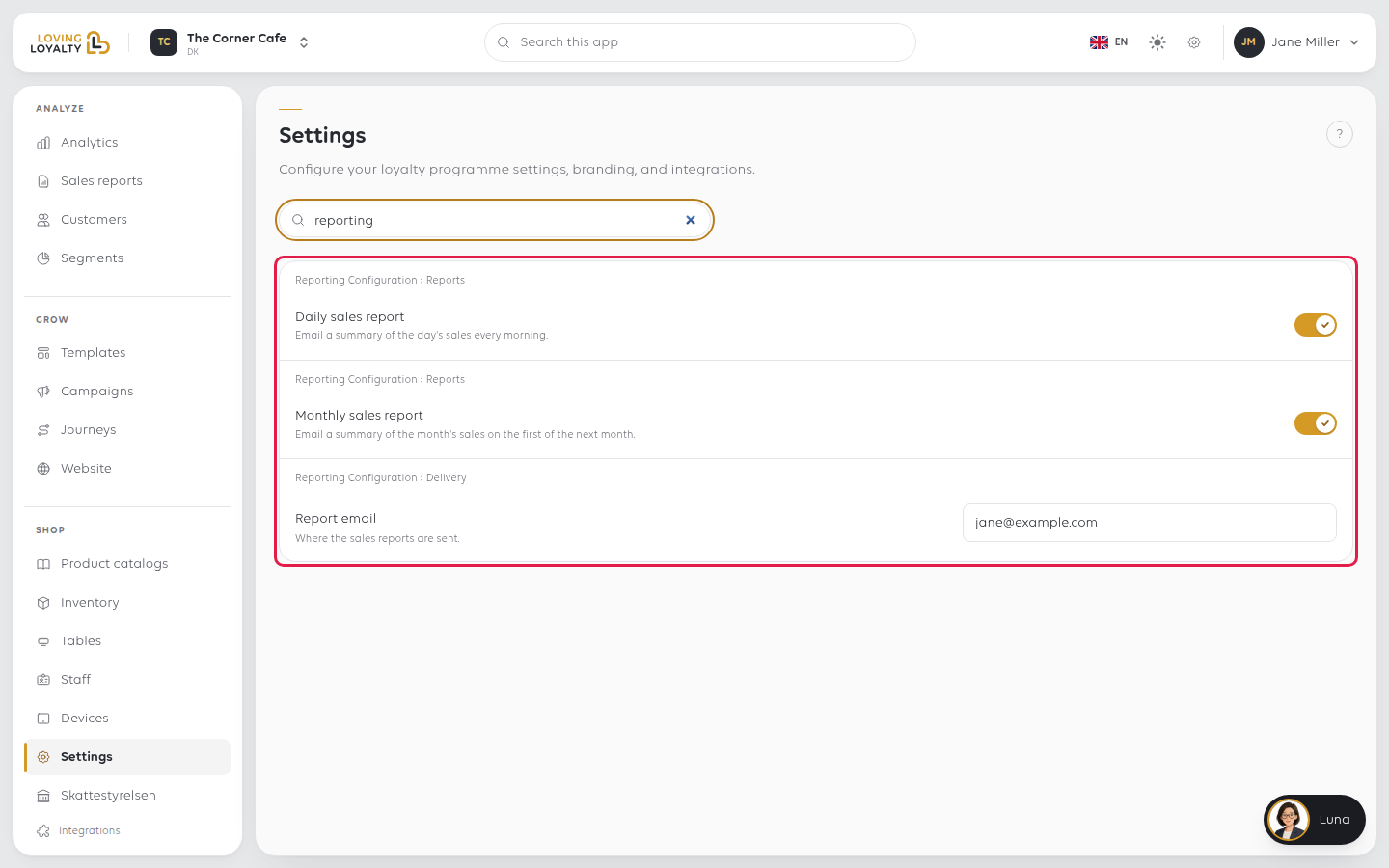
| Setting | What it does |
|---|---|
| Daily sales report | Emails you a report for your shop every day |
| Monthly sales report | Emails you a report for your shop every month |
| Report email | Where the reports are sent |
Set Report email first and select the Save beside it. Then switch on Daily
sales report, Monthly sales report or both. Switches save as soon as you flip
them.
If something goes wrong
| What you see | What it means | What to do |
|---|---|---|
| No report arrives | The switch is off, or the address is wrong or unread | Check both, and look in the spam folder once |
| It goes to the wrong person | Report email was never set | Set it; it does not default to your own account |
| The figures differ from the till | The report covers a period; the till's Z report covers a cash balance | See Close the shop with an X or Z report |
| You want it for another shop | Settings belong to the shop you are in | Switch shop and set it there. See Switch between your shops |
Was this article helpful?
Thanks for your feedback!
