

 Dansk
 Svenska
 Deutsch
 Norsk bokmål
Close the shop with an X or Z report
At the end of trading the till produces a report of the day's takings. There are two
kinds and the difference matters: one is a look, the other is a line drawn under the
period.
- X report - a read of where things stand right now. Take as many as you like
during the day; it changes nothing. - Z report - the end-of-day report. It closes the period being reported on, so
the next report starts from there. This is the one the day ends with.
End of Day in the menu does the whole close in one go: it asks you to close an
open cash balance, files the Z report and offers to print the sales report and Z
report. The steps below are for running an X or Z report on its own.
Before you start
- Close the cash balance if you are counting the drawer as part of closing. See Open the shop for how counting works.
1. Open the X/Z reports screen
Open the menu and tap X/Z Reports. Every report the shop has produced is
listed, newest first, each labelled X report or Z report with the period it
covers.
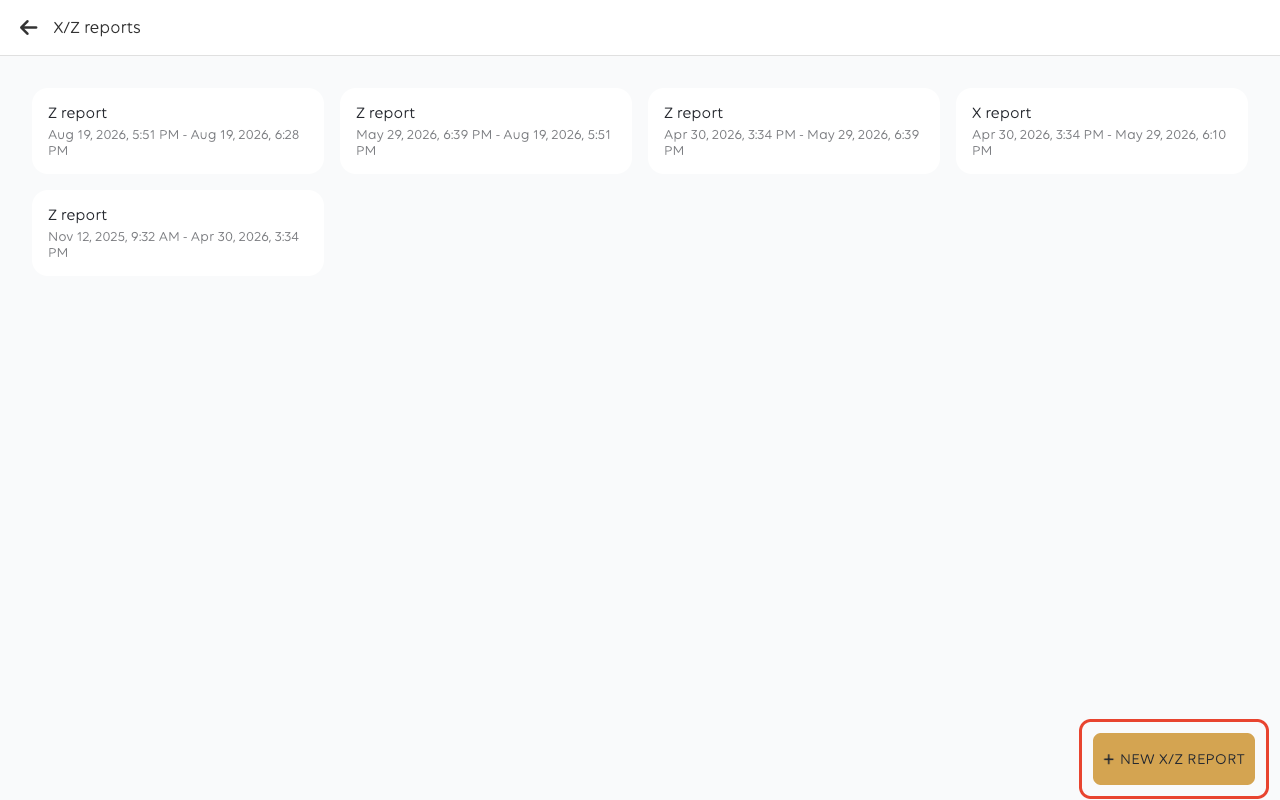
The period on each card runs from the end of the previous Z report. That is what a
Z report does: it sets where the next one begins.
2. Choose the report type
Tap NEW X/Z REPORT. Choose report type opens. Tap X report or Z report.
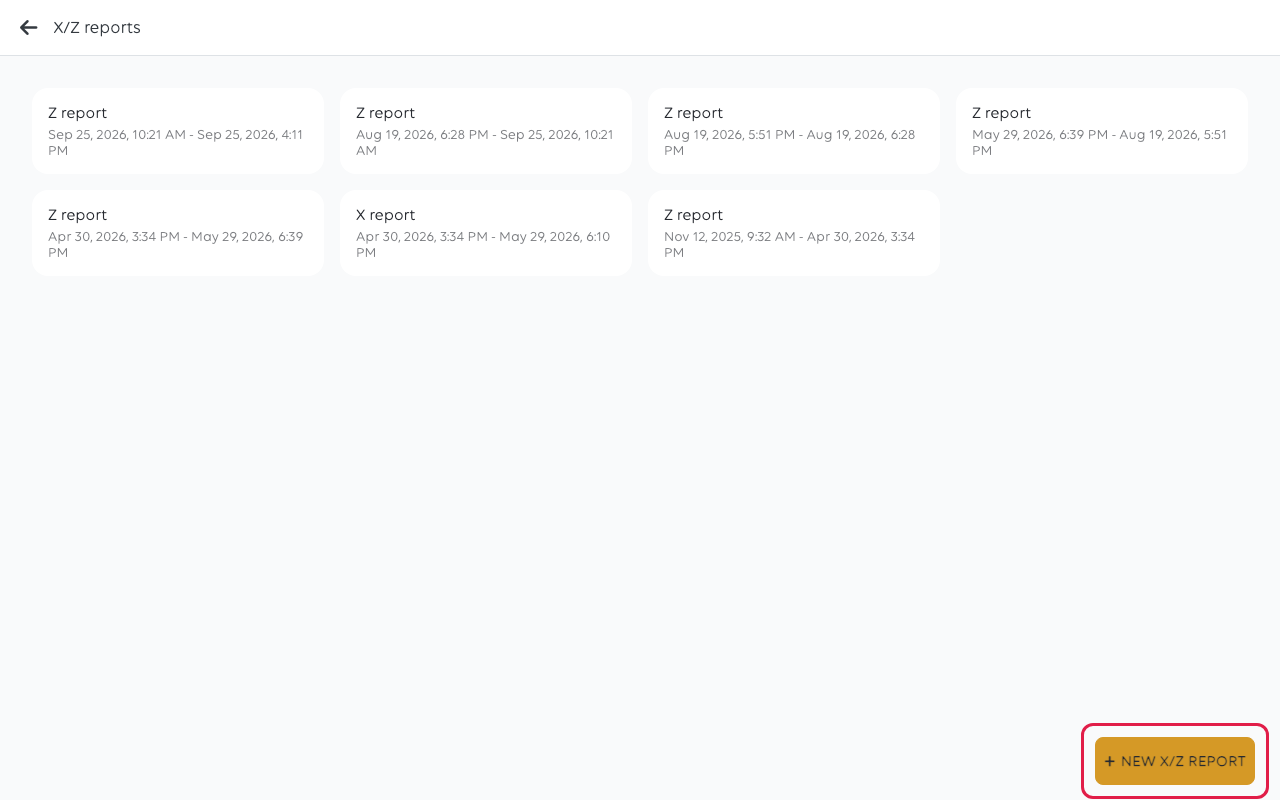
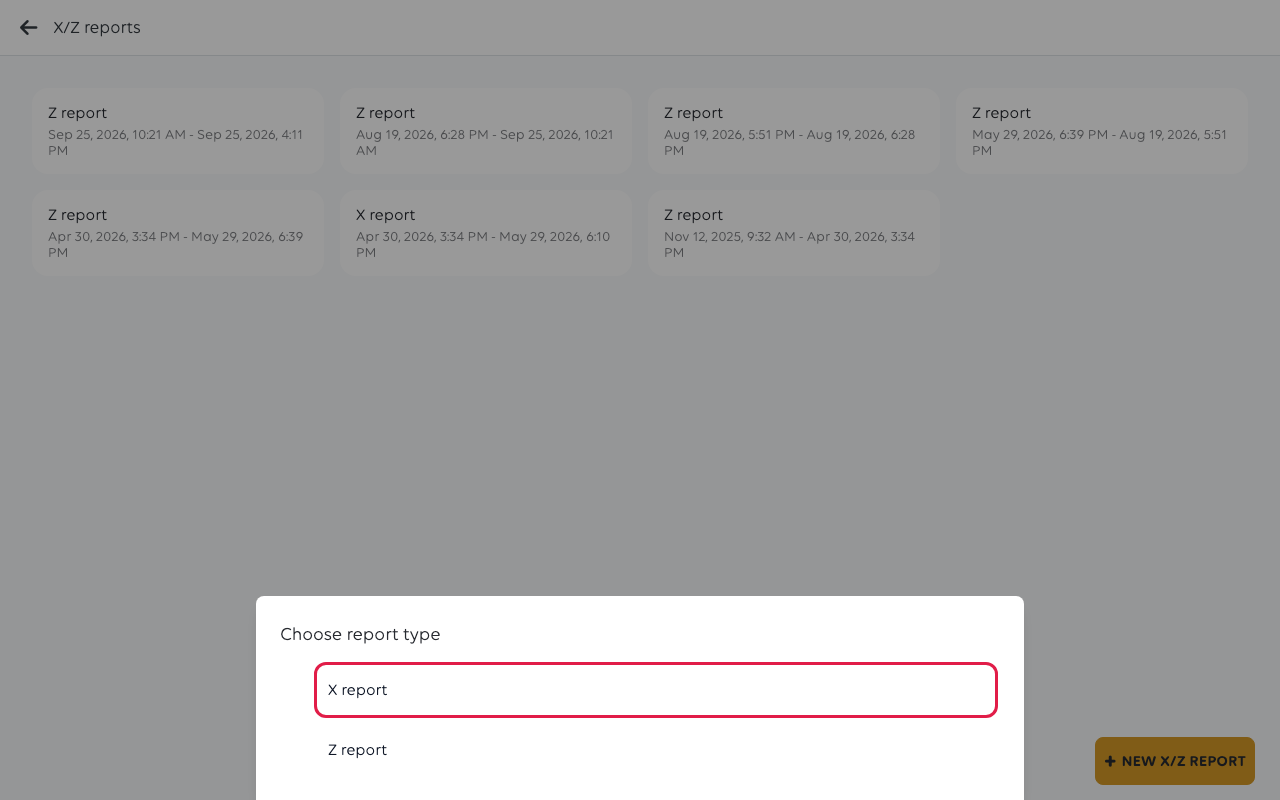
Choose deliberately. An X report can be run again and again with no consequence -
mid-shift, at handover, whenever someone wants to know where the day stands. A
Z report closes the period - it cannot be undone, and the figures it covers
will not appear on the next one.
For a Z report the till asks you to confirm. Tap YES.
3. Read the report
Either one opens with its own number, the shop, the report type, and the period it
covers from and to.
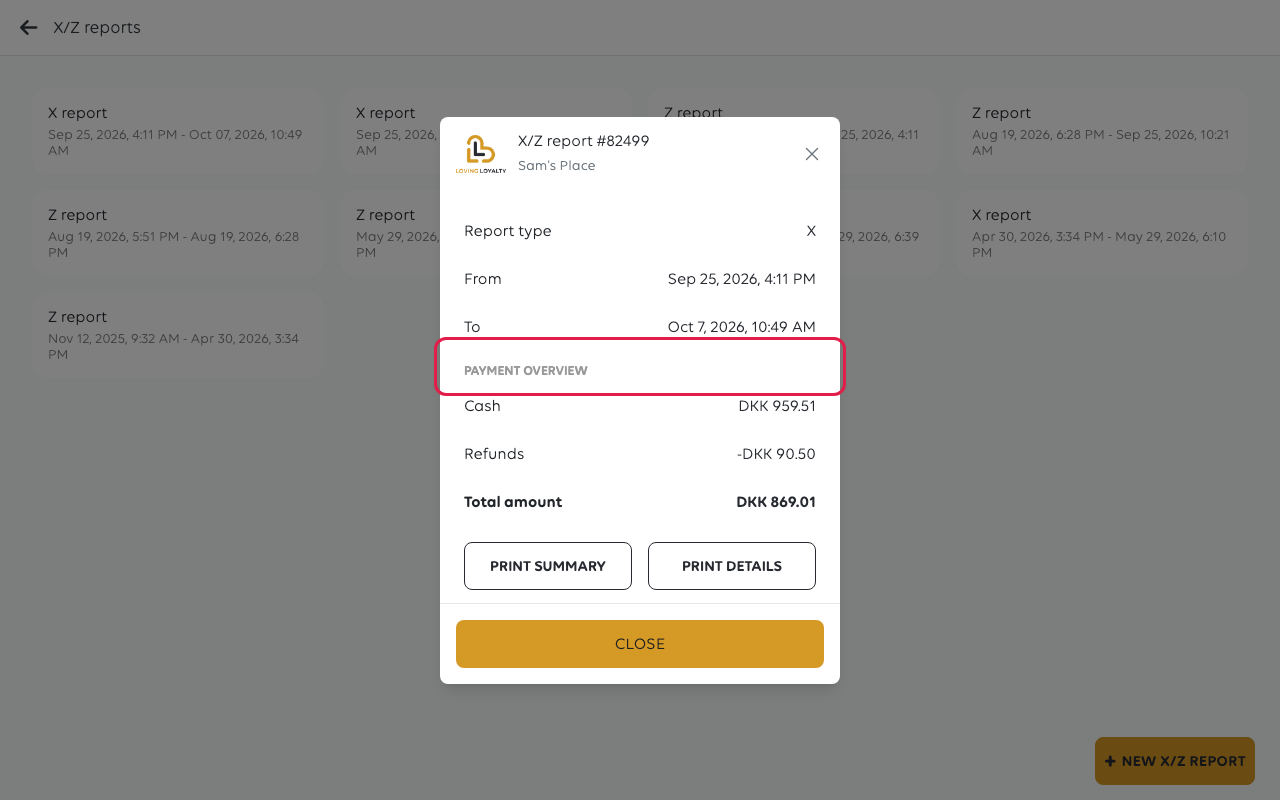
PAYMENT OVERVIEW is the money: each payment method with its total, Refunds as
a negative line, and a Total amount underneath.
4. Print it
Nothing prints by itself. Two buttons at the bottom decide what goes to the printer:
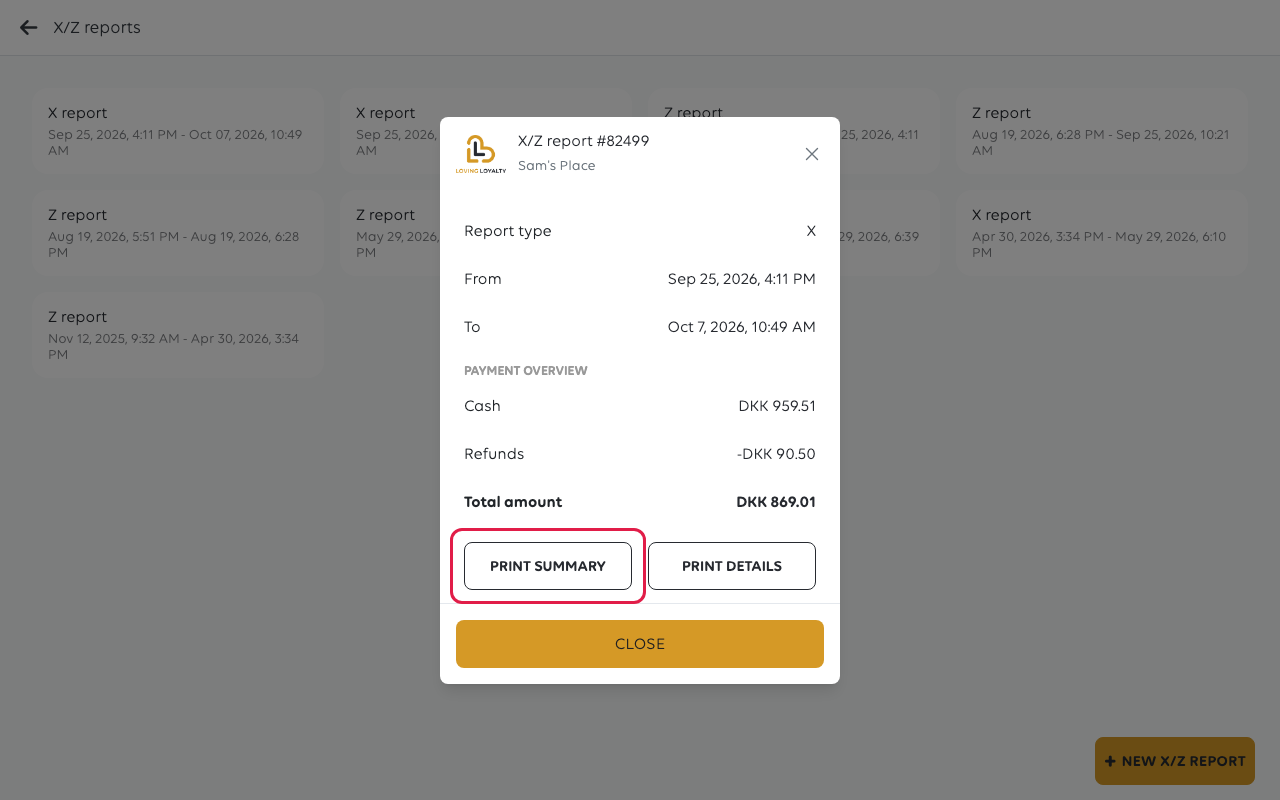
PRINT SUMMARY prints the overview; PRINT DETAILS prints the breakdown behind
it. CLOSE leaves the report - it stays in the X/Z reports list, so closing the
screen does not lose it.
If something goes wrong
| What you see | What it means | What to do |
|---|---|---|
| The Z report covers longer than a day | No Z report was run for a while, so the period stretches back to the last one | Run one at the end of each trading day |
| Figures do not match the drawer | The cash balance count and the report cover different things | See My report figures do not match |
| A Z report was run by mistake | It cannot be undone | The period is closed; the next report starts from there |
Was this article helpful?
Thanks for your feedback!
