

 Dansk
 Svenska
 Deutsch
 Norsk bokmål
Which terminal setup do you need?
Before you set up a payment terminal, decide how it will be used. There are two
setups, and the choice decides what your shop can do — whether the customer sees
anything on the terminal at all, and how many devices you need. The POS asks you
this as part of adding the terminal.
Does this apply to my terminal?
This choice applies to every terminal that runs one of our payment apps — Softpay,
Viva Wallet, Poynt or Apple Tap to Pay. All of them work the same way and can be
set up either as a standalone or as an external device:
| Terminal | Payment app |
|---|---|
| Sunmi P2 Pro | Softpay or Viva Wallet |
| Sunmi V2s | Softpay or Viva Wallet |
| Sunmi V3 Mix | Softpay or Viva Wallet |
| Sunmi T2s | Softpay or Viva Wallet |
| Landi M20 | Softpay or Viva Wallet |
| Landi C20 Pro | Softpay or Viva Wallet |
| Another Android device | Softpay or Viva Wallet |
| Newland N950 | Poynt |
| iPhone | Apple Tap to Pay |
The two setups
External, customer-facing terminal
The terminal is a second device that faces the customer. Orders are rung up on
your till; the terminal shows the customer what they are buying and takes the
payment.
The customer sees the basket, the discounts applied and any QR code they need to
scan. Use this when a customer stands opposite the cashier: a counter, a bar, a
reception desk.
Standalone terminal
The order is placed and paid on the same device. One device, one pair of
hands.
There are no customer-facing features in this setup — the screen is the cashier's,
so the customer never sees the basket on it. Use this when staff move around: table
service, a market stall, a serving hatch.
How to answer in the POS
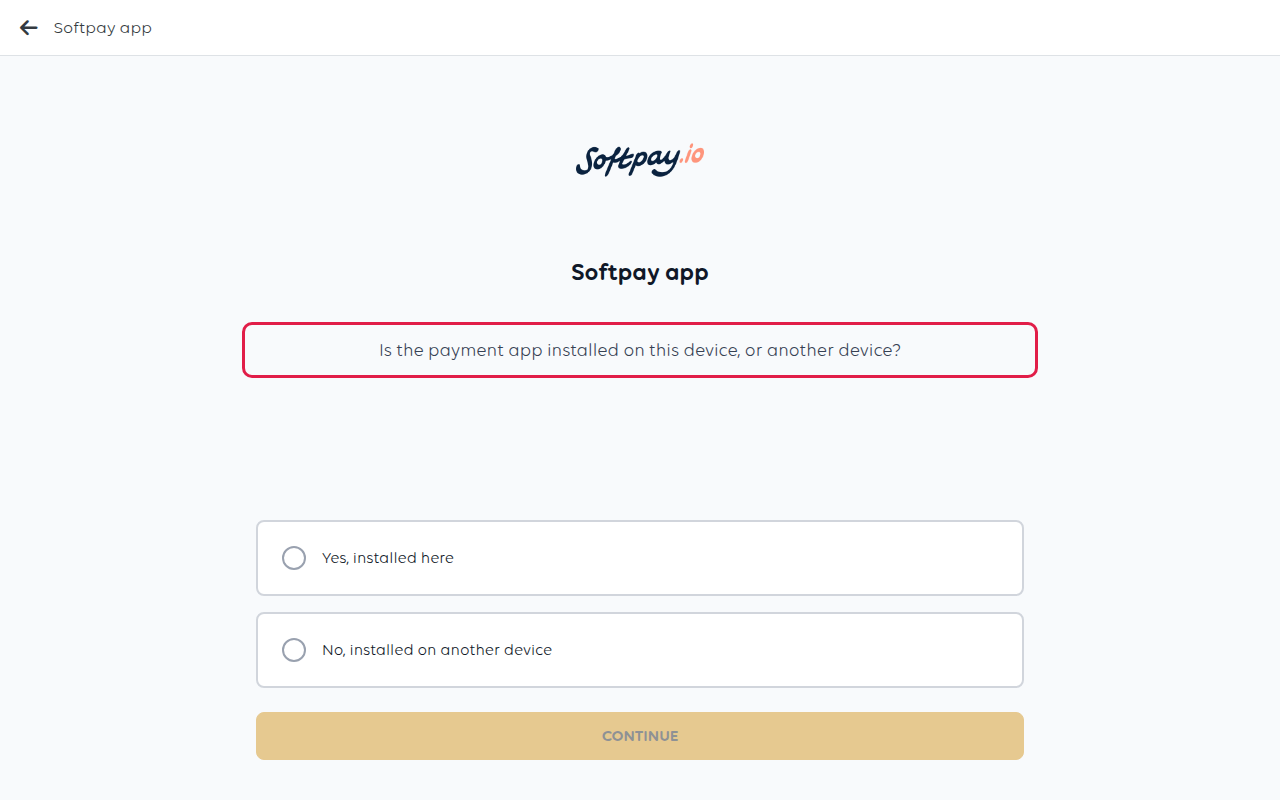
After you tap New payment terminal, the POS asks where the payment app is
installed. For Softpay and Viva Wallet this comes before you pick the model; for the
Newland N950 it comes after. That question is the setup choice.
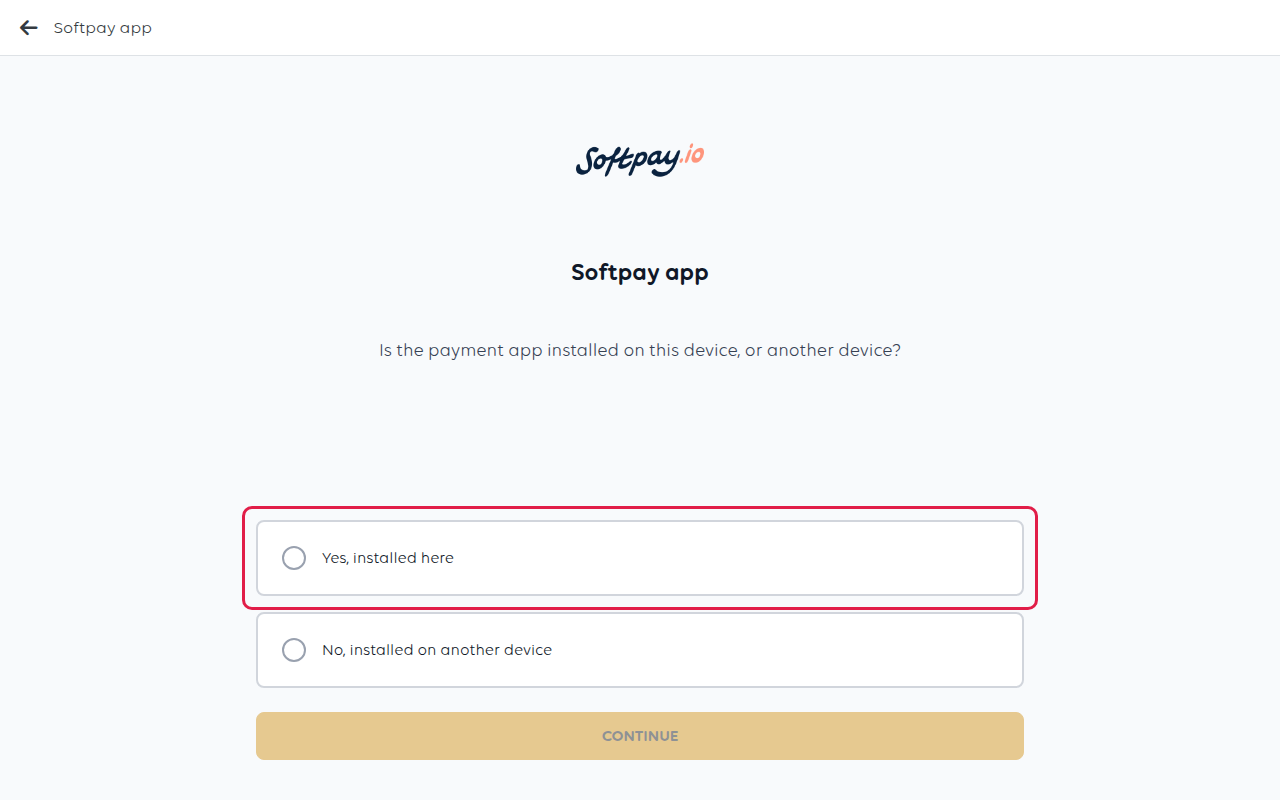
Choose Yes, installed here for a standalone terminal. You are telling the POS
that this device both takes the order and takes the payment.
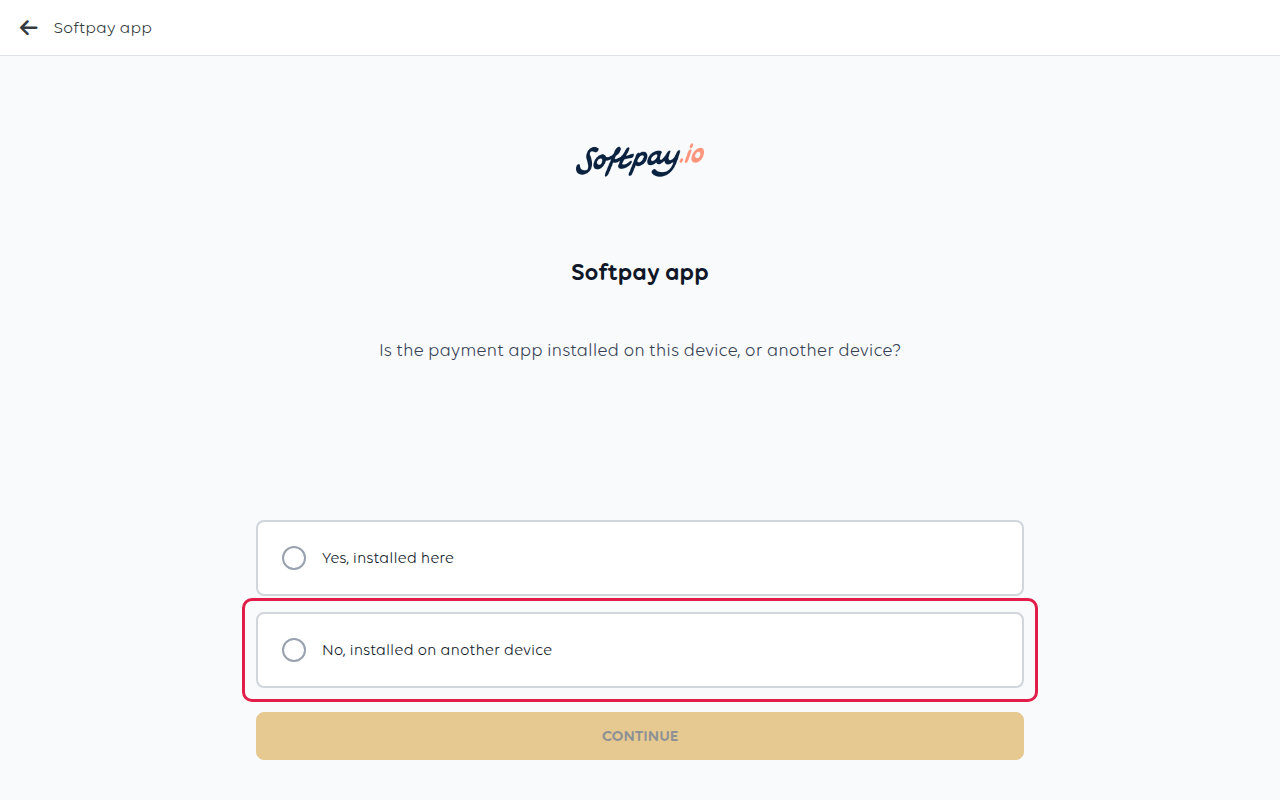
Choose No, installed on another device for an external, customer-facing
terminal. You are telling the POS that payments go to a separate device.
Answering wrongly is the most common setup mistake. Answer "Yes, installed here" on
a till that is not the terminal and payments have nowhere to go — the checkout
will fail with no terminal to send them to. Answer "No, installed on another device"
on an all-in-one device and the POS will wait for a terminal that does not exist.
Which setup does my hardware support?
Both. Every terminal in the table above appears whichever answer you give — a Landi
M20 can be a standalone till or an external customer-facing terminal, and so can a
Sunmi V2s or an iPhone running Tap to Pay. The setup is your decision about how the
shop works, not something the device makes for you.
Can I change it later?
Not by editing the terminal. Remove the terminal and add it again with the other
answer. Nothing else about the shop changes — your catalogue, orders and reports
are untouched.
Was this article helpful?
Thanks for your feedback!
