

 Dansk
 Svenska
 Deutsch
 Norsk bokmål
Your plan and invoices
What you pay for, what it costs, and the invoices for it. This is also where to look
when a feature is missing from the Manager.
The Billing menu is not shown for shops in Norway.
1. See what you pay for
Open Billing → Subscriptions. Tiles at the top show what you pay Every month,
what is On your plan, the Add-ons on, and what You could add. Below them is
your Plan, grouped by type such as Software and Hardware with a monthly total for
each, then your Add-ons, each with its own price and start date.
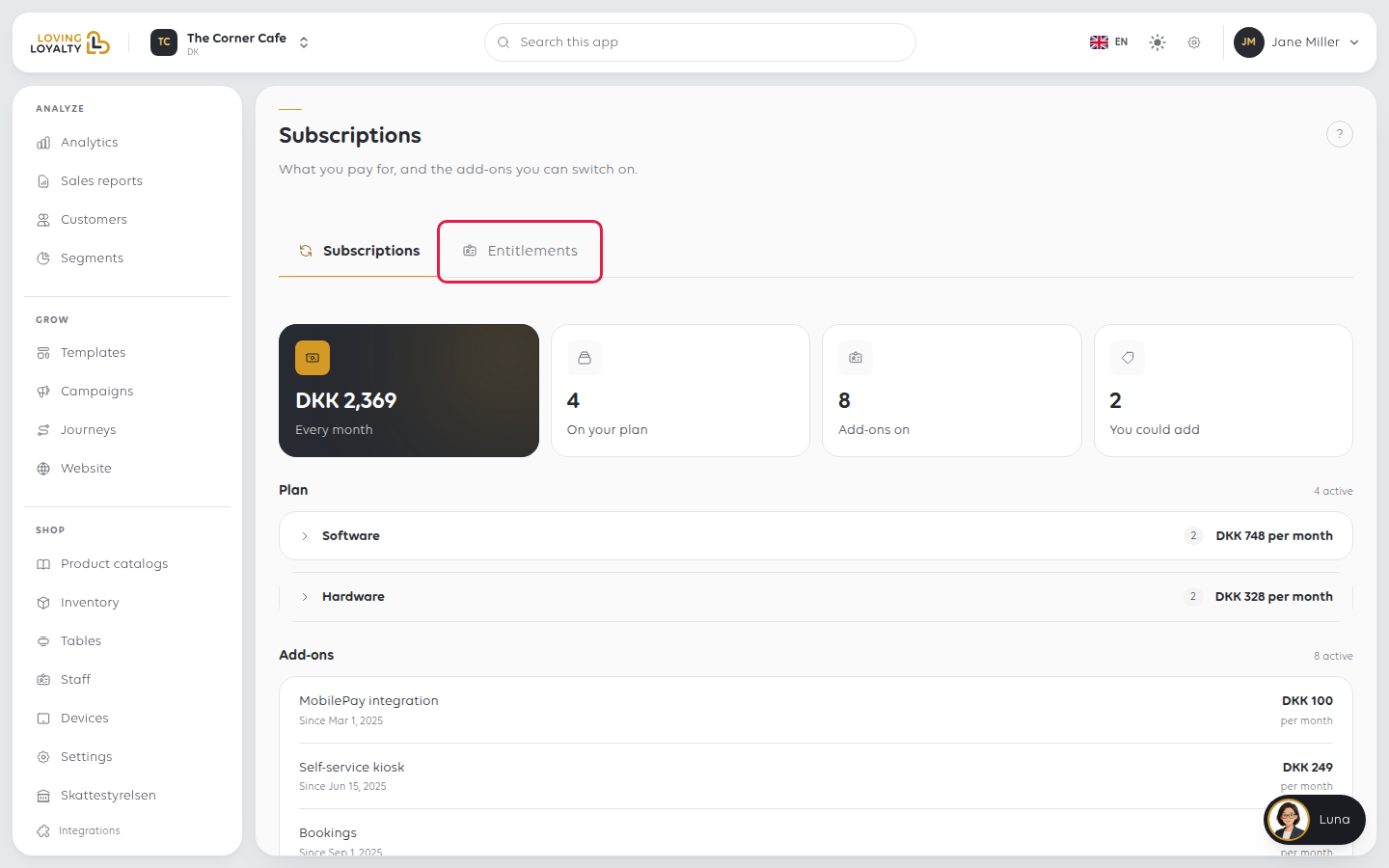
Add-ons cover things like MobilePay, the self-service kiosk, bookings, the landing
page and Google reviews. If one of those is missing from the Manager, this page
tells you whether you have it.
2. Add an add-on
Under Add-ons, select Add on the one you want. A confirmation, Add
followed by the add-on's name, shows its monthly price first: you pay pro rata from today to the end of the current billing period, then the
full price each month. Select Add.
You see that the add-on is now active. It switches on straight away and appears on
your next invoice.
If an add-on shows Please contact your sales agent to get this feature enabled
instead of Add, it cannot be bought here. Contact your sales agent.
3. Check what your plan unlocks
The Entitlements tab beside Subscriptions lists the features your plan and
add-ons unlock.
A feature can be paid for and still not appear if the shop has not synced its
entitlements. See Find a setting, and why one is missing.
4. Find an invoice
Open Billing → Invoices. Every invoice is listed with its number, Issue Date,
Type, Due Date and Amount, with counts at the top.
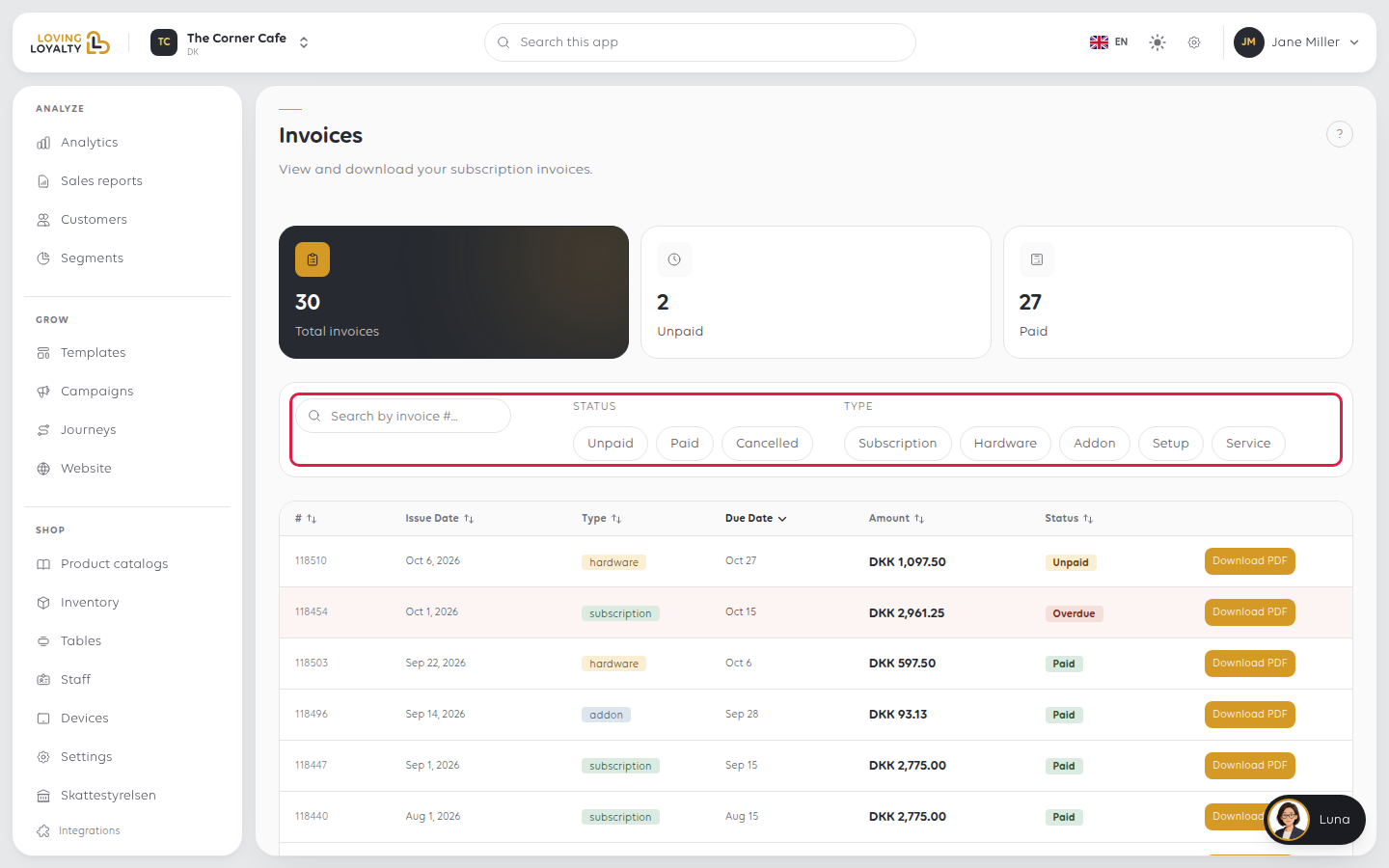
Filter by status (Unpaid, Paid, Cancelled) or by type (Subscription,
Hardware, Addon, Setup, Service), or use Search by invoice #....
5. Download an invoice
Select Download PDF on the invoice's row. If the row reads No PDF, there is no
document for it.
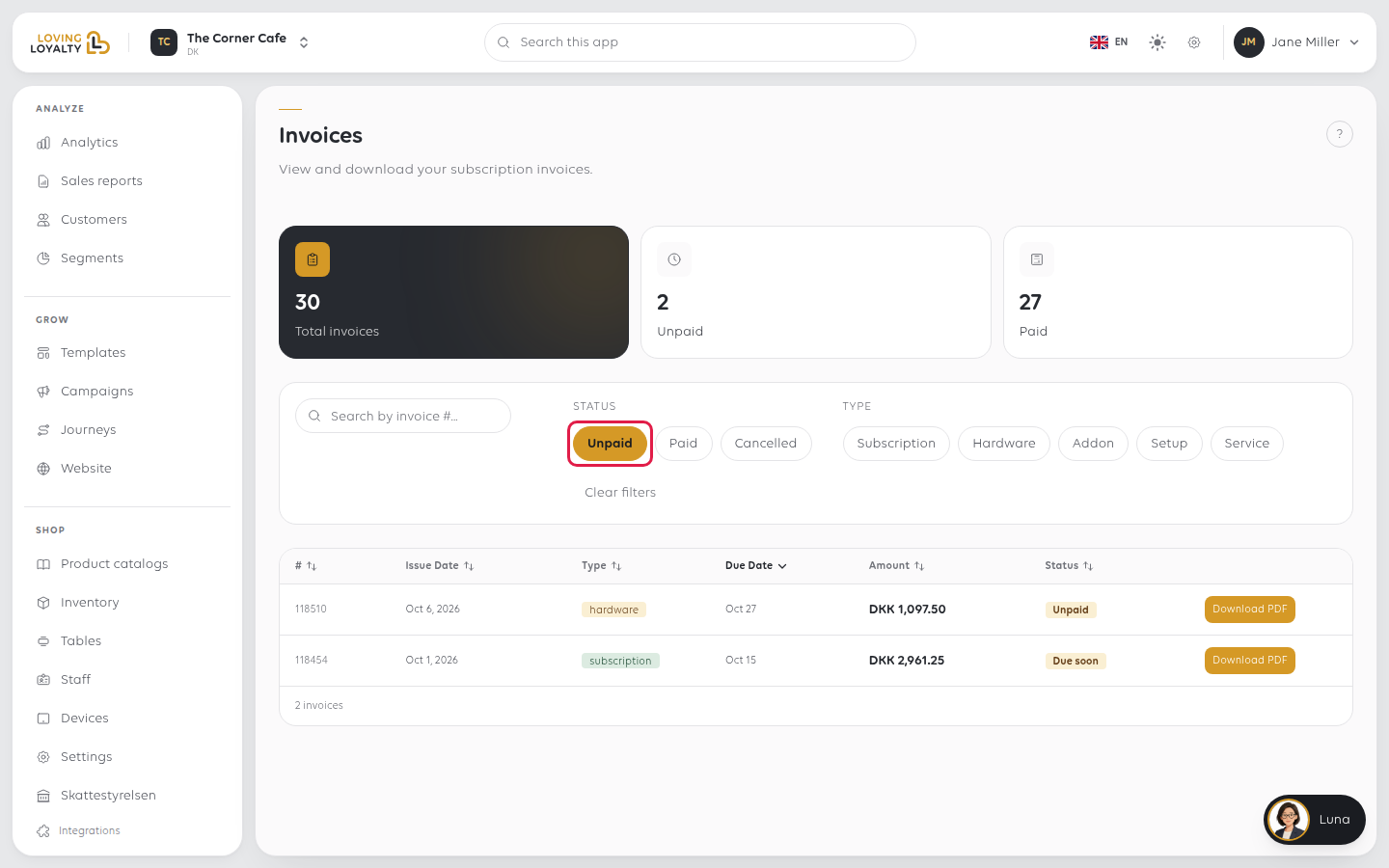
Older and zero-value invoices often have no PDF. If you need a document for one of
those, ask support.
If something goes wrong
| What you see | What it means | What to do |
|---|---|---|
| A feature is missing from the Manager | The add-on is not on your plan | Check Add-ons on Subscriptions |
| An invoice is for less than a full month | The add-on started mid-month | It is charged pro rata from its start date |
| You have unpaid invoices | They are listed under Unpaid | Settle them; features can be withdrawn for non-payment |
Was this article helpful?
Thanks for your feedback!
