
Tax reporting — Skatteetaten (Norway)
Tax reporting — Skatteetaten (Norway)
Before you begin: Make sure you are logged in to the Loving Loyalty Manager. If you have not logged in yet, see How to log in and reset your password.
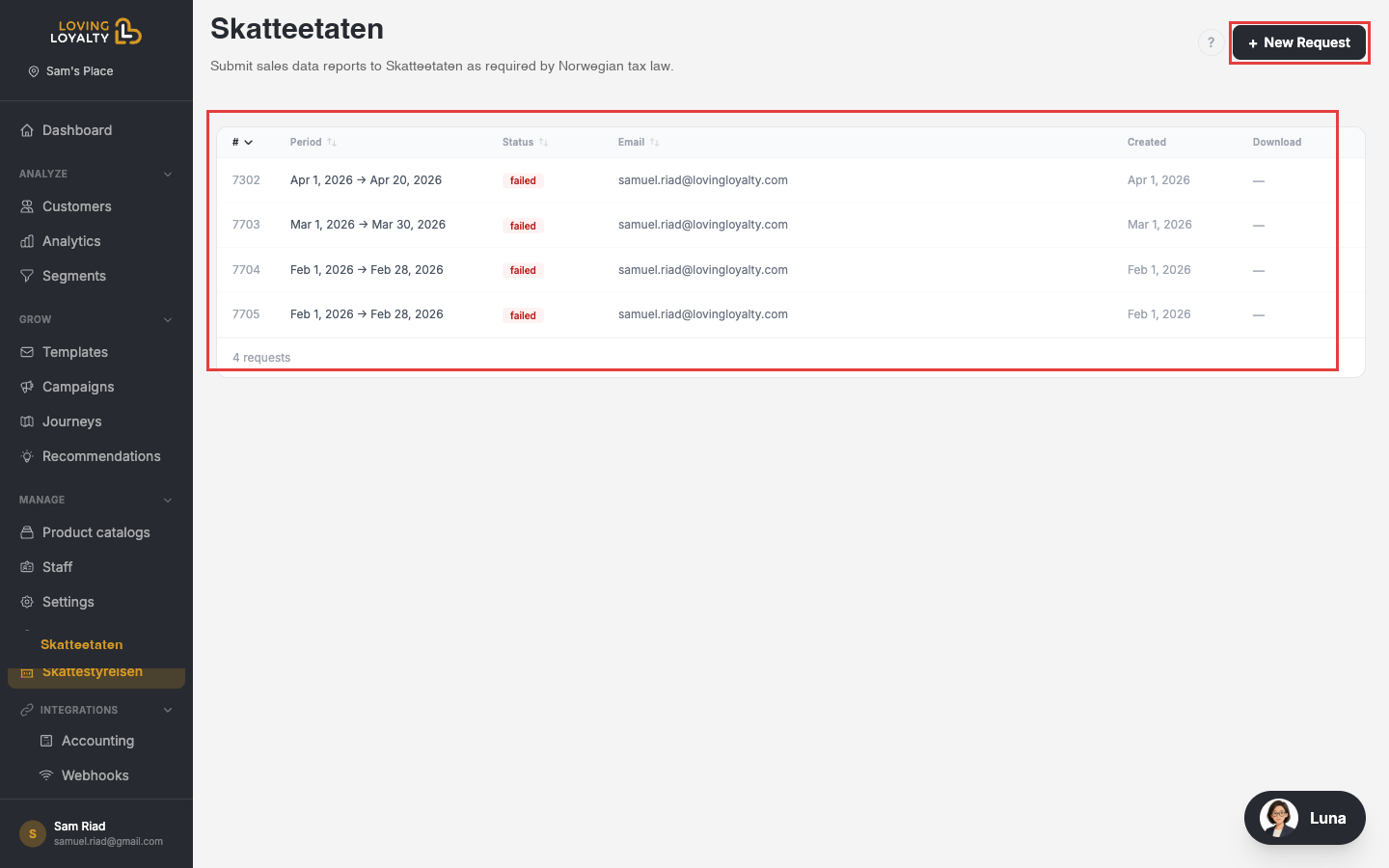
Norwegian shops must submit sales data reports to Skatteetaten as required by Norwegian tax law. Go to Skatteetaten under Manage in the left sidebar.
Requesting a tax report
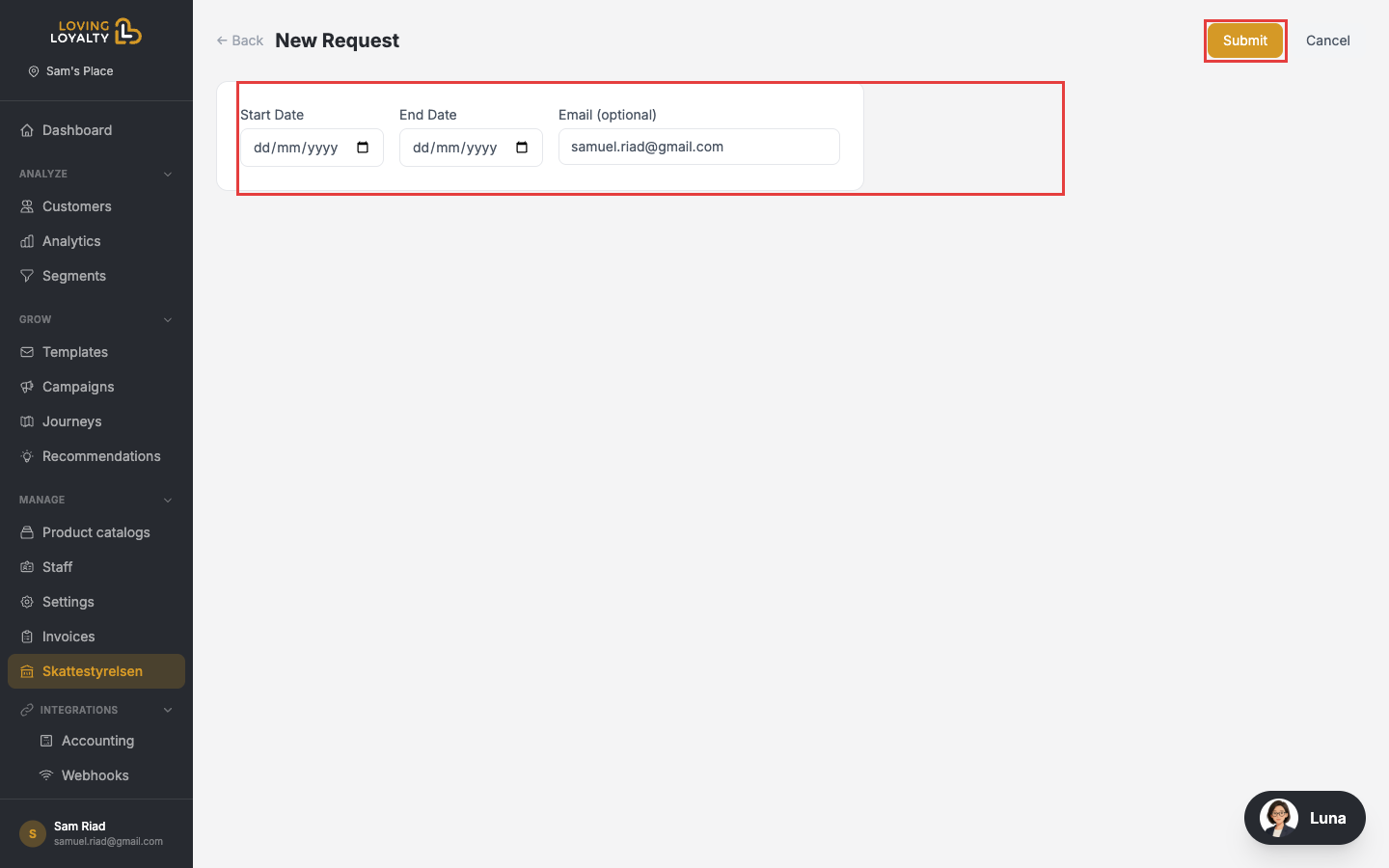
- Click + New Request in the top-right corner.
- Enter the Start Date and End Date for the reporting period.
- Optionally enter a different email address — by default your account email is used.
- Click Submit. The report is generated and sent to the email address.
Request history
The table shows all previous requests:
- Period — The date range covered by the report.
- Status — pending, completed, or failed.
- Email — The address the report was sent to.
- Created — When the request was submitted.
- Download — Download the report file once completed.
Report failures
If a report shows failed status, try submitting a new request for the same period. If the problem persists, contact support.