

 Dansk
 Svenska
 Deutsch
 Norsk bokmål
Stop the N950 printing an extra receipt
Stop the N950 printing an extra receipt
After a card payment the Newland N950 can print two slips: the Loving Loyalty
receipt, and a second one from the Poynt app that runs the terminal. The second one
is the "extra" receipt. You turn it off in the terminal's own settings, not in the
POS.
Before you start
- The N950 is set up as a payment terminal, with Yes, use built-in receipt printer chosen for the Loving Loyalty receipt. See Set up a Newland N950 as a customer-facing screen.
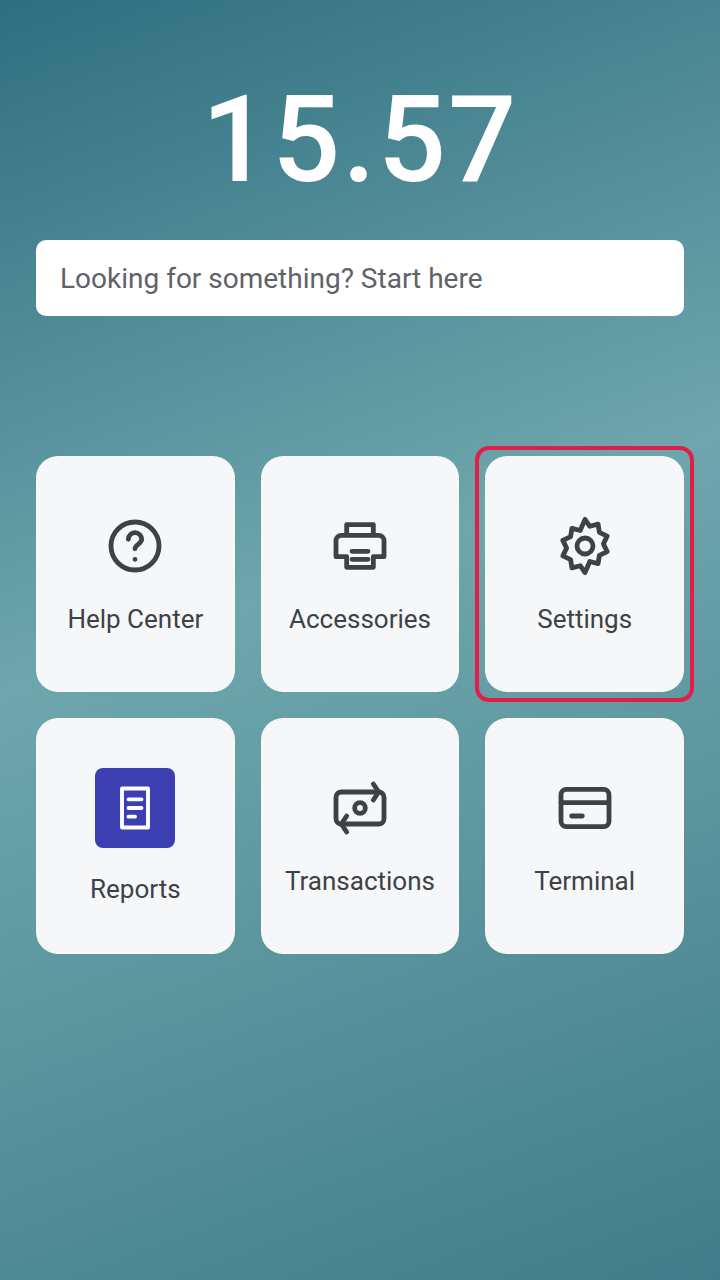
1. Open the terminal's settings
On the N950's home screen, tap Settings.
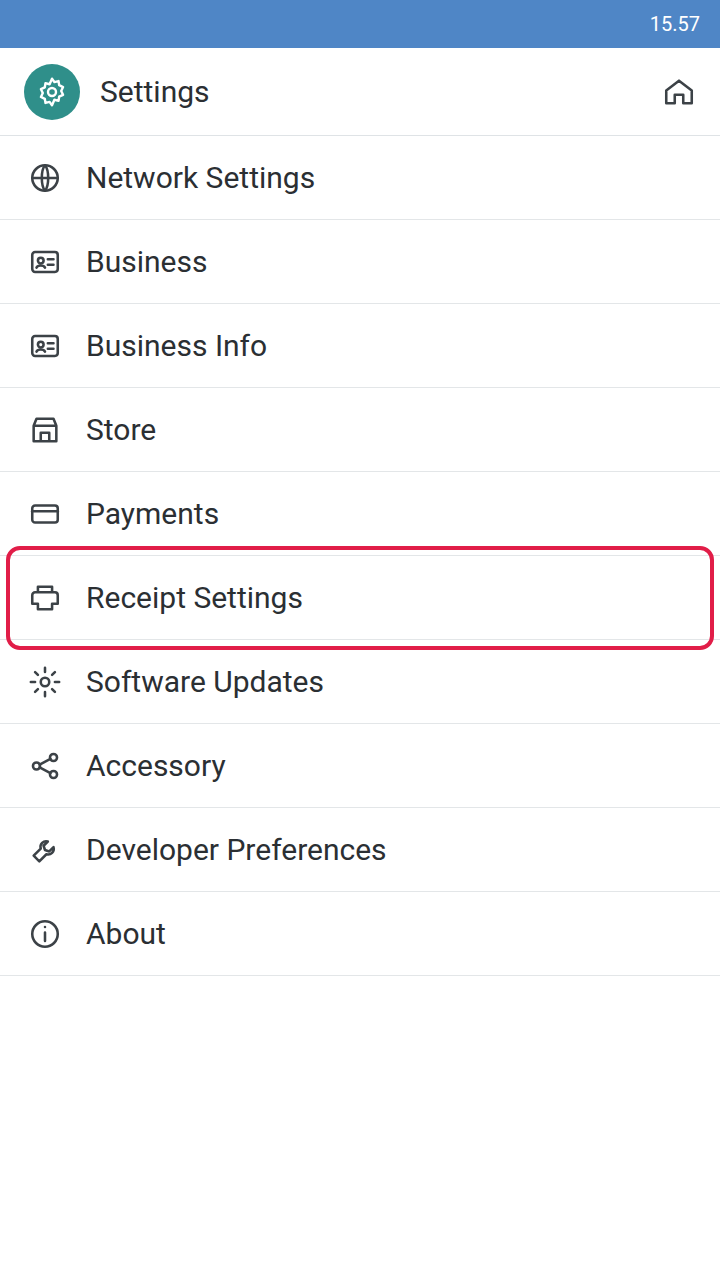
2. Open Receipt Settings
In the settings list, tap Receipt Settings.
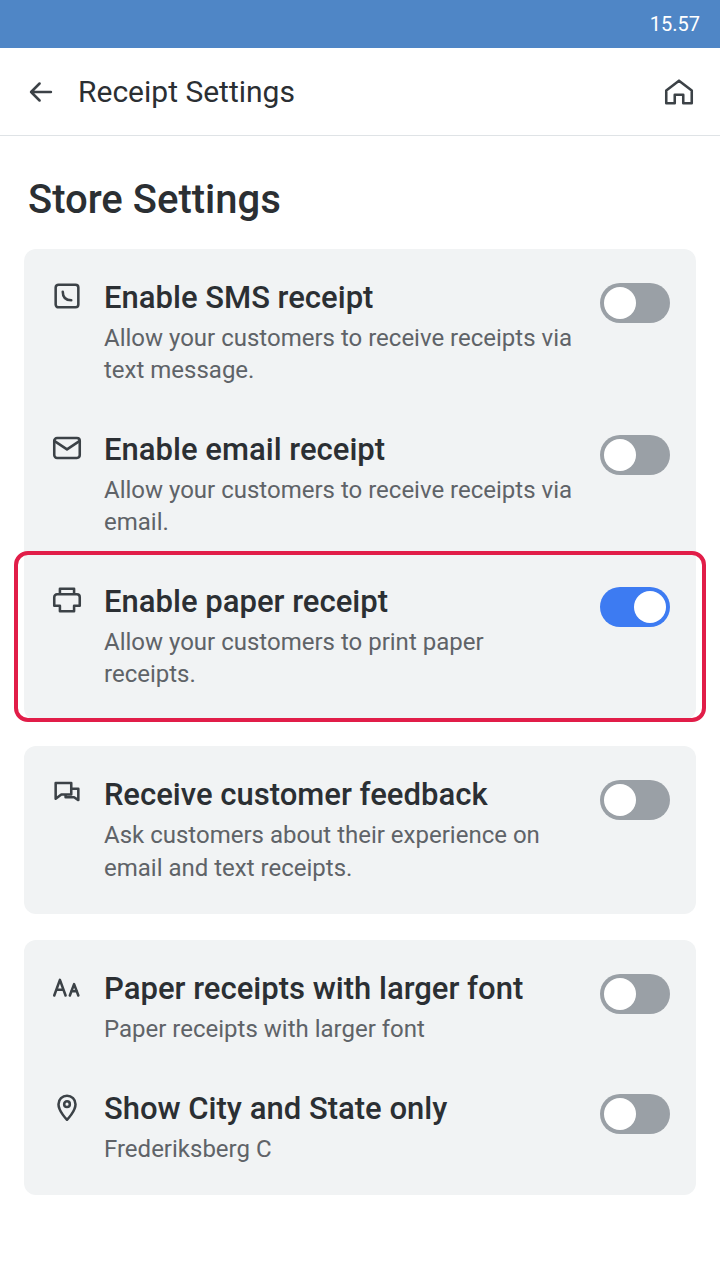
3. Turn off the paper receipt
Under Store Settings, switch Enable paper receipt off.
From the next payment the N950 prints only the Loving Loyalty receipt. Take one
test payment to check.
If something goes wrong
| What you see | What it means | What to do |
|---|---|---|
| Two receipts still print | The switch is still on | Check Enable paper receipt is off |
| No receipt prints at all | The Loving Loyalty receipt is not set to print on the N950 | Switch Enable paper receipt back on, then contact support |
| A customer asks for the terminal's own slip | It is no longer printed | Switch Enable paper receipt back on |
Was this article helpful?
Thanks for your feedback!
