

 Dansk
 Svenska
 Deutsch
 Norsk bokmål
Track stock levels
Stock tracking tells you what is running low before a customer finds out. It is off
by default and switched on per item, so you track the things worth counting rather
than everything. It is part of the inventory management plan; without it,
Shop → Inventory shows Add inventory management instead.
1. Turn it on for an item
Open Shop → Product catalogs → Items Library, select the item, turn on Add to
inventory on Basic info, and click Save.
To switch on several at once, open Shop → Inventory, go to the Items tab and
click Track products. Tick the products, enter a Starting quantity
and click Track selected. This needs at
least one stock category; Add category creates one.
An item that is not tracked is sold normally and simply is not counted. If a
tracked item shows zero, add the stock you have with Adjust. See Manage
stock from the manager app.
2. Read the inventory
Open Shop → Inventory.
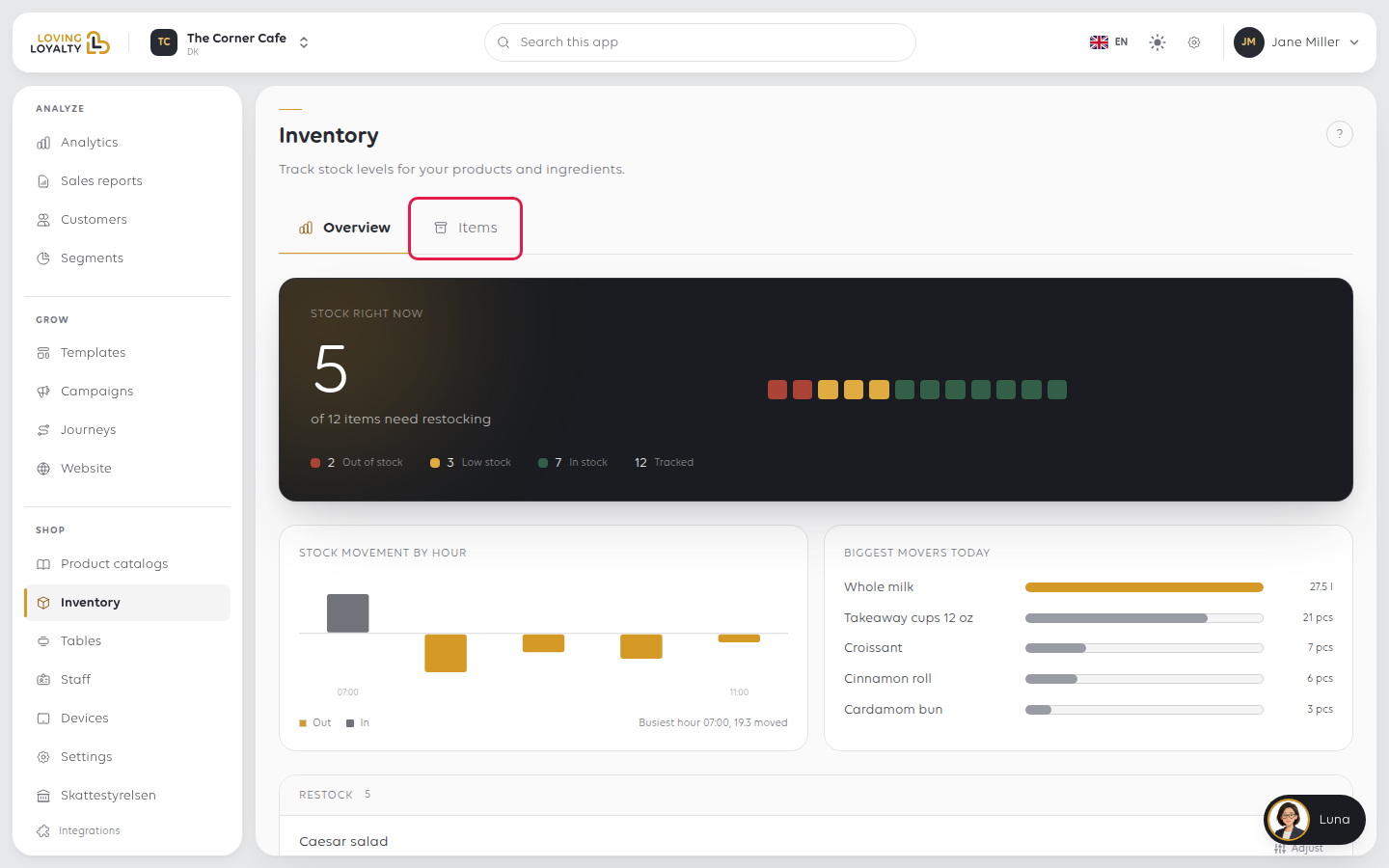
Stock right now at the top is the summary: how many tracked items need
restocking, split into Out of stock, Low stock and In stock. Below it,
Stock movement by hour and Biggest movers today, then Restock and today's
Stock movements.
| Section | Shows |
|---|---|
| Restock | Out-of-stock items first, then low ones, each in words (7 left, restock at 10, None left, Oversold by 2) with Adjust |
| Stock movements | What moved today. See each change, one by one lists every change, filtered by reason under Show |
Take the figures away
PDF and Excel, in the Stock movements header, export the figures
for a stocktake sheet, or to send to whoever does your ordering.
If something goes wrong
| What you see | What it means | What to do |
|---|---|---|
| An item is not counted | Add to inventory is off for it | Turn it on; counting starts from then |
| Everything shows out of stock | Tracking was turned on without a count | Add the stock with Adjust, or do a stock count. See Do a stock count |
| Stock never moves | Sales are not going through the product | Check they are not being rung up as unspecified |
| A low-stock warning came too late | The threshold is too low | Raise it to cover your lead time |
Was this article helpful?
Thanks for your feedback!
