

 Dansk
 Svenska
 Deutsch
 Norsk bokmål
Connect your own domain
Connect your own domain
Your Loving Loyalty website comes with an address of ours. If you own a domain,
such as yourshop.dk, you can point it at the site so customers see your name instead.
Before you start
- You own the domain, and you can sign in wherever it is registered. Changing where a domain points is done at the registrar, not here.
- Your website exists and is published. See Build your website.
1. Enter the domain
Open Grow → Website and go to the last step, Your web address.
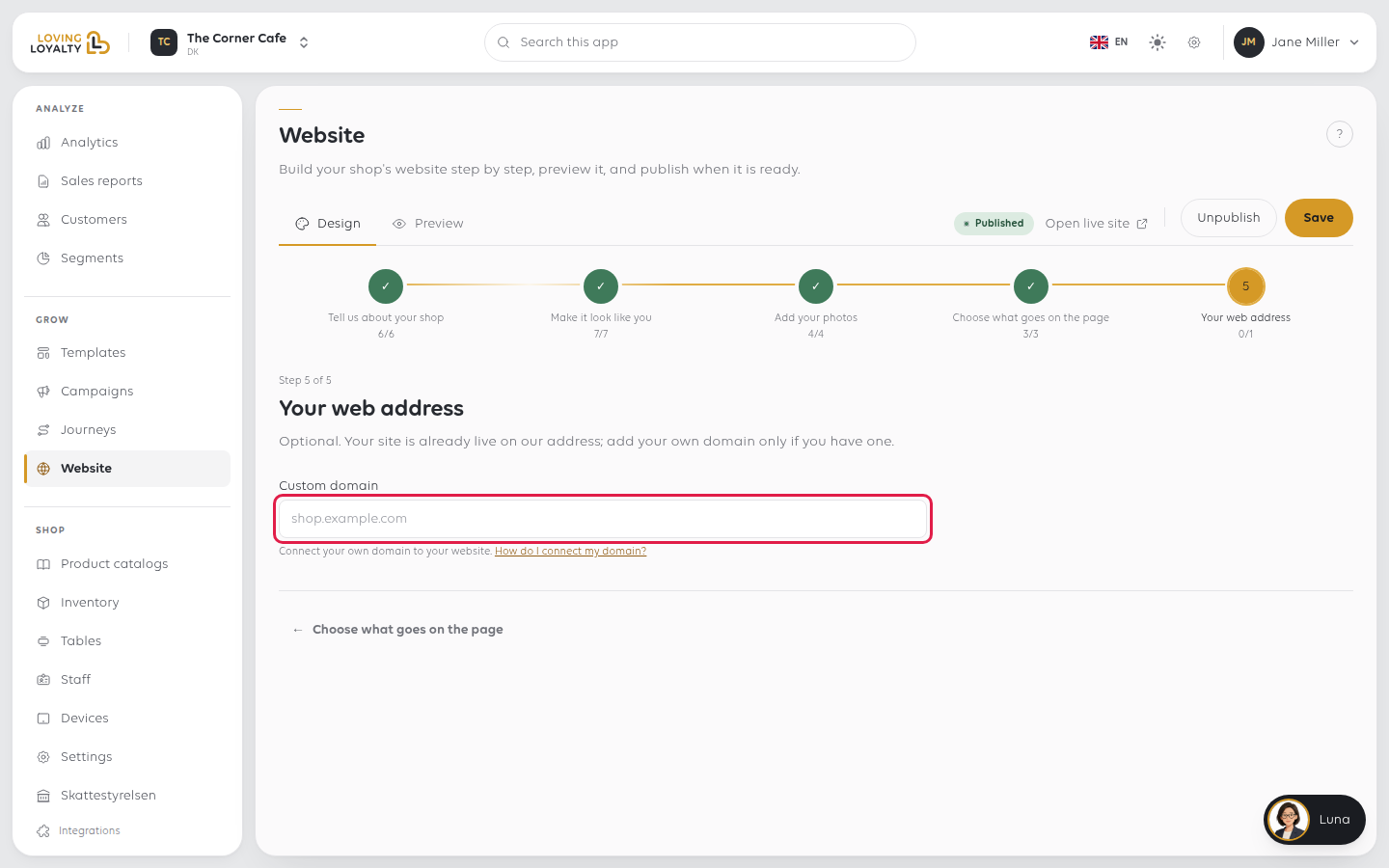
In Custom domain, type the address you want the site to answer on, in the shape
shop.example.com, and click Save.
2. Point the domain at your site
After saving, the field shows what to do next: Point an A record for your domain
to one or more addresses. Add that A record at your registrar. How do I connect
my domain? opens step-by-step instructions.
3. Check it is connected
Once the record is in place, the field shows DNS points here ✓. Until then it
keeps showing the A record to add.
If something goes wrong
| What you see | What it means | What to do |
|---|---|---|
| The domain shows an error or someone else's site | The DNS record is missing or wrong | Check it at your registrar against How do I connect my domain? |
| It worked and then stopped | The domain expired, or the DNS was changed | Check the registration first; it is the usual cause |
| The old address still works | That is expected | Ours keeps working; the custom domain is in addition to it |
| Nothing happens after saving | DNS has not updated yet | Give it a few hours before assuming it is broken |
| Enter a valid domain | The address is not in the right shape | Type it like shop.example.com, with no spaces or slashes |
| That domain is already in use by another website | Another site already uses it | Check the spelling, or contact support |
| Your email stopped working | The domain's other records were replaced rather than added to | Restore the mail records at your registrar; only the web records should change |
Was this article helpful?
Thanks for your feedback!
