

 Dansk
 Svenska
 Deutsch
 Norsk bokmål
Send order data to another system
A webhook tells another system, as it happens, that something occurred at your shop,
such as an order placed or a payment taken. You give Loving Loyalty a web address,
and it sends the details there.
This is for shops with a system of their own to feed. If you are not sure whether you
need it, you do not.
Before you start
- Whoever runs the receiving system has given you a public
https://URL that accepts HTTP POST requests.
1. Open Webhooks
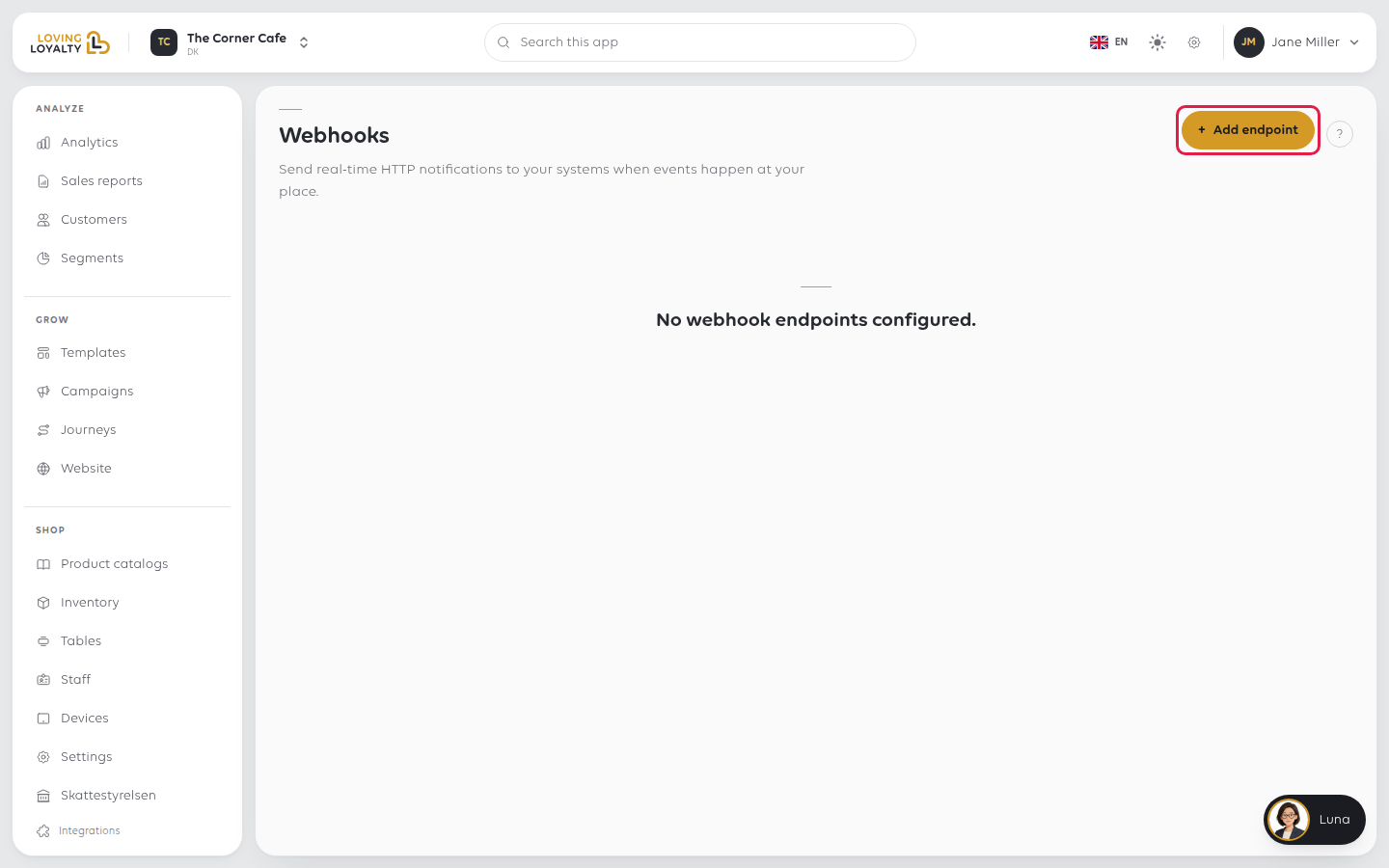
In the sidebar, open Shop, then Integrations and Webhooks. If none are set up, the page says No webhook endpoints configured.
2. Add an endpoint
Select Add endpoint. Enter the Endpoint URL and tick the Events to send.
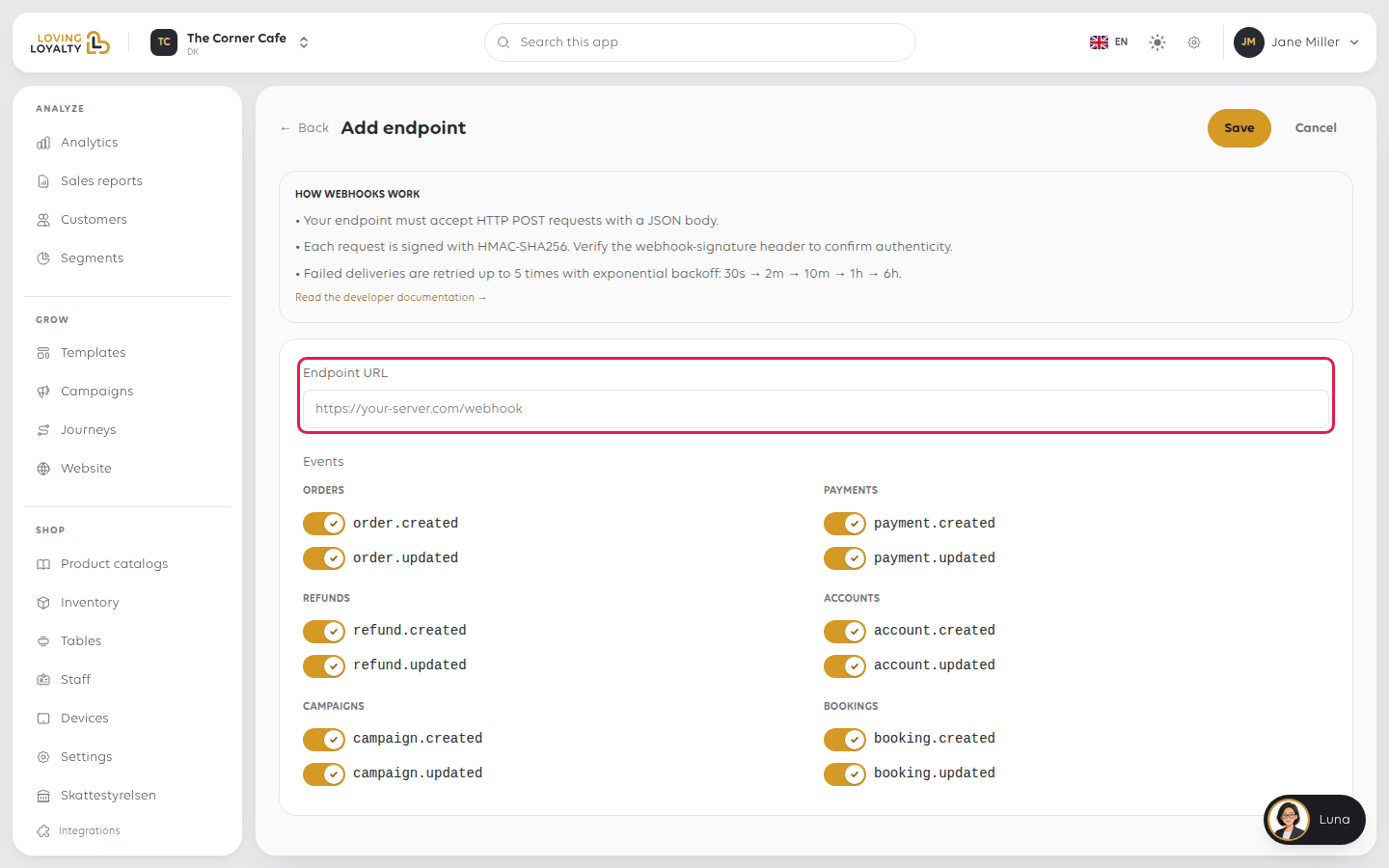
The events are grouped, and each group offers a created and an updated event:
| Group | Events |
|---|---|
| Orders | order.created, order.updated |
| Payments | payment.created, payment.updated |
| Refunds | refund.created, refund.updated |
| Accounts | account.created, account.updated |
| Campaigns | campaign.created, campaign.updated |
| Bookings | booking.created, booking.updated |
Select Save. You need a valid URL and at least one event. The URL must start with
https:// and point to a public address, not one inside your own network such as
localhost or 192.168.x.x.
3. Copy the signing secret
After saving, the Signing secret is shown once. Select Copy, pass it to whoever
runs the receiving system, then select I've saved it — dismiss. You are taken back
to the list.
If the secret is lost, open the endpoint and select Rotate secret. The old secret
stops working, so the receiving system must be updated with the new one.
What the receiving system has to do
Pass this to whoever builds it. The form shows the same under How webhooks work.
- It must accept HTTP POST with a JSON body.
- Each request is signed with HMAC-SHA256. Verify the
webhook-signatureheader with the signing secret to confirm the request came from us. - A failed delivery is retried up to five times: after 30 seconds, 2 minutes, 10 minutes, 1 hour, then 6 hours.
So a receiver that is down for an hour still gets the message. One that is down for a
day does not.
If something goes wrong
| What you see | What it means | What to do |
|---|---|---|
| Nothing arrives at your system | The endpoint may be unreachable, or no events are ticked | Open Delivery log for the endpoint and check each attempt's status |
| Requests are rejected as unsigned | The receiving system has an old secret | Use Rotate secret and update the receiving system |
| Events arrive twice | Retries after a failed delivery are normal | The receiving system should accept a repeat |
| Use an https:// address | The URL starts with http:// |
Ask for the https:// address |
| Use a public address, not one inside your own network | The URL points to localhost or a private network address |
Use an address the internet can reach |
Was this article helpful?
Thanks for your feedback!
